Sharing
DataRobot lets you share assets—including Use Cases, datasets, applications, and models—with users, groups, and organizations. You might share assets to collaborate on model development or to give colleagues access to predictions.
When you share an asset, DataRobot assigns the default role of User or Editor to each selected target. Note that while DataRobot uses consistent access levels across assets, role names and available options can vary by asset. For full role definitions, see Role definitions.
The following table maps generic access levels to common UI labels:
| Access level | Common UI labels | Typical use |
|---|---|---|
| Read/Write/Administer | Owner | Most assets |
| Read/Write | Editor or User | Datasets and projects use Editor; deployments and registered models use User |
| Read-only | Consumer or Observer | Deployments and projects use Consumer; Workloads use Observer |
For important information about the sharing functionality in DataRobot, see the feature considerations. If you encounter an error, review the data asset roles or troubleshooting.
Share modal
The Share modal works largely the same across DataRobot, but fields and roles can vary by asset type. Variations include external sharing links, optional notes and notifications, and asset-specific roles. Examples:
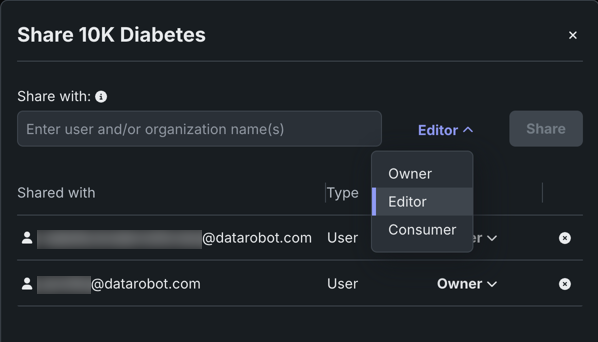
When adding team members to a Use Case, you can add users, groups, and/or organizations. Recipients gain access to all assets in the Use Case.
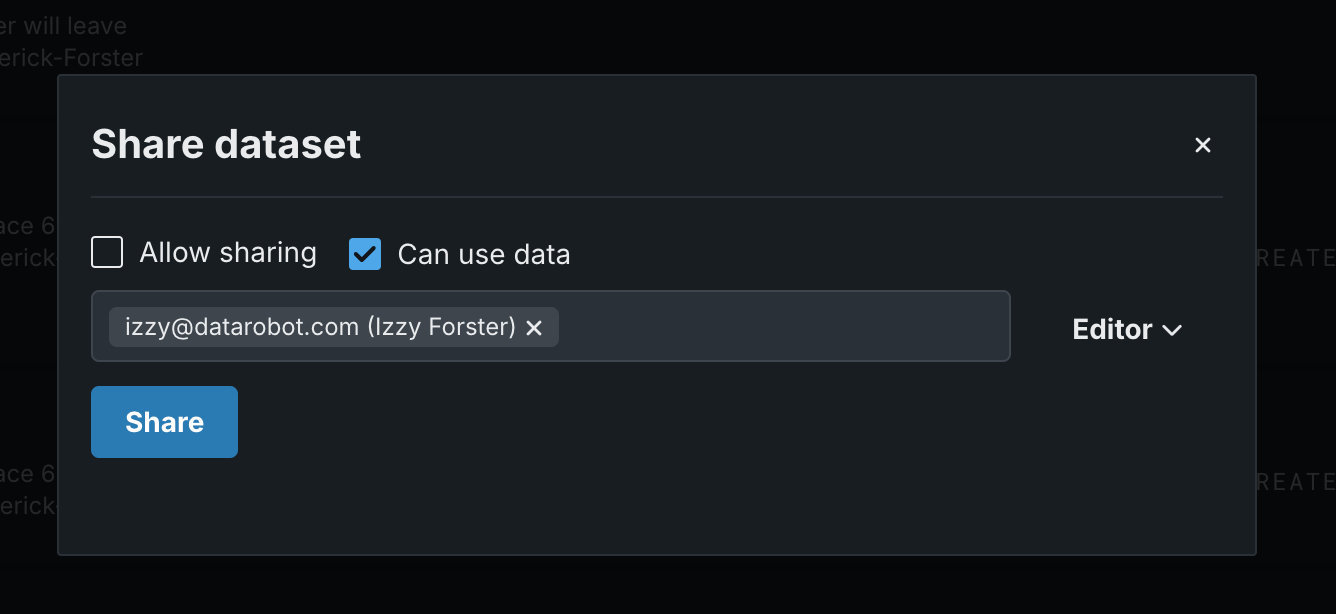
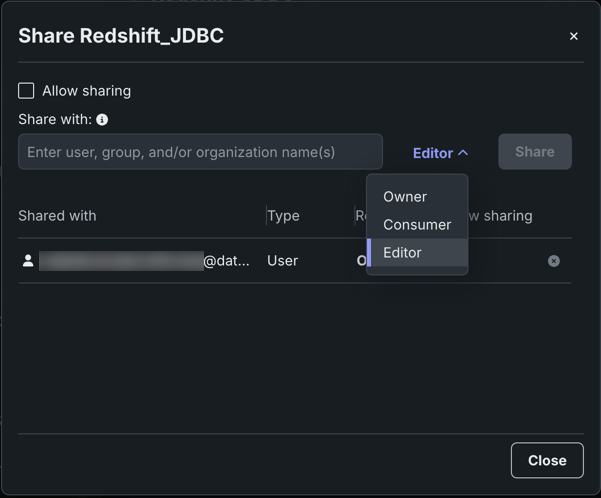
When sharing a dataset from the Data Registry, select Allow sharing and Can use data as needed, then assign Owner, Editor, or Consumer roles.
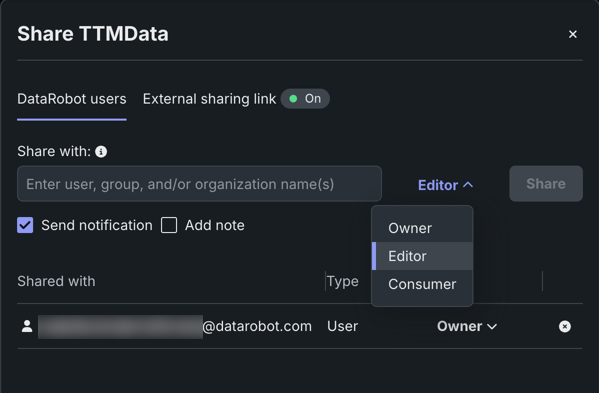
When sharing a custom application, you can enable an external sharing link and optionally send a notification and/or add a note.
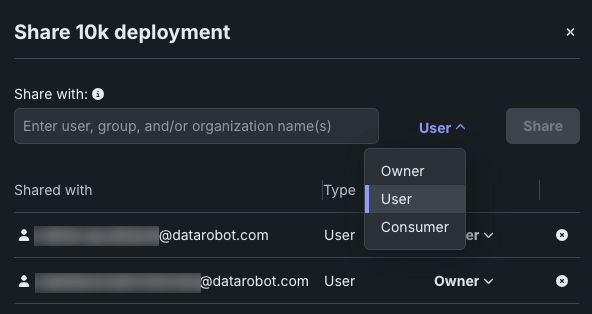
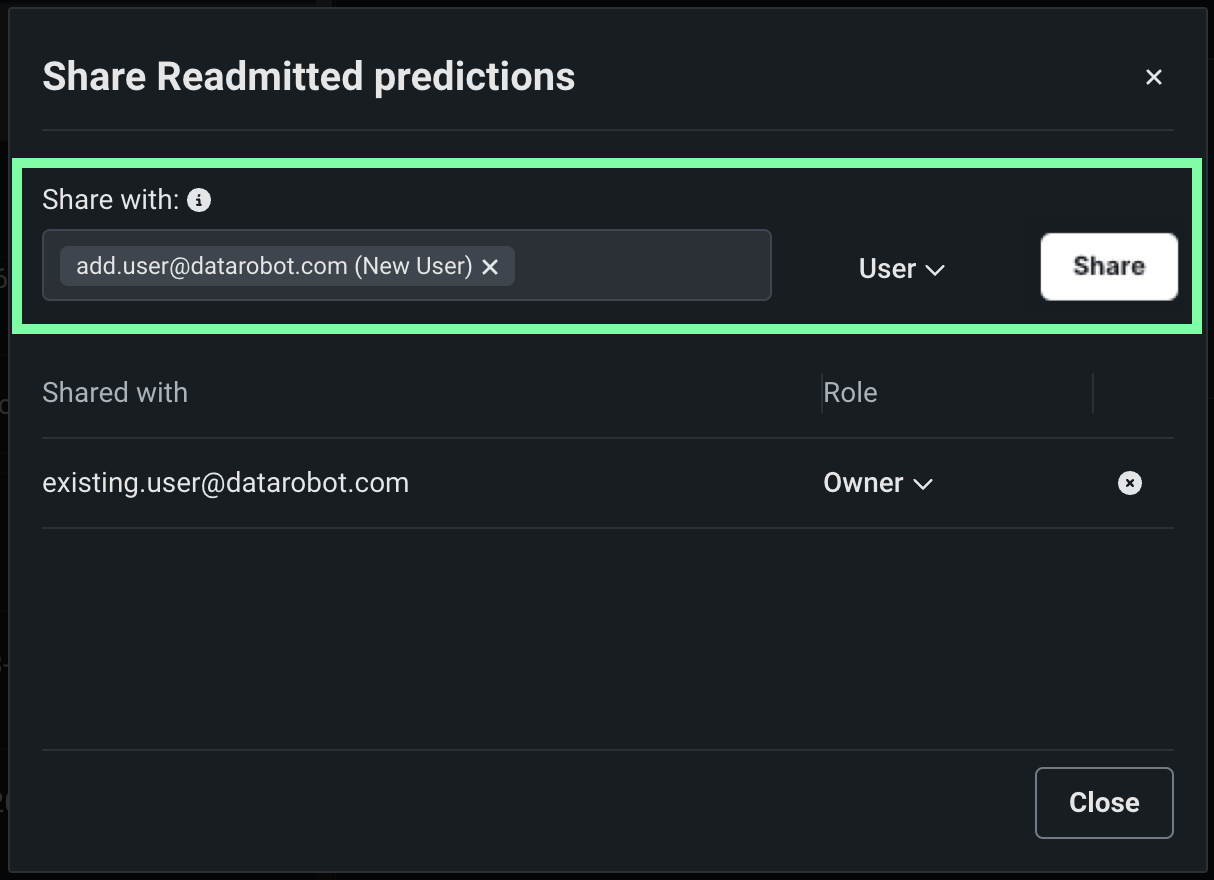
When sharing a deployment from Console, you can choose from the following roles: Owner, User, Consumer. The User role replaces the more commonly seen Editor role. Owners and Users can share with groups and organizations.
When sharing a registered model, you share the registered model and all model packages it contains—not individual model packages.
When sharing a data connection, open Data Connections from the account menu, select a connection, and click Share. DataRobot assigns the default role of Editor; you can change it from the dropdown.
If you encounter an error, review the data asset roles or the Troubleshooting section.
Share fields
The fields in the Share with modal, which differ slightly by asset type, generally include:
| Field | Description |
|---|---|
| Share with | Identifies the recipient(s). This can be any combination of user email, group, or organization (if supported). |
| Role | Specifies recipient access level to the asset. You can grant access at the same or a lower level than your own access. |
| Shared with | Lists the recipients and their assigned roles (and, for datasets, additional privileges). Use the dropdown to change the role, click the x to remove a recipient. |
| Allow sharing | Provides the recipient with permission to re-share the asset with others (up to their level of access). |
| Can use data | Allows the recipient to use the dataset for certain operations (e.g., download data, create project from dataset). |
| Add note | Allows you to add a note to include in the notification sent to the recipient. |
Recipients
In the Share with field, recipients can be:
- User: Any individual in your organization.
- Group: A selection of users, assigned by your admin, to which permissions are applied in bulk.
- Organization: A larger collection of users, also configured by the admin.
Not all asset types support all recipient types. For example, some assets support users and organizations but not groups. See Recipient availability for how these recipients map across assets.
Roles
Role selections depend on the asset type and can include:
- Owner (read/write/administer)
- Editor or User (read/write)
- Observer or Consumer (read-only)
See Role labels by asset type for how these labels map across assets.
Notifications
When sharing is successful, DataRobot sends the recipient(s) a notification email containing a link to the shared asset. Once clicked, the asset (or a log in prompt) opens in DataRobot.
Additionally, DataRobot sends an alert to the recipients Notification center.

Shareable assets
This table summarizes how to share common asset types in the UI and provides a more comprehensive list of role availability for each one. For details, see the linked documentation for each asset.
| Asset | How to share | Roles | Documentation |
|---|---|---|---|
| Use Case | Manage members on the Use Case Info tab. | Owner, User, Consumer | Add team members to a Use Case |
| Dataset | Share button on the Data Registry page. | Owner, Editor, Consumer | Share datasets |
| Deployment | The Console actions menu. | Owner, User, Consumer | Deployment actions |
| Custom application | The Applications actions menu. | Owner, Editor, Consumer | Share applications |
| Registered model | The Model Directory actions menu. | Owner, User, Consumer | Share registered models |
| Custom model | The Model Workshop actions menu. | Owner, Editor, Consumer | Share a custom model |
| Execution environment | The Environments actions menu. | Owner, Consumer | Manage environments |
| Data connection | Share button on the Data Connections page. | Owner, Editor, Consumer | Share data connections |
| Workload | The Console actions menu. | Owner, Editor, Observer | Share a Workload |
Recipient availability by asset type
Not all assets support the same sharing options. The tables below list which recipient types each asset supports. A ✔ indicates the recipient type is supported; — indicates it is not.
| Asset | Users | Groups | Organization | External |
|---|---|---|---|---|
| Workbench | ||||
| Use Case (contains vector databases, experiments, playgrounds, notebooks, applications, custom application, registered models, deployments) |
✔ | ✔ (feature flag) | ✔ | — |
| Registry | ||||
| Custom models (Workshop) | ✔ | — | — | — |
| Agentic workflows (Workshop) | ✔ | — | — | — |
| Tools (Workshop) | ✔ | ✔ | ✔ | — |
| Services | ✔ | ✔ | ✔ | ✔ |
| Agentic workflows (Model Directory) | ✔ | — | — | — |
| Registered models (Model Directory) | ✔ | — | — | — |
| Tools (Model Directory) | ✔ | ✔ | ✔ | — |
| Datasets | ✔ | ✔ | ✔ | — |
| Files | ✔ | ✔ | ✔ | — |
| Jobs (generic) | ✔ | ✔ | ✔ | — |
| Jobs (metric) | ✔ | ✔ | ✔ | — |
| Jobs (notifications) | ✔ | ✔ | ✔ | — |
| Jobs (retraining) | ✔ | ✔ | ✔ | — |
| Application sources | ✔ | — | — | — |
| Execution environments | ✔ | — | — | — |
| Prompts | ✔ | — | ✔ | — |
| Data connections | ||||
| Data connections | ✔ | ✔ | ✔ | — |
| Console | ||||
| Deployed workloads (agentic workflow) | ✔ | ✔ | ✔ | — |
| Deployed workloads (tools) | ✔ | ✔ | ✔ | — |
| Deployed workloads (service) | ✔ | ✔ | ✔ | — |
| Prediction environments | ✔ | ✔ | ✔ | — |
| Notification templates (deployment policy) | ✔ | ✔ | ✔ | — |
| Notification templates (channel) | ✔ | ✔ | ✔ | — |
| Notification templates (custom job policy) | ✔ | ✔ | ✔ | — |
| Airflow pipelines | — | — | — | — |
| Applications | ✔ | ✔ | ✔ | ✔ |
*Group sharing for Use Cases requires a feature flag. When you share a Use Case, recipients also gain access to contained assets—including vector databases, experiments, playgrounds, notebooks, applications, custom applications, registered models, and deployments.
Users-only sharing
Custom models, agentic workflows, application sources, and execution environments can only be shared with individual users—not groups or organizations.
Share through Use Cases
Many Workbench assets—such as experiments, codespaces, and wrangling recipes—cannot be shared individually. Instead, share the parent Use Case, which gives recipients access to all assets contained in that Use Case, including those added by other members. See Add team members to a Use Case.
You can also link datasets or deployments to a Use Case to extend access to existing Use Case members without sharing those assets separately. See Link data to a Use Case and Link to a Use Case.
Troubleshooting
If you get an error when you try to share, it may be because:
- Your recipient is not a DataRobot user or is a user but is outside your DataRobot organization.
- There is a problem with roles and/or permissions. Both your role and access level and the recipient's role influence whether and how you can share an asset with that user or group of users.
Effect of your role and access level
When assigning roles, you can assign the same, or a lower, access level as your own. For example, if you have User (read/write) access to a project, you can grant another user User or Consumer (read-only) access, but you cannot grant them Owner (read/write/administer) access.
Effect of the recipient's role and access level
The share recipient's access to DataRobot assets is controlled by role-based access control (RBAC) roles, assigned by the organization's DataRobot administrator. Those designated privileges override your assignments. If you attempt to share an asset at a role above the user's RBAC privileges, sharing is prevented. Try assigning a more restrictive role. See Role priority and sharing for details.
Feature considerations
Note the following when sharing or removing access:
- Not all entities allow sharing beyond a specific user.
- When sharing, users and groups must belong to the same organization (see tenant isolation and collaboration for details).
- You can only share with active accounts.
- You can only share up to your own access level (a consumer cannot grant an editor role) and you cannot downgrade the access of a collaborator with a higher access level than your own.
- Every entity must have at least one owner (entity creator by default). To remove the creator, that user must assign the owner role to one or more additional collaborators and then remove themselves.
- Data connection and data asset entities must have at least one user who can share (based on the “Allow sharing” setting).
More info
The following documentation covers related topics not described above:
- GenAI sharing: Sharing and permissions
- Access control: Role priority and sharing
- Notifications: Notification center
- API: Sharing (Python API), Sharing and access control (Workload API)