Generate compliance documentation
Compliance documentation summarizes the components of the model and validates that the model is conceptually sound. The user must review them and customize the document to indicate the model is appropriate for its intended business purpose. This individualized model documentation is especially important for highly regulated industries. For the banking industry, for example, the report can help complete the Federal Reserve System's SR 11-7: Guidance on Model Risk Management. After you generate the compliance documentation, you can view it or download it as a Microsoft Word (DOCX) file and edit it further. You can also create specialized templates for your organization. You can generate compliance documentation for models in Workbench experiments and models in Registry:
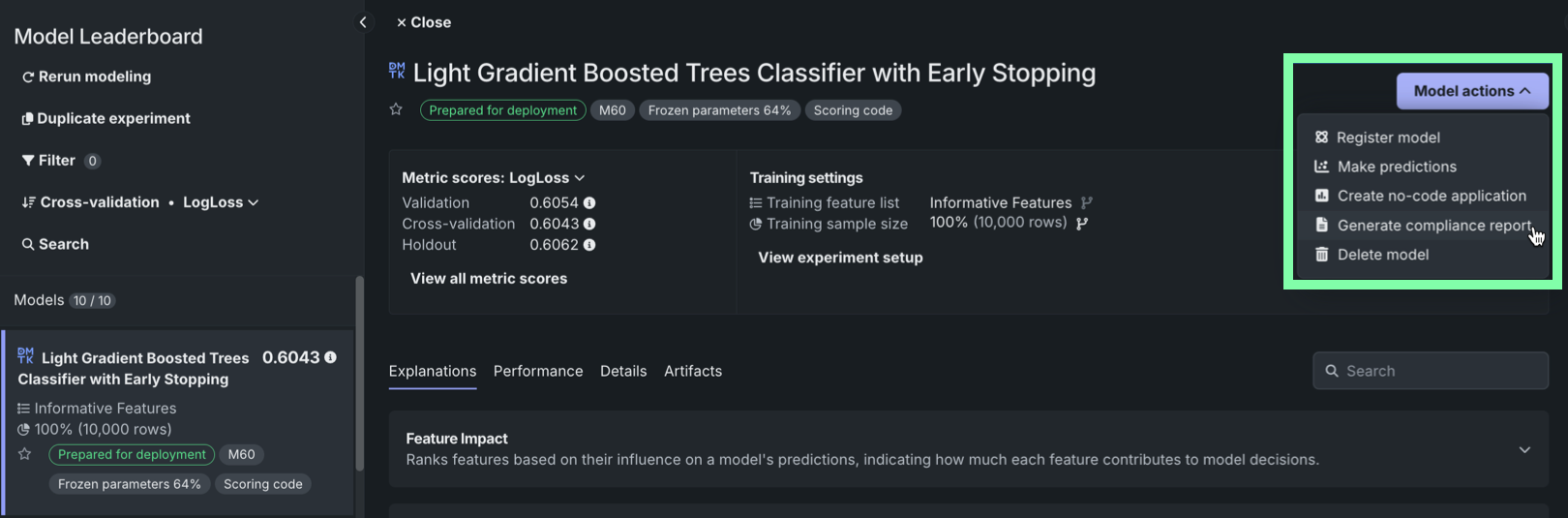
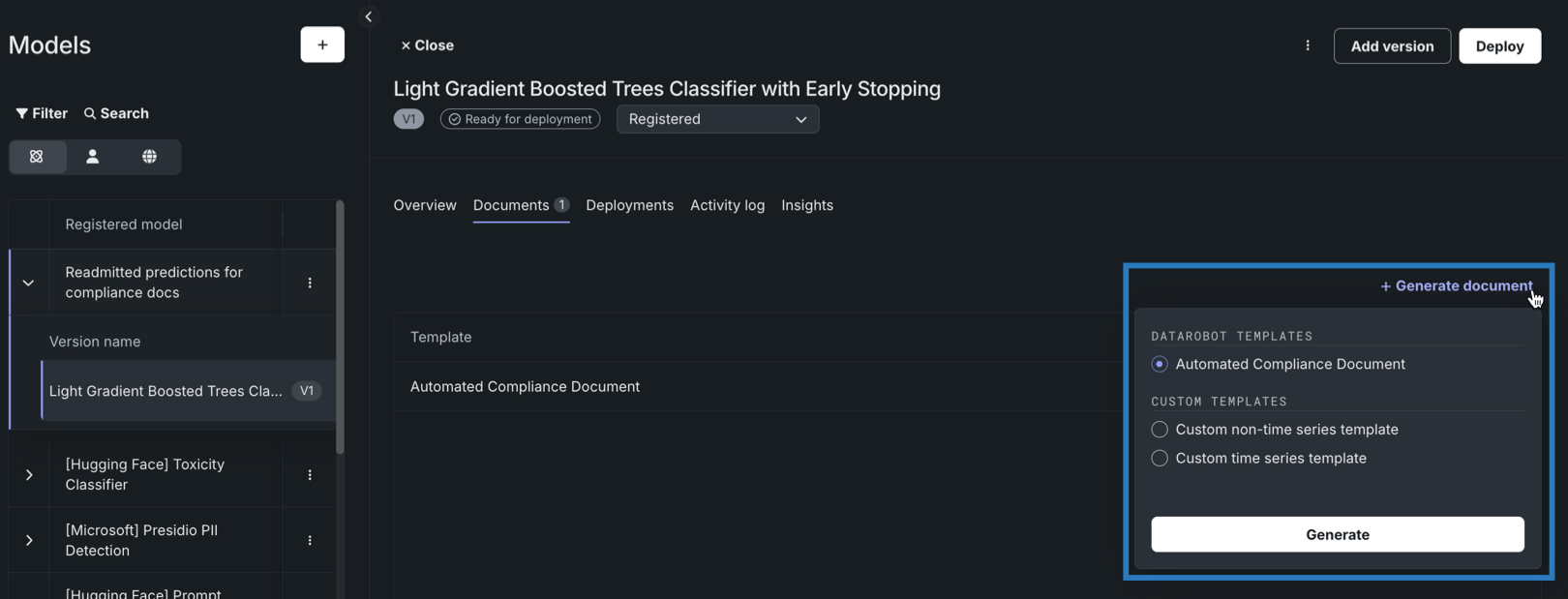
To learn how to generate compliance documentation, review the documentation for each location in the table below:
| Location | Description |
|---|---|
| Experiment | In Workbench, on an experiment's Model Leaderboard tab, open a model's information panel and access the Model actions menu. |
| Registry | In the Registry, on the Models tab, open a registered model version and navigate to the Documents tab. |
Next steps
After generating compliance documentation, customize the template it's based on or review the underlying model code for a deeper audit.
- Build compliance templates: Create, edit, and share custom documentation templates tailored to your organization's requirements.
- Compliance documentation: Generate and download compliance documentation directly from an experiment's Model Leaderboard.
- Audit model code: Review the available entry points for accessing model code and blueprints to support audit processes.