Risk management
Risk management helps evaluate and document how a Use Case, model, or deployment complies with an organization's risk framework, including the built-in EU AI Act framework. Apply a framework, select a risk level—optionally with help from the guided EU AI Act questionnaire—and DataRobot automatically evaluates the in-platform mitigation methods that the framework requires against the asset the framework is applied to.
Creating risk management frameworks
The organization administrator creates the risk management frameworks that are available to use for compliance assessment. Users can apply but not modify these frameworks; speak to your admin for requested changes.
A risk management framework can be applied at several points across the AI lifecycle. Each surface applies frameworks and evaluates mitigation methods independently:
| Asset | Where to find it |
|---|---|
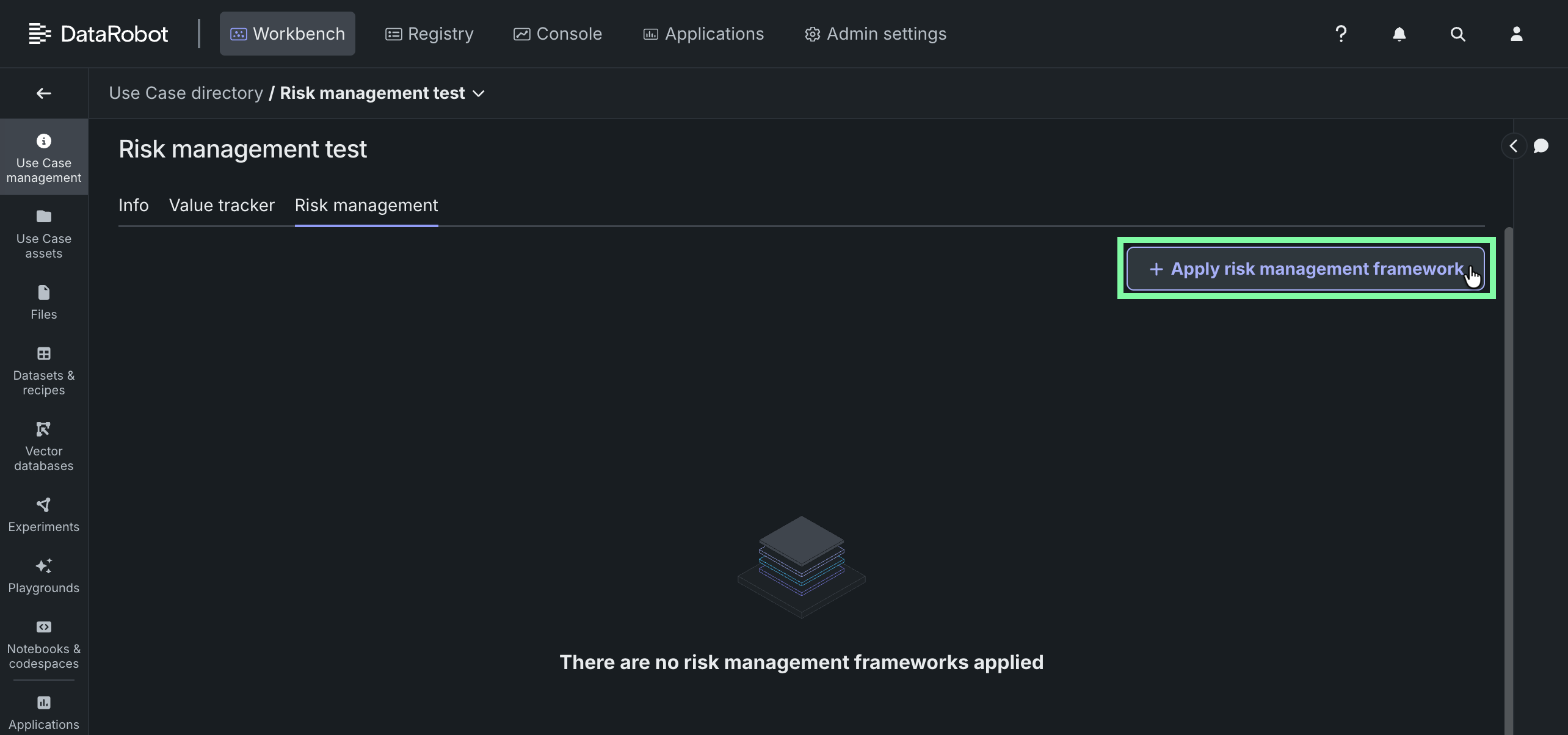
| Use Case | Workbench: Open a Use Case, go to Use Case management, then click Risk management. |
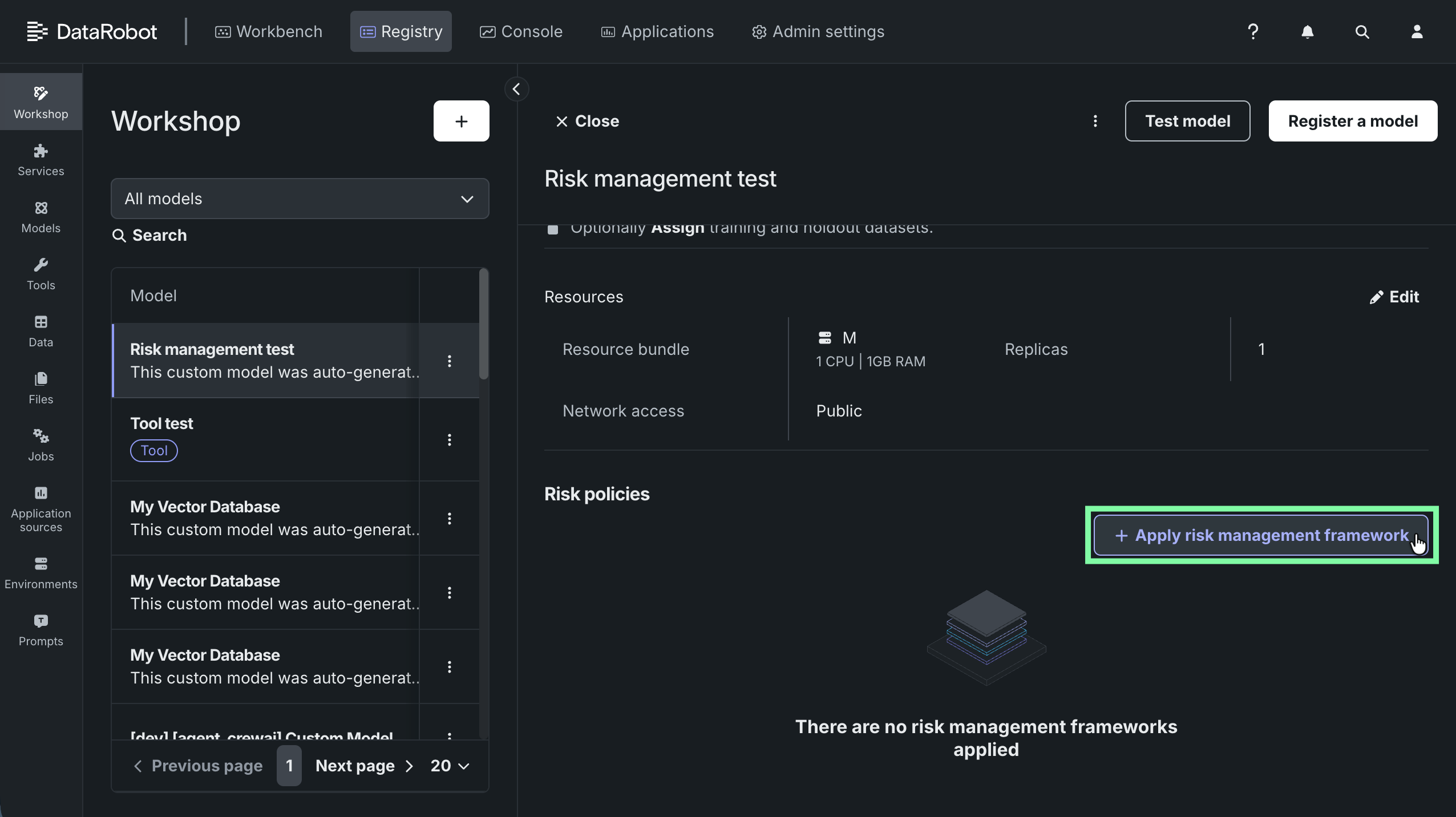
| Custom model version | Registry: From the Workshop tab, open the model and go to the Assemble tab, then scroll to Risk policies. |
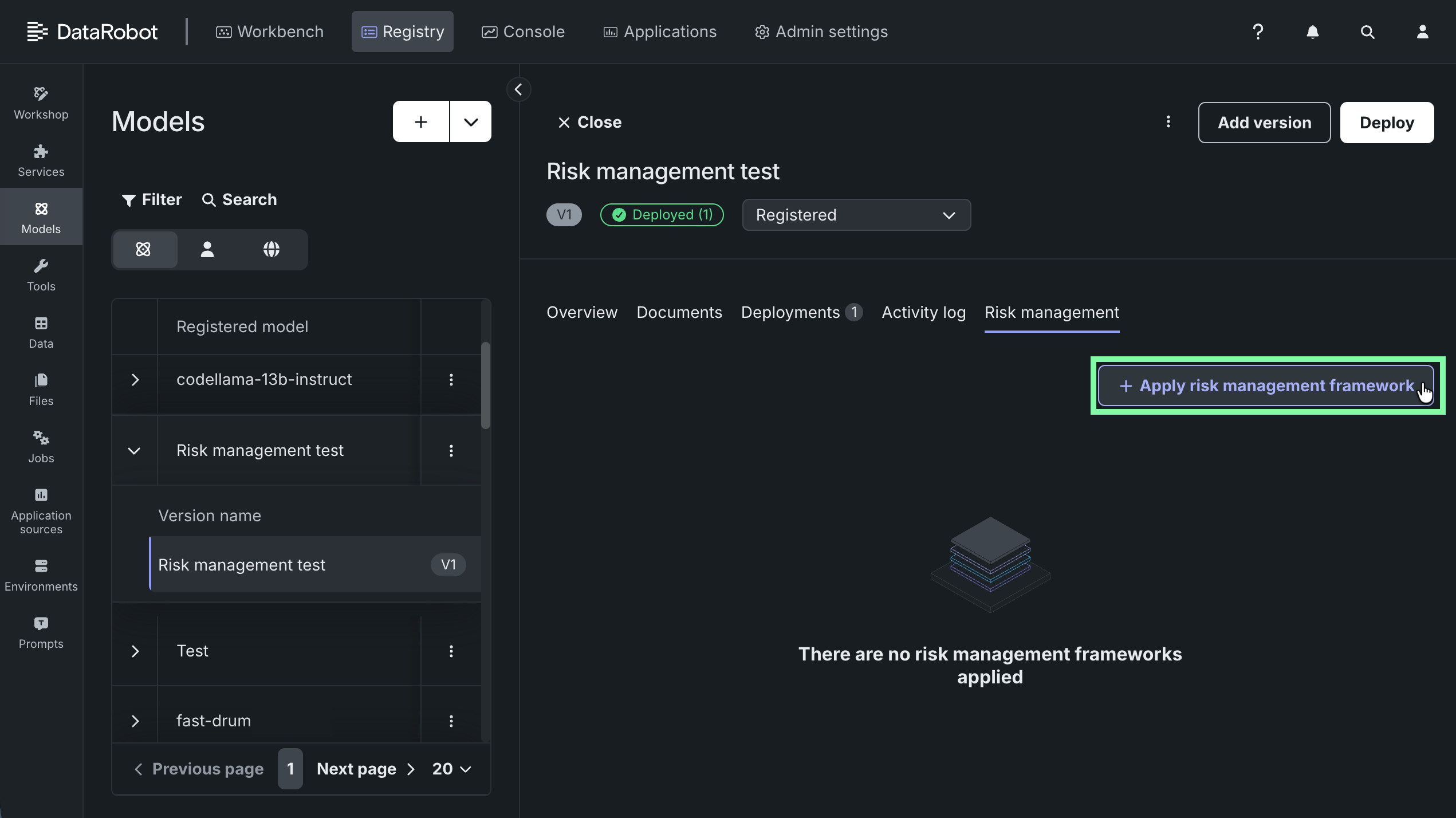
| Registered model version | Registry: From the Models tab, open the registered model version and click the Risk management tab. |
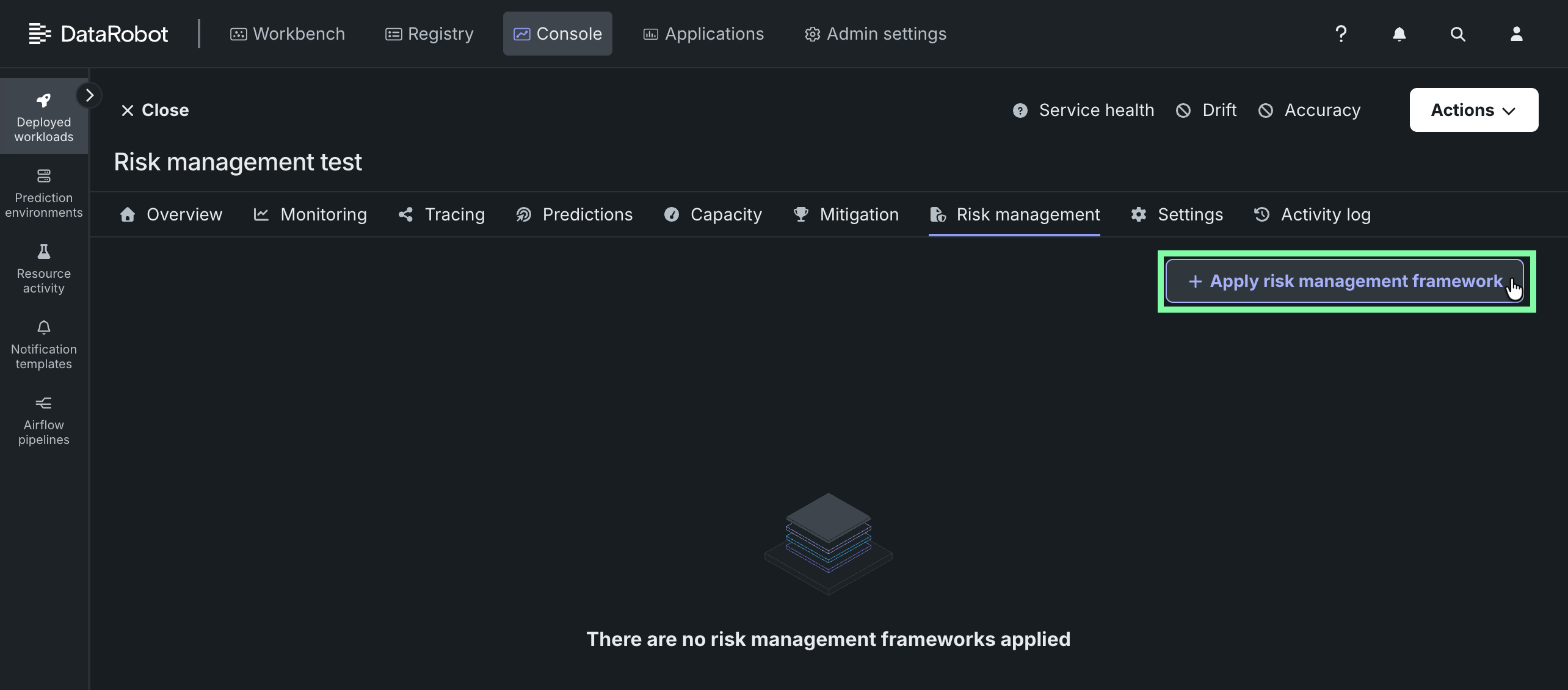
| Deployment | Console: Open the deployment and click the Risk management tab. |
Risk management is always available for a Use Case, regardless of the target types of the models it contains. It’s also available for registered model versions, deployments, and custom model versions with these target types:
- Predictive: Binary, regression, multiclass, multilabel, and geospatial
- Generative: Text generation and agentic workflow
Experiments, projects, and the models on their Leaderboard don’t have their own risk management. A Leaderboard model gets its own risk management once you register it. Until then, it’s covered by its Use Case.
Because a framework can be applied at more than one stage of the model lifecycle, several other pages show a preview of previously applied risk management frameworks. These previews are read-only; to apply or change a framework, go to the asset's own Risk management location listed in the preceding table.
| Where | Preview shows | Appears when |
|---|---|---|
| Playground, when sending a model to Workshop | The Use Case's risk management | Always, like the Use Case's own Risk management page |
| Registering a DataRobot model from the Leaderboard | The parent Use Case's risk management (Leaderboard models don't have their own risk assessment) | A Use Case is selected |
| Registering a custom model from Registry or Workshop | The custom model version's risk management | Target type is text generation or agentic workflow |
| Configuring a deployment, under Monitoring features > Show advanced options > Risk management | The registered model version's risk management | Target type is text generation or agentic workflow |
What the preview's message means
The caption on the preview identifies the page where changes can be made:
- Custom model version preview: links to the registered model version.
- Registered model version preview: links to the deployment.
If no framework has been applied, the caption indicates that and links to the page where one can be applied.
Apply a risk management framework
To apply a risk management framework to a Use Case, registered model version, deployment, or custom model version:
-
In the asset's Risk management section, click + Apply risk management framework. See above for location information.
-
From the Risk management framework dropdown, select a framework. If the framework includes instructions, they're displayed under Risk management framework instructions.
-
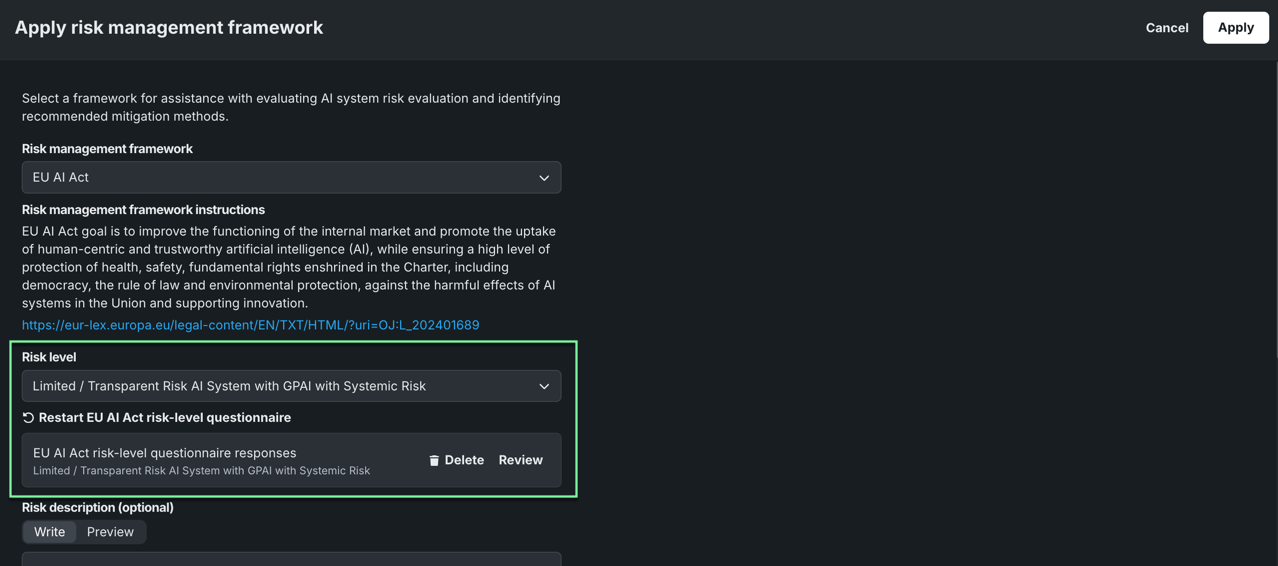
Select a Risk level. The available options are defined in the selected framework's configuration (as set by the organization administrator). The selection applies to this risk assessment only; other frameworks applied to the same asset keep their own risk level. If you selected the EU AI Act framework, proceed to the next step to set the risk level using the EU AI Act questionnaire.
-
If you selected the built-in EU AI Act framework, review the disclaimer and click Acknowledge and start questionnaire to launch the EU AI Act questionnaire. When complete, review the outcome and either restart the questionnaire or click Apply results.
Once applied, the assessment outcome automatically sets the risk level on the Apply risk management framework page. You can review, restart, or delete the questionnaire from that page at any time.
-
Optionally, enter a Risk description describing the risk associated with this asset.
-
Review Mitigation and compliance requirements. This lists the mitigation methods the framework requires, grouped by category.
For the EU AI Act framework, this section is split across the In-platform mitigation methods, Out-of-platform compliance requirements, and GPAI Downstream Information tabs.
-
Review all settings, then click Apply.
Review an applied framework
Once a framework is applied, the asset's Risk management section shows the selected risk level and any provided description as well as a section on mitigation and compliance. Mitigation methods are organized into categories: Security, Audibility, Documentation, Risk management, Human feedback, Evaluation, External validation, and Monitoring.
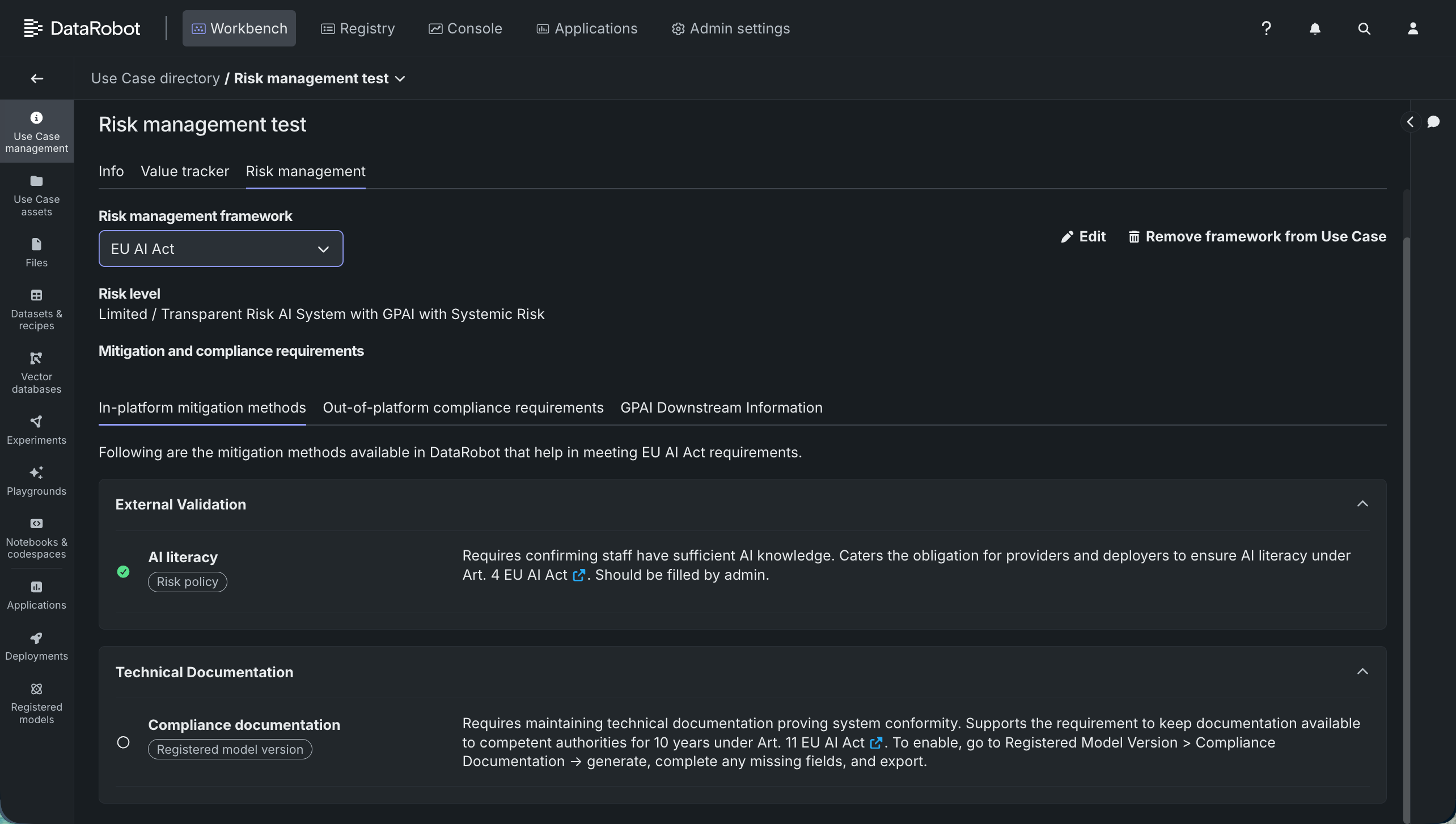
DataRobot automatically evaluates a method's status wherever it can be determined from the asset configuration. Otherwise, evidence may need to be provided manually (for example, by filling in the risk description) or confirmed by an administrator. Click a method to expand and review the compliance status:
| Status | Meaning |
|---|---|
| Passing | The mitigation method recommended for this requirement has been met. |
| Failing | A compliance test run for this requirement came back with a failing grade. This currently applies only to the Bias benchmark, Jailbreak, Completeness, PII, and Toxicity compliance tests, evaluated when an LLM blueprint is exported from a playground to Workshop. |
| Not set | The mitigation method applies to this asset but hasn't been met yet. This is the catch-all status for anything that isn't passing or failing—for example, a required setting hasn't been enabled or configured, or the asset hasn't reached the later phase of its lifecycle where the method takes effect. |
Mitigation methods reference
The full set of methods available across frameworks includes the following. Not every method applies to every asset type; DataRobot shows only the methods that are relevant to the framework, the asset type (Use Case, registered model version, custom model version, or deployment), and, for generative use cases, whether the target is predictive, generative, or agentic.
| Mitigation method | What it requires |
|---|---|
| AI literacy | Confirming staff have sufficient AI knowledge. |
| Risk description filled | Documenting identified risks, mitigations, and evidence. |
| RBAC | Restricting system access to authorized users. Enabled by default. |
| Compliance Documentation | Maintaining technical documentation proving system conformity. Generate this from the Compliance Documentation page on the registered model version. |
| Service Health monitoring | Tracking system availability and health in production. Enabled by default. |
| Resource utilization monitoring | Tracking compute and memory usage in production. Enabled by default. |
| Logs added | Automatically generating and retaining logs for at least 6 months. No configuration required. |
| Tracing added | Capturing traces for each AI system interaction. Requires instrumenting the AI system with OpenTelemetry (OTel) tracing. |
| Drift monitoring | Detecting statistical shifts in input data distributions. Enable drift detection and configure a reference baseline in deployment Settings. |
| Accuracy monitoring | Measuring predictive model accuracy. Enable Accuracy monitoring in deployment Settings. |
| Bias and Fairness monitoring | Tracking production outputs for emerging bias over time. Configure protected features under Settings > Fairness. |
| Notification on deployments | Alerting deployers when the performance of the AI system is degrading. Enable deployment alerts and add stakeholder emails under Settings > Notifications. |
| Bias benchmark compliance test | Testing that outputs are free from prohibited bias. Run the Bias compliance test against the evaluation dataset. |
| Jailbreak compliance test | Testing resilience against safety bypass attempts. |
| PII compliance test | Testing that no personal data or PII is exposed in outputs. |
| Completeness compliance test | Testing that AI responses fully address user requests. |
| Toxicity compliance test | Testing that outputs are free from harmful language. |
| Prompt injection metric | Blocking adversarial prompt manipulation in real time. Enable the Prompt Injection guard under Evaluation and Moderation. |
| PII detection guard | Detecting unexpected personal data or PII leakage in input or output. Enable the PII guard under Evaluation and Moderation. |
| Agent goal accuracy guard | Tracking agent goal accuracy in live traffic to detect degradation. |
| Task adherence guard | Monitoring live task adherence to detect behavioral drift. |
| ROUGE-1 guard | Tracking output relevance using ROUGE scores to detect quality drops. |
| Faithfulness guard | Monitoring output alignment with source context to detect hallucination. |
Use the Edit or Remove framework actions to modify the framework assignment. The remove action is labeled by asset type, for example Remove framework from Use Case. If more than one framework is applied to the same asset, use the Risk management framework dropdown to switch between them.
Check and raise a compliance score
After you apply a framework to a registered model version, custom model version, or deployment, its Risk management section shows a Compliance score. The score represents the percentage of the selected risk level's required mitigation methods that are Passing, out of every method that's Passing, Failing, or Not set. Methods that don't apply to the asset aren't part of the calculation. A Use Case's Risk management page doesn't show a score, since a Use Case doesn't evaluate mitigation methods the way a model or deployment does.
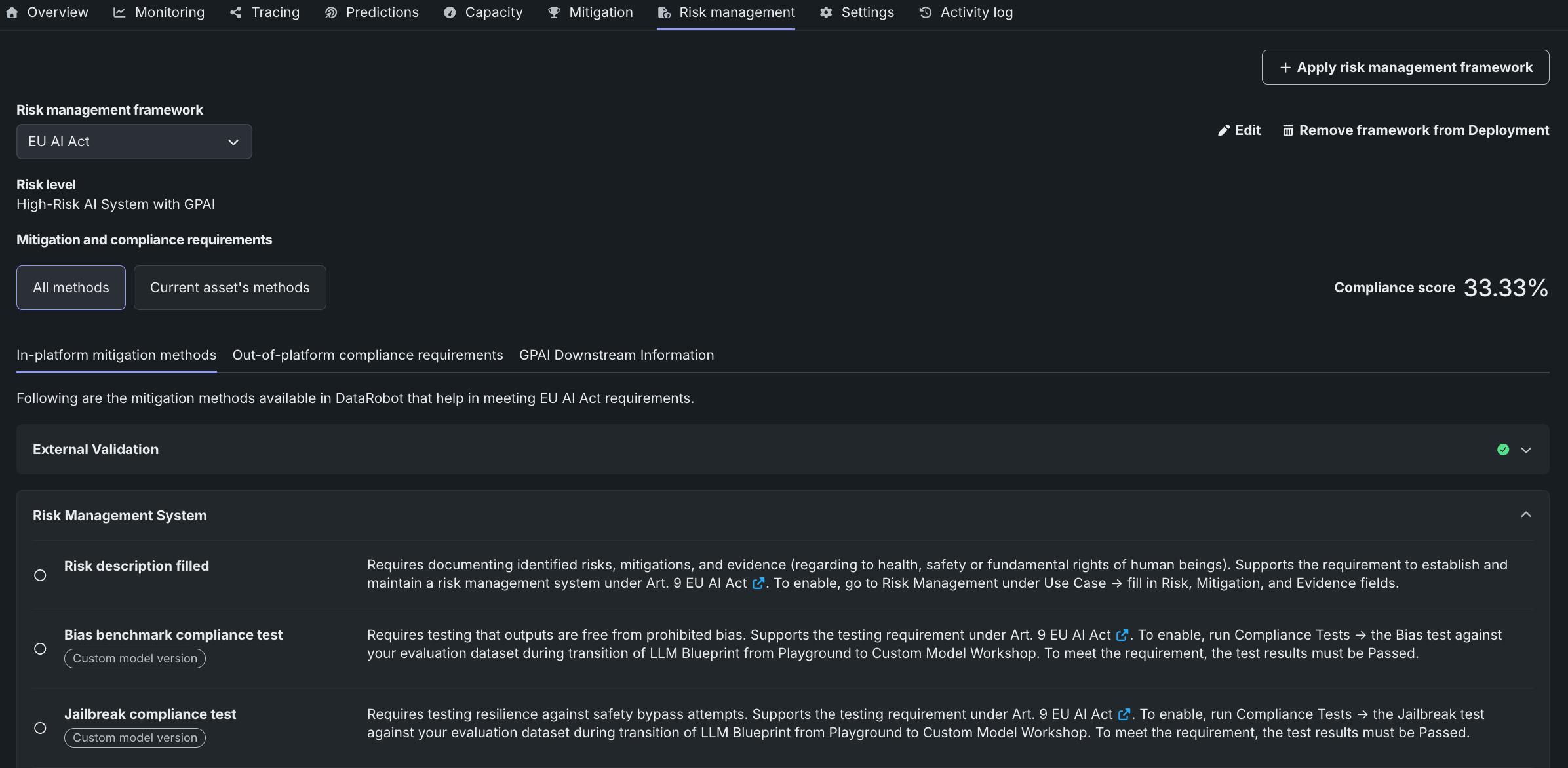
You can check and raise a compliance score by following these steps for a registered model version, custom model version, or deployment:
- Open the asset's Risk management section (see above for where to find it for each asset type).
- If a framework isn't already configured, apply a framework and select a risk level (see Apply a risk management framework). This works the same way for any framework. Once a framework is applied, the Compliance score appears above the mitigation methods.
- Next to the score, use the Current asset's methods / All methods tabs to display either the methods that count toward this asset's score or the framework's complete list, respectively.
-
Expand a method and if not set, the entry lists what it requires. The next steps depend on the method and the asset:
- Filling in a Risk description on the same page satisfies Risk description filled for any asset.
- Enabling a guard under Evaluation and Moderation satisfies a guard-based method like Prompt injection metric on a custom model version
- Enabling drift detection in Settings satisfies Drift monitoring on a deployment.
-
Make the change described by the method, then return to the asset's Risk management section. The method evaluates to Passing and the Compliance score increases.
Changing the Risk level can also affect the score: a higher risk level typically pulls in more required mitigation methods, so the same asset can show a lower score at a stricter risk level even when nothing else changed.
EU AI Act framework
This section applies if you applied the built-in EU AI Act framework template to a Use Case, model, or deployment. When using the built-in framework template, instead of choosing a risk level yourself, DataRobot walks you through a guided questionnaire that classifies the AI system under Regulation (EU) 2024/1689. It then evaluates the asset against the mitigation methods and obligations that apply at that level. In-platform methods (monitoring, guards, documentation, and similar controls) are checked automatically where DataRobot can determine status from the asset configuration; out-of-platform requirements and GPAI downstream information remain your organization's responsibility outside the product. Use the results to see what still needs to be configured in DataRobot and what must be handled through legal, operational, or third-party action.
EU AI Act questionnaire
The EU AI Act questionnaire is a guided, roughly 5-minute flow that helps explore how the AI system-related provisions of the EU AI Act apply to an AI system. Answer a series of short questions about how, where, and for what purpose the AI system operates to get help with:
- Classifying the risk level of an AI system under the EU AI Act.
- Identifying GPAI downstream information.
- Identifying output disclosure requirements.
- Identifying the mitigation measures required for that risk level.
- Identifying the obligations that apply to the provider and deployer of the AI system.
Disclaimer
The results generated by the EU AI Act questionnaire are for informational purposes only. They are not legal advice or a legal assessment of your situation or your obligations under the EU AI Act. DataRobot recommends that you seek the assistance of a legal professional for advice tailored to your specific situation.
Launch the questionnaire when you apply the EU AI Act risk management framework. The questionnaire walks through the following sections:
| Section | What it covers |
|---|---|
| Scope & prohibited practices | Helps determine whether the EU AI Act may apply to an AI system, and helps identify potential prohibited practices under Article 5. |
| General-purpose AI (GPAI) & GPAI with systemic risk | Helps determine whether the AI system relies on a general-purpose AI model that carries systemic risk, which may trigger additional obligations under the Act. |
| High-risk products | Helps determine whether the AI system is a regulated product, or a safety component of one, under existing EU product safety legislation (Annex I). These AI systems are classified as high-risk. |
| High-risk use cases | Helps determine whether the AI system falls into a high-risk use case category under Annex III, and whether an exception applies based on its limited purpose or function. |
| Transparency obligations | Helps determine which transparency obligations apply when people interact with the AI system or its outputs (Article 50). All four exception criteria must be met and documented for an exception to apply. |
The questionnaire reaches one of the following outcomes, based on the answers given:
- Potentially out of the EU AI Act's scope of application (Article 2): The EU AI Act may not apply to the AI system. Voluntary compliance with its requirements is nonetheless recommended.
- EU AI Act prohibited AI practice detected (Article 5): The AI system may involve one or more practices prohibited under the EU AI Act. Systems in this category cannot be placed on the market, put into service, or used in the EU. Contact your legal department or legal advisor to assess the planned use case for AI regulation compliance.
- High-risk AI system, with or without a high-risk exception, and with or without an underlying GPAI model (with or without systemic risk). To be compliant with the EU AI Act: establish and maintain a risk-management system across the AI system's lifecycle; apply data-governance and quality criteria to training, validation, and test data; create technical documentation and maintain automatic event logs; ensure appropriate human oversight and provide clear information to deployers; meet accuracy, robustness, and cybersecurity requirements; and complete a conformity assessment, affix CE marking, and register the AI system in the EU database.
- Limited risk AI system, with or without an underlying GPAI model (with or without systemic risk). To be compliant with the EU AI Act: provide technical documentation sufficient to demonstrate compliance and maintain a basic level of transparency appropriate to the system's purpose; adherence to voluntary codes of conduct is encouraged.
EU AI Act obligations
In DataRobot, EU AI Act obligations are the compliance requirements that apply as a result of the framework and questionnaire's assigned risk level. Access them from the Mitigation and compliance requirements section, which is organized into three tabs:
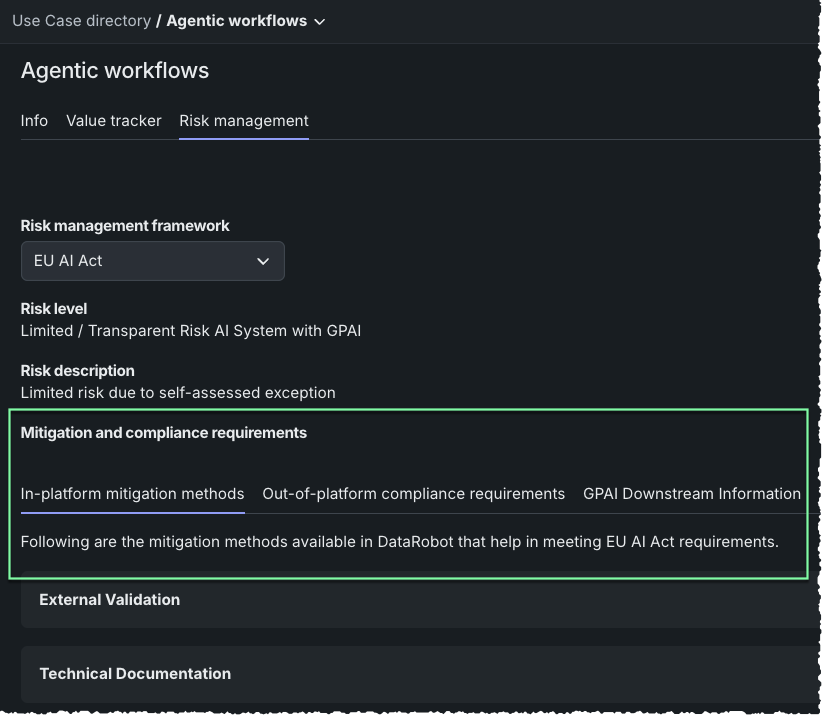
- In-platform mitigation methods: The mitigation methods DataRobot evaluates automatically.
- Out-of-platform compliance requirements: EU AI Act obligations that must be fulfilled outside DataRobot, through the organization's own legal, operational, or third-party action.
- GPAI Downstream Information: Transparency information a GPAI provider must supply to downstream AI system providers under Article 53(1)(b).
In-platform mitigation methods
In-platform mitigation methods are controls DataRobot can evaluate on the asset itself—for example AI literacy, RBAC, compliance documentation, drift/accuracy/fairness monitoring, logs and tracing, and guards such as prompt injection or PII detection. See the full list of mitigation methods. Mitigation methods are evaluated for compliance status as either passing, failing, or not set. These methods influence the compliance score that is generated for an asset.
Out-of-platform compliance requirements
Out-of-platform compliance requirements are obligations an organization must meet outside of DataRobot. The following table lists the EU AI Act obligations, which must be addressed through your organization's own legal, operational, or third-party action.
| Obligation | Articles |
|---|---|
| Limited risk | |
| Transparency: Enable deployers to interpret and use the system correctly. Maintain a level of transparency appropriate to the purpose of the system. | 50 |
| Voluntary codes of conduct: Extend good practice beyond mandatory requirements. Encouraged, not required. | 95 |
| High risk | |
| Conformity assessment: Verify EU market requirements are met—self (internal) or third-party (external), based on use case. | 43(1), 43(2)&(3), 47 |
| CE marking: Confirm compliance and allow the system to enter the EU market. Affix before placing on market. | 48 |
| EU database registration: Make system use publicly traceable. Register in the EU AI Act database before placing on the market. | 49, 71 |
| Serious incident reporting: Flag safety risks to regulators. Report serious incidents or malfunctions to the national authority without undue delay. | 73 |
| Corrective action: Address non-compliance after deployment. Take immediate action, including recalls, where necessary. | 20 |
| Cooperation with authorities: Support oversight and audits. Provide documentation and information upon request. | 21 |
| Human oversight: Assign to appropriately qualified, trained personnel. | 26(2) |
| Monitor & report: Watch for risks and incidents. Monitor system operation and report incidents to the provider and national authority. | 26(4)–(5) |
GPAI downstream information
The GPAI downstream information tab lists the obligations for transparency information a GPAI provider must supply to downstream AI system providers under Article 53(1)(b). The following table lists the specific articles; what is shown in the tab—the requirements—depends on whether the GPAI model carries systemic risk. See also the LLM GPAI reference for descriptions of each available LLM.
| Obligation | Articles |
|---|---|
| Non-systemic risk | |
| Codes of practice: Demonstrate compliance with GPAI obligations ahead of formal standards. Participate in or adhere to EU AI Office–endorsed codes of practice. | 56 |
| Systemic risk | |
| Documentation: Support oversight of model design and performance. Provide detailed documentation of model architecture, training, data, compute, and benchmark results. | 53(1)(a), Annex XI |
| Training data summary: Enable public visibility into training sources. Publish a sufficiently detailed summary of training data. | 53(1)(d) |
| Copyright compliance: Respect EU copyright law, including opt-outs. Implement a policy to comply with EU copyright law. | 53(1)(c) |
| Model evaluation: Identify vulnerabilities before they cause harm. Conduct model evaluations (including adversarial testing) at least annually or before significant updates. | 55(1)(a) |
| Systemic risk management: Address risks that could affect the EU as a whole. Assess, track, and mitigate systemic risks. | 55(1)(b) |
| Serious incident reporting: Flag safety risks to regulators. Report serious incidents to the EU AI Office without undue delay. | 55(1)(c) |
| Cybersecurity: Protect the model and its infrastructure from attack. Ensure adequate cybersecurity protections. | 55(1)(d) |
| Energy consumption reporting: Support environmental transparency. Document and report energy consumption of training and inference where practicable. | 53(1)(a), Annex XI |
| Cooperation with authorities: Support oversight and audits. Provide information, access to models, and documentation upon request. | 91 |
Next steps
After assessing risk for your asset, continue with Use Case management, register your model, or review your deployments.
- Track Use Case value: Define the value you expect to get from your Use Case and monitor the actual value received over time.
- Register custom models: Add the custom model to Registry so you can deploy it and make predictions.
- Deployment overview: View the model- and environment-specific summary for a selected deployment, including replacement activity.