Run and schedule pipelines
After adding a pipeline, run it on demand to validate the DAG and inputs. After a run, click Lock & Schedule to freeze the pipeline and attach a recurring schedule. Run and schedule actions are in the pipeline header.
パイプラインの実行
To start a run, click Run. The Run pipeline dialog opens.
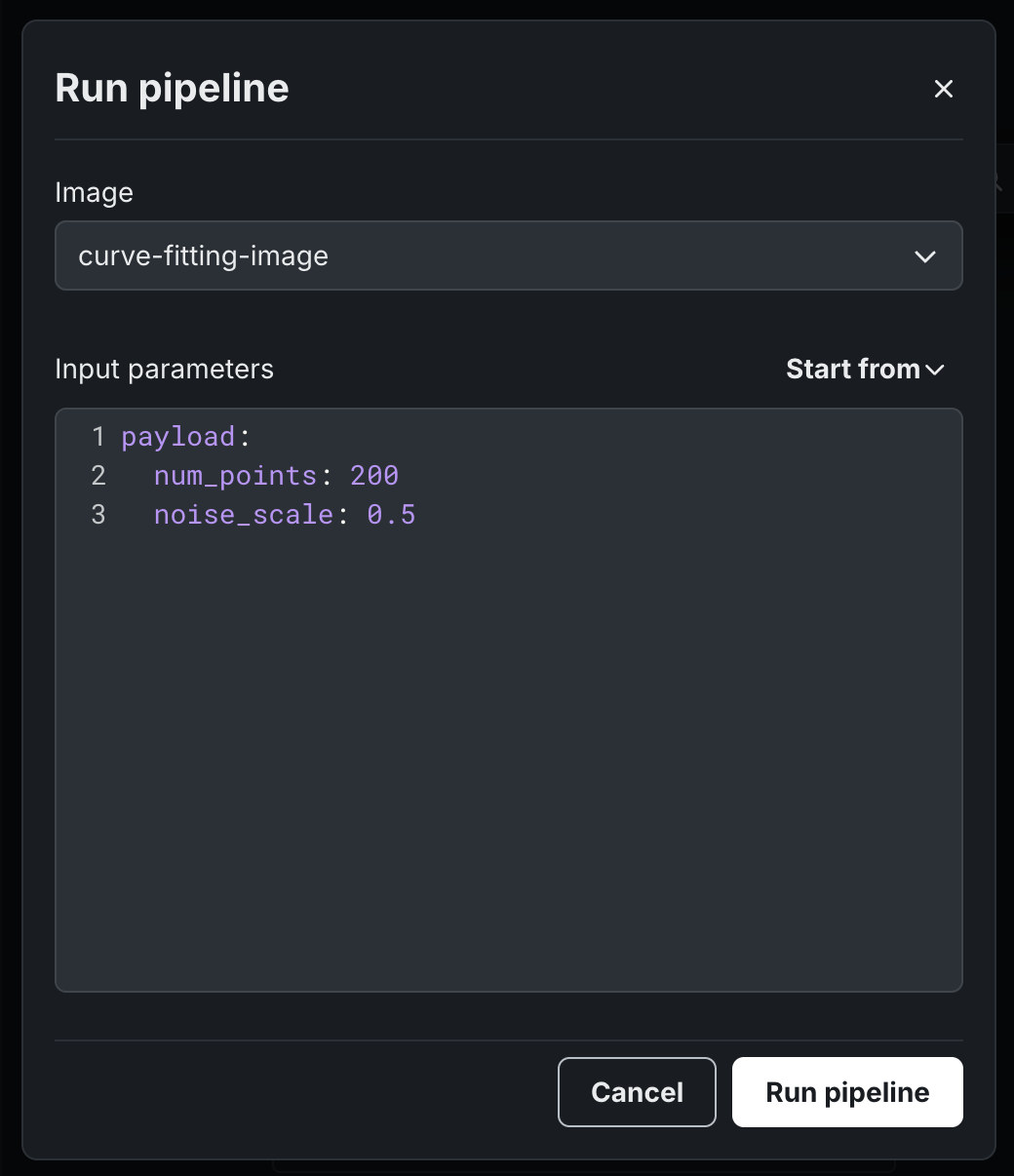
Configure the following fields, then click Run pipeline.
| フィールド | 説明 |
|---|---|
| 画像 | The container image to use for this run. |
| 入力パラメーター | YAML payload matching the @dr.pipeline parameters. Use Start from to load values from a previous run, a saved configuration, or the base template. |
When the pipeline is Locked, image and input parameters are immutable. The dialog becomes a read-only confirmation. After the run starts, it appears on Workflow view as an interactive DAG.
Lock and schedule
Recurring schedules require a Locked pipeline. Lock & Schedule freezes the current logic into an immutable version if the pipeline is Draft, preserves the current input parameters, and sets a cron-based frequency.
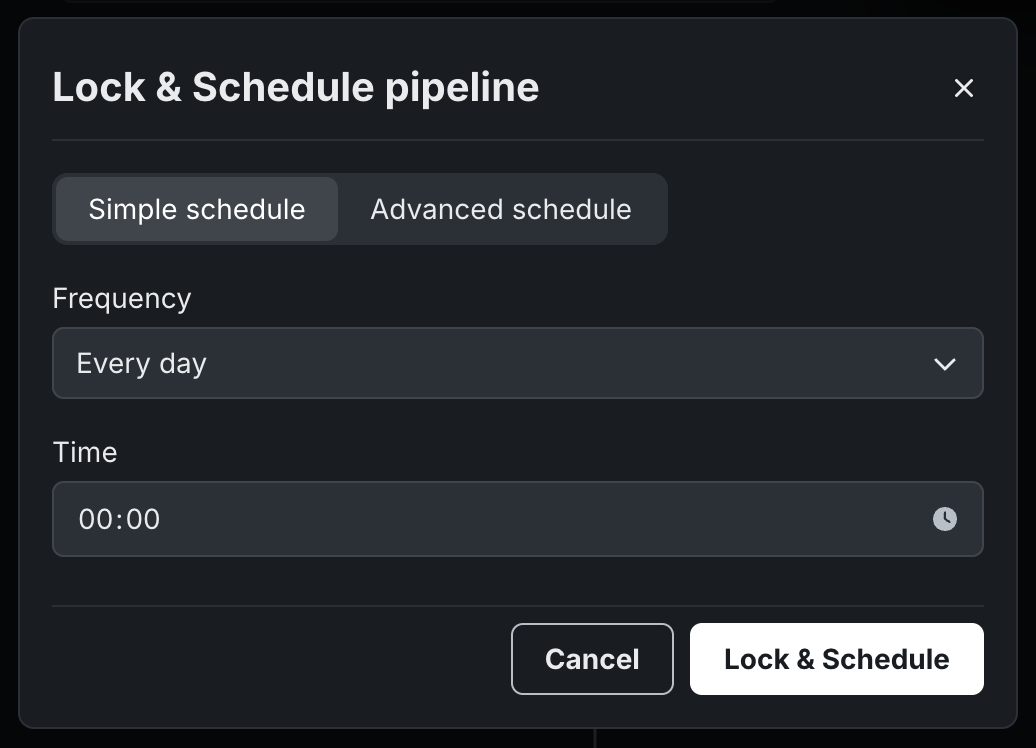
In the Lock & Schedule pipeline dialog:
- Select Simple schedule and set a Frequency and Time (UTC), or click Advanced schedule for a more precise cadence.
- Click Lock & Schedule.
A pipeline that is already Locked can be scheduled immediately. To change or disable an active trigger, open the schedule from the pipeline header and update it in the same configuration dialog.
Overlapping scheduled runs
A pipeline cannot start two runs of the same input at once. If a scheduled run is still running when the next interval fires, the new run is rejected to prevent overlapping work. If runs regularly overrun the schedule window, shorten the pipeline, lengthen the interval, or split the DAG.
View run history and logs
The Runs tab lists every run in chronological order, including status, timestamp, duration, and whether the run was Manual or Scheduled.
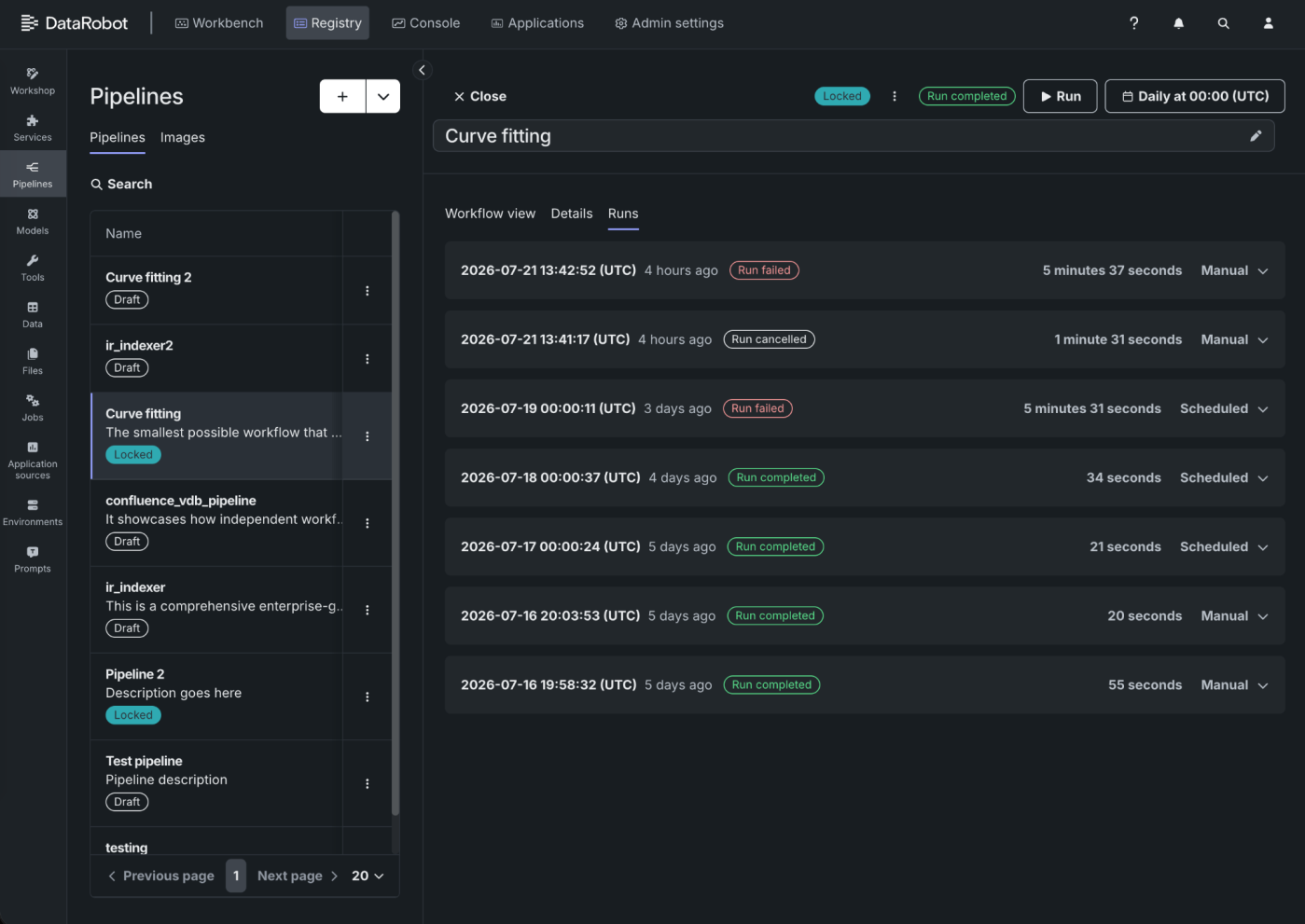
The following table describes the run statuses that appear in the list.
| ステータス | 説明 |
|---|---|
| 実行が完了しました | Every task in the DAG finished successfully. |
| 実行が失敗しました | One or more tasks failed. |
| 実行がキャンセルされました | The run was canceled before completion. |
| キュー済み | The run is waiting to start. |
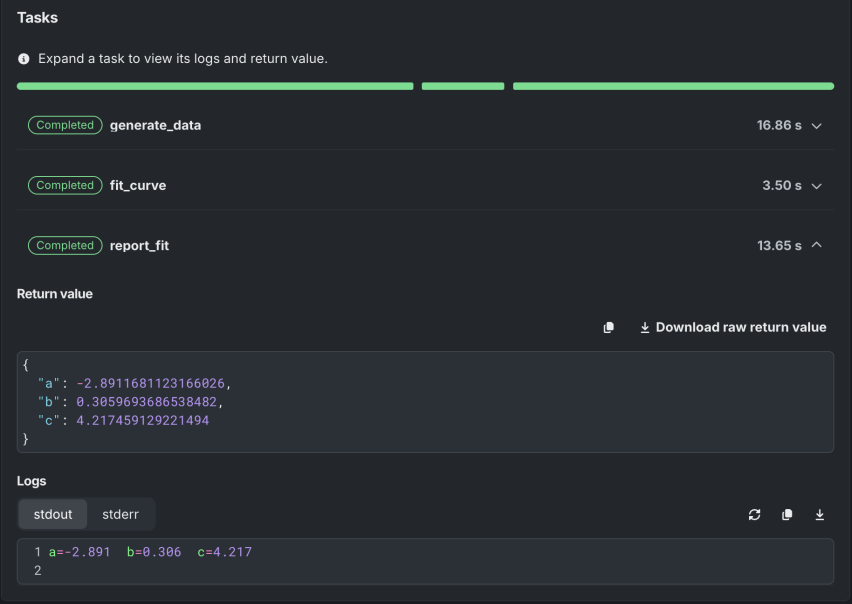
Click a run to open task-level telemetry. Expand a task to inspect its return value and logs.
次のステップ
After running or scheduling a pipeline, inspect the DAG for the most recent run or reuse the image on another pipeline.
- View and manage pipelines: Return to Workflow view to inspect the live DAG.
- Manage pipeline images: Rebuild or replace the image used at run time.
- Add a pipeline: Create another pipeline from Python source, inputs, and an image.