Configure Workload capacity
The Capacity tab provides controls for managing and enforcing usage on Workloads. Workload owners can protect shared Workload infrastructure and guarantee minimum throughput for critical agents and users when multiple consumers share one Workload.
Set capacity and the utilization threshold for the Workload as a whole; those are global to the Workload. Quotas—the default rules and optional per-entity limits below—define what happens when utilization reaches that threshold:
-
Default throughput configuration: Configure a Workload's capacity, utilization threshold, and baseline usage rules that apply to any entity that can access the Workload. 独自のオーバーライドを持たないエンティティは、これらのデフォルトを使用します。
-
Entity rate limits: Rate limits are optional settings that provide a higher priority for specific Workloads, users, or groups. Use reserved capacity to guarantee a share of Workload capacity for each entity, or per-entity rate limits to control the total Workload throughput.
学習リソース
For decision guidance, load test examples, and sizing recommendations—including when rate limits alone are sufficient—see Rate limiting vs. quota reservations: a practical guide for platform teams on the DataRobot blog.
レート制限の適用
Rate limit changes may take a few minutes to apply.
容量の設定
Capacity is the throughput you expect a Workload to sustain expressed as units per time window (for example, requests per minute or tokens per minute). It defines the baseline “pipe size” used for Workload-wide quota enforcement and for sizing reservations.
容量値を選択する場合、一般的な入力には以下が含まれます。
- Load tests that measure how the Workload behaves under target traffic.
- モデル、ランタイム、またはインフラストラクチャによって課される、モデルまたはホスティングの制限。
- 予想される同時実行数およびペイロードサイズで満たす必要のあるレイテンシーバジェット。
- Operational experience from comparable Workloads or historical usage.
Throughput configuration governs how a Workload applies limits:
- リクエストまたはトークンの全体的な上限として容量を設定します。
- It sets the utilization threshold as how full that capacity can get before the Workload enforces its default quota behavior.
- しきい値を下回る場合、Gatewayが短いバーストを許可し、トラフィックをより許容的に処理できるように適用を緩和します。
- Above the threshold, it applies the Workload's quota rules dynamically as utilization rises.
- With reserved capacity, it guarantees entitled entities a share when consumers compete for the Workload.
- 持続的な過負荷状態では、モデルと共有インフラストラクチャを保護するために超過トラフィックを拒否できます。
容量を設定するには:
-
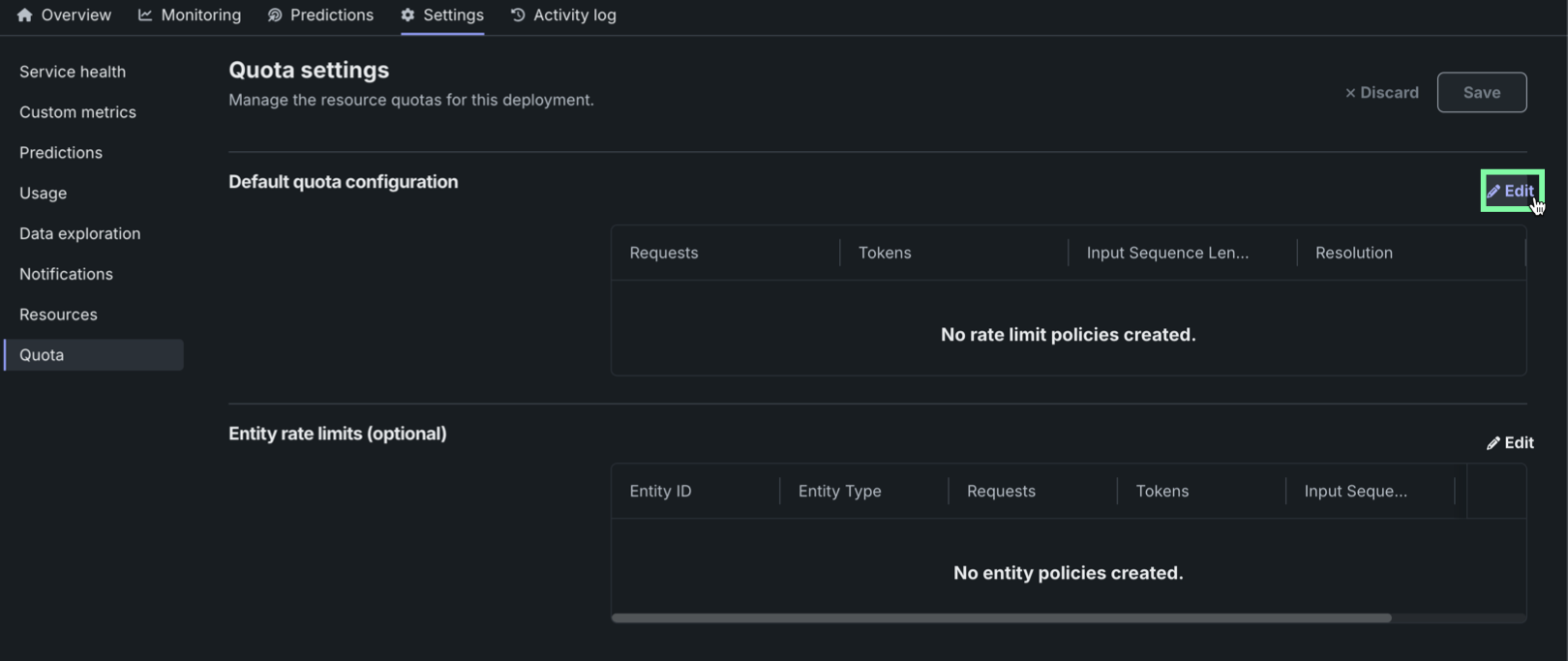
Click Set throughput to configure the capacity settings for a Workload.
-
追跡する指標(1分あたりのリクエスト数または1分あたりのトークン数)を選択します。
-
値を入力して、1分あたりのリクエストまたはトークンの容量を定義します。 These values are not inferred automatically by DataRobot, so plan these values accordingly based on Workload usage.
-
使用率のしきい値を、容量に対する割合として設定します。 これにより、制限が厳密に適用される前に、一時的な使用量の急増に対応する余裕が生まれます。
-
各容量の設定が完了したら、保存をクリックします。
Reserved capacity for entities
Reserved capacity is configured per entity (agent Workload, user, or group). It defines how much of the Workload’s capacity you guarantee to the selected entity when utilization is above the utilization threshold and consumers compete for the Workload.
- 上限ではなく下限:予約は最小限の共有を保証します。予備の容量が存在する場合、エンティティは多くの場合、予約された部分を超えて使用できます。
- Leave unreserved headroom: Keep part of Workload capacity unreserved so ad-hoc traffic, new consumers, and overflow still have room.
予約容量を設定するには、あらかじめ容量の設定を済ませておく必要があります。
-
容量の設定が完了したら、エンティティを追加をクリックします。
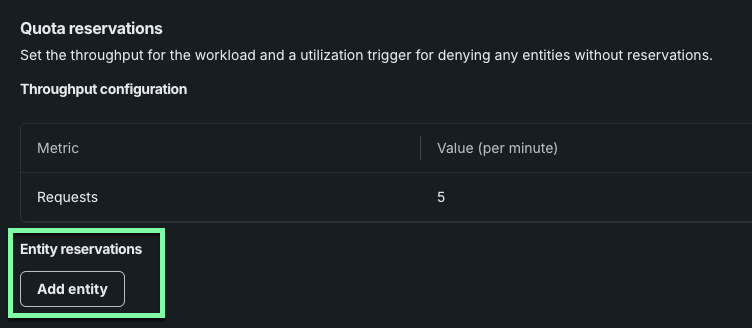
-
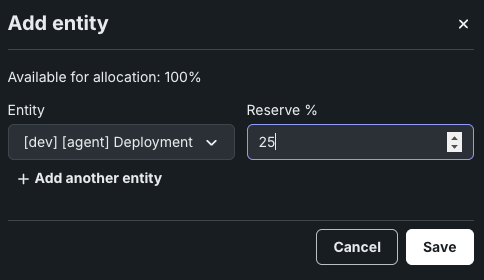
Select an entity from the Workloads, Users, or Groups list.
-
選択したエンティティに対して予約する容量の割合を設定します。
-
(組織のニーズに応じて)1つ以上のエンティティにこのプロセスを実行し、保存をクリックします。
レート制限の設定
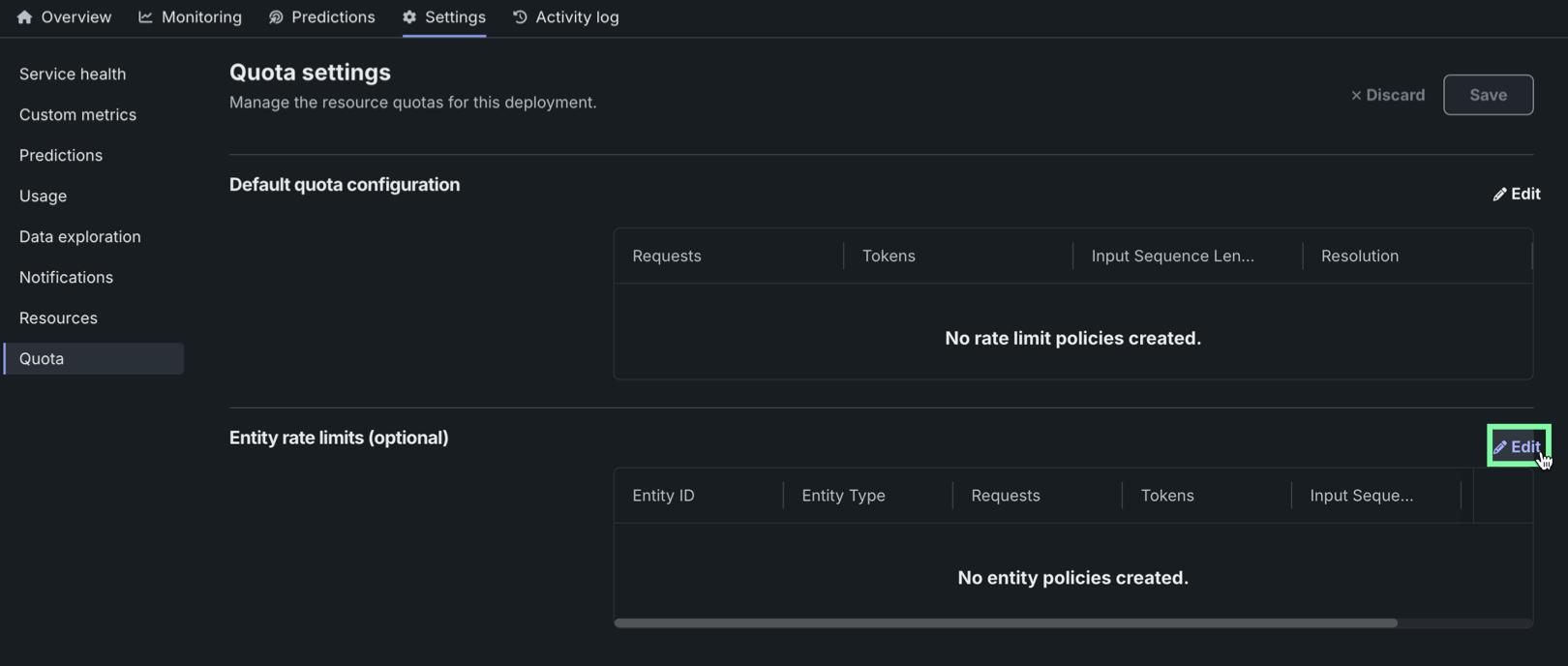
容量ページのレート制限セクションで、エンティティごとの設定を管理します。
-
Click Add policy to modify the rate limit settings for the Workload.
-
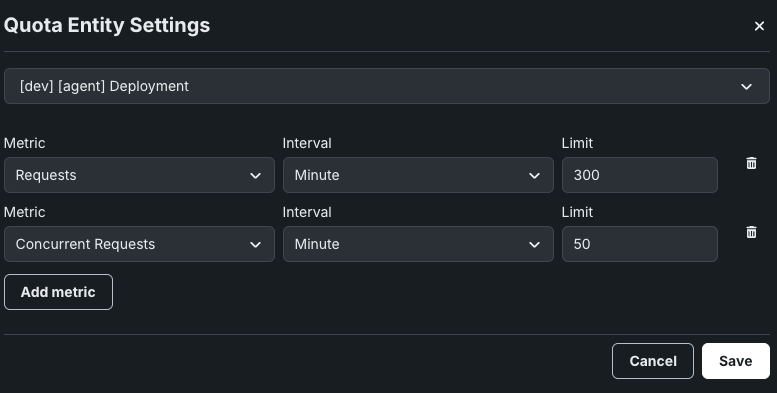
指標を追加をクリックして設定を開始します。
指標の追加
指標を追加をクリックするたびに新しいポリシーの行が表示され、使用可能なすべての指標に対して行が作成されるまで続きます。
-
新しい行で指標を選択し、制限値を入力して、時間の間隔を選択します。
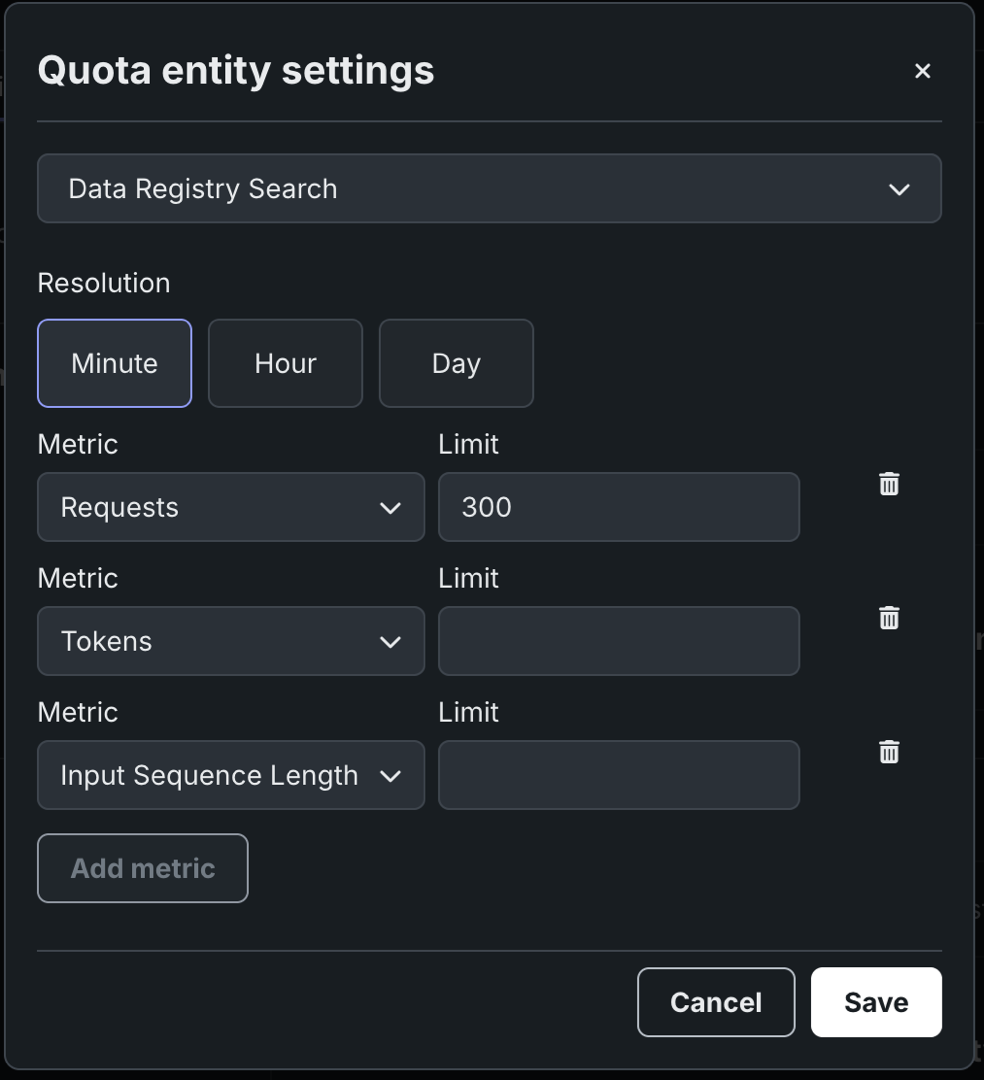
指標 説明 リクエスト Controls the number of requests a Workload can handle in the selected time window, defined by the resolution setting. トークン Controls how many tokens a Workload can process in the selected time window, defined by the resolution setting. この制限には、すべてのタイプのトークン(入力と出力)が含まれます。 入力シーケンス長 モデルに送信されるプロンプトまたはクエリーのトークン数を制御します。 同時リクエスト数 Controls the number of requests a Workload can process concurrently. -
(組織のニーズに応じて)1つ以上の指標にこのプロセスを実行し、保存をクリックします。
エンティティごとの例外
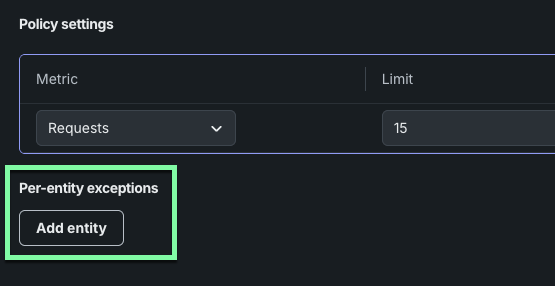
特定のエンティティに対してレート制限の例外を作成できます。
エンティティごとの例外を設定するには:
-
エンティティを追加をクリックします。
-
Select an entity from the Workloads, Users, or Groups list.
-
指標を追加をクリックして設定を開始します。
-
新しい行で指標を選択し、制限値を入力して、時間の間隔を選択します。 選択した単位は、ここで定義された指標ベースの各クォータに適用されます。 詳細については、レート制限の設定を参照してください。
-
(エンティティに必要な設定に応じて)1つ以上の指標にこのプロセスを実行し、保存をクリックします。