Operate deployed Workloads
The Console exposes day-to-day operations on a deployed Workload through the Settings tab and the Actions menu (). For the Workload list and the full inventory of actions, see View deployed Workloads. For the change-event operations (Promote and Replace artifact), see Update deployed Workloads.
Edit importance, name, and description
On the deployed Workload's Overview tab, edit importance, name, and description—see View deployed Workloads. Inline edits use PATCH /workloads/{workload_id}; for the JSON shape and merge semantics, see Runtime settings: Importance and metadata.
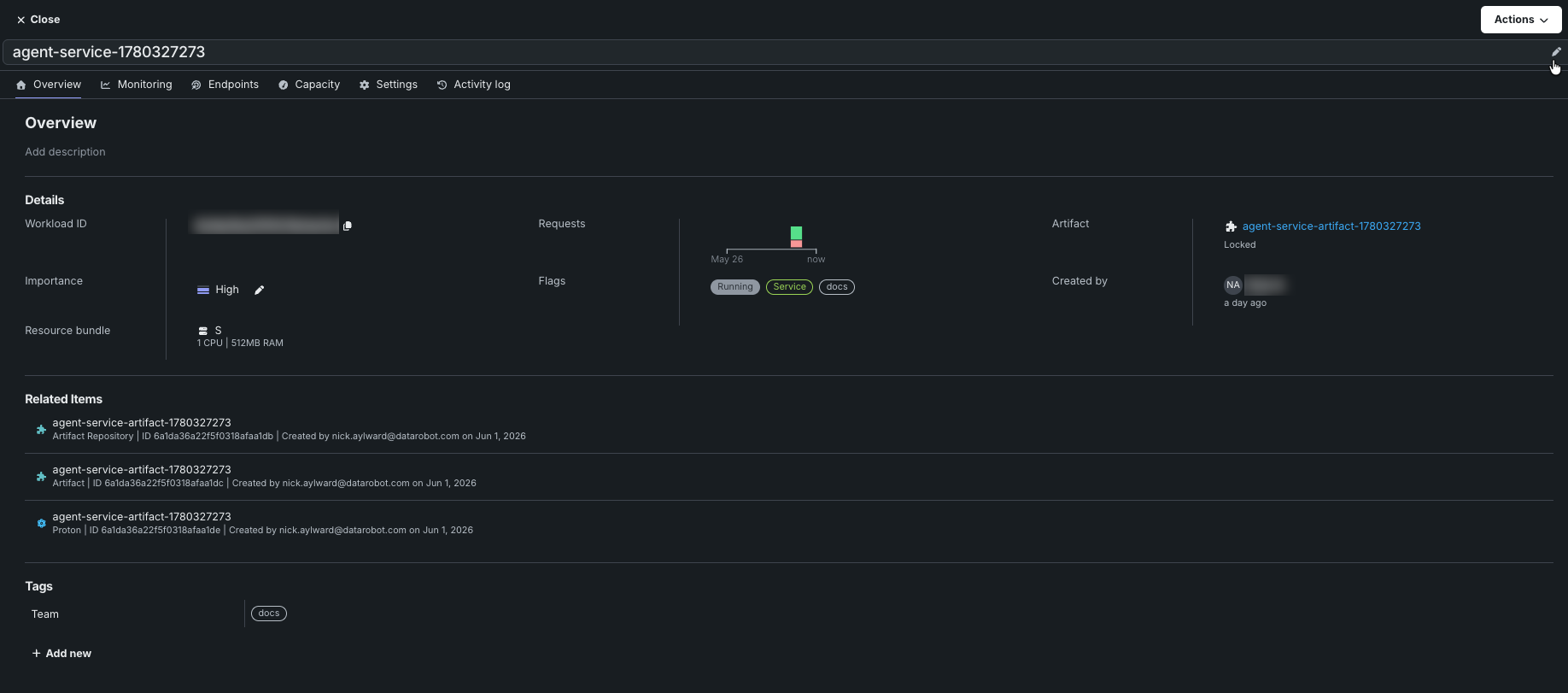
In addition, in the Tags section, click + Add new to add a tag. Tags are user-defined key/value pairs. The Service artifacts page is filterable by tags.
Configure autoscaling settings
The Settings tab on a deployed Workload exposes a Compute management section for configuring autoscaling. Saving changes calls PATCH /workloads/{workload_id}/settings, which queues a rolling replacement using the strategies in Replace and roll out.
設定タブのコンピューティング管理セクションには、スケーリング戦略ごとに1つずつ、固定と自動の2つのタブが用意されています。
固定タブで、ワークロードのレプリカ数を設定します。 レプリカ数は1以上である必要があります。値を指定しない場合のデフォルト値は1です。
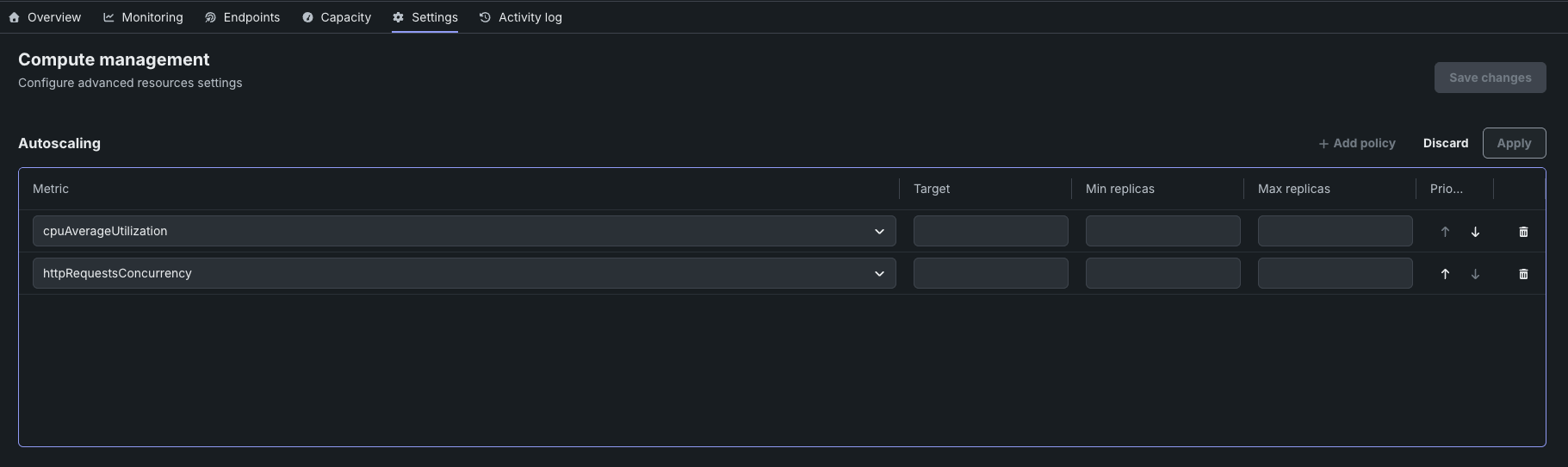
自動タブでは、スケーリングのポリシーを設定します。 ポリシーテーブルを使用して、観測されたメトリクスに基づいてワークロードのレプリカ数を調整するスケーリングポリシーを定義します。 When a policy's metric exceeds its target, DataRobot adds replicas (up to the maximum); when the metric falls back under the target, replicas are removed (down to the minimum). A Workload can have multiple policies; each row in the Autoscaling table is one policy.
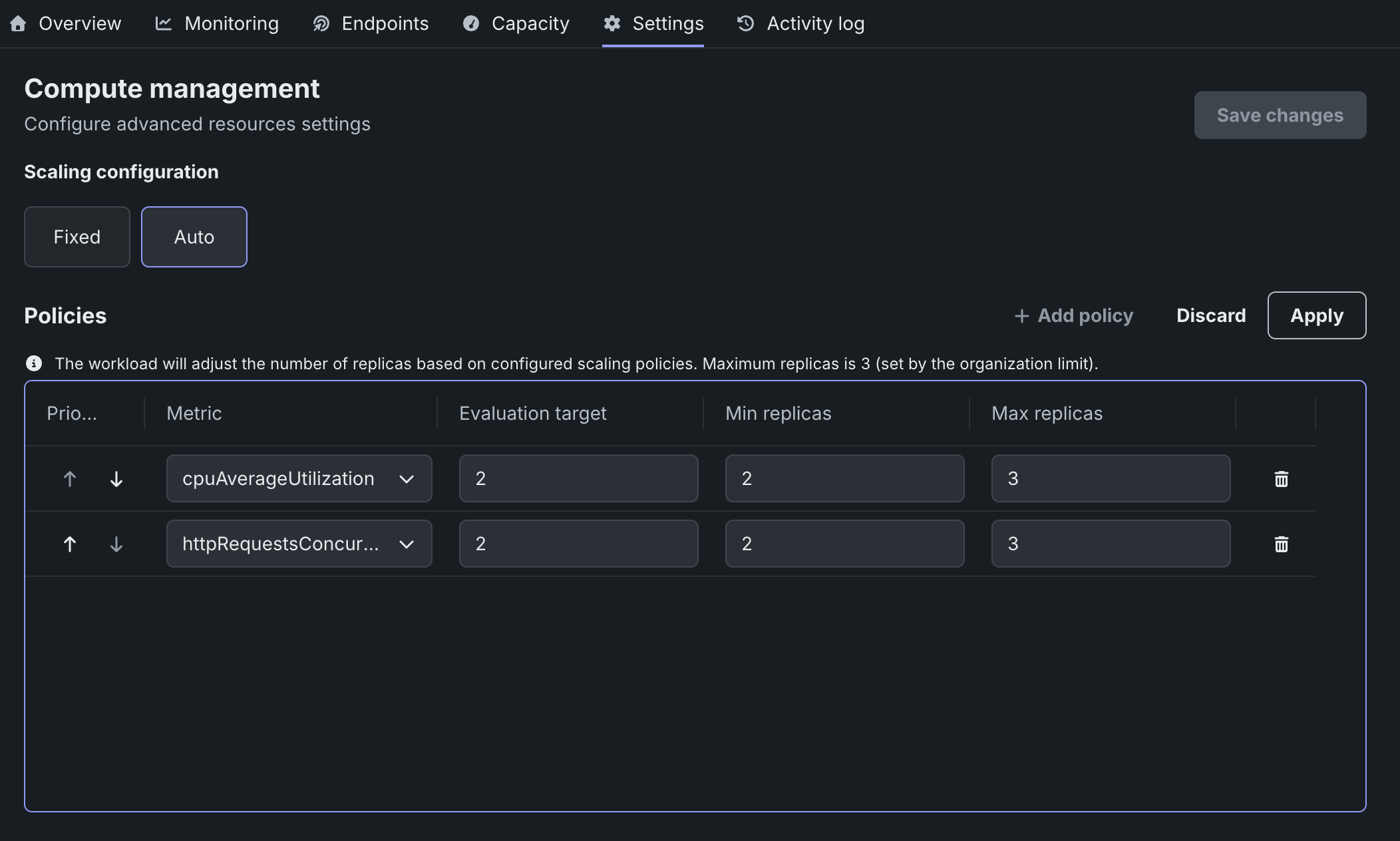
ポリシーを追加するには、ポリシーテーブルのポリシーを追加をクリックし、以下の列を設定します。
| 列 | 説明 |
|---|---|
| 優先度 | The evaluation order when more than one policy is defined; used to decide which policy wins when multiple metrics trigger simultaneously. |
| 指標 | The metric that triggers scaling. Supported values: CPU utilization (cpuAverageUtilization), HTTP requests concurrency (httpRequestsConcurrency—scales to zero when the proton is idle), GPU cache utilization (gpuCacheUtilization, NIM artifacts only), and GPU request queue depth (gpuRequestQueueDepth, NIM artifacts only). |
| ターゲット | The threshold value for the selected metric. |
| 最小レプリカ数 | The lowest number of replicas the autoscaler scales down to. |
| 最大レプリカ数 | The highest number of replicas the autoscaler scales up to. |
After adding or editing a policy, click Apply, then click Save changes in the upper-right corner of the tab. The save triggers PATCH /workloads/{workload_id}/settings, which queues a rolling replacement. For the underlying AutoscalingPolicy schema, the full scaling-metric reference (including scale-to-zero for httpRequestsConcurrency), additional runtime fields, and the per-container vs. per-Workload resource layering, see Runtime settings and Scaling metrics.
Share a Workload
The Share action edits sharedRoles on the Workload, granting access to users, groups, or organizations. To open the Share dialog, click Share from the Workload's row actions menu () or from the Actions menu () in the top-right of the deployed Workload's detail view.
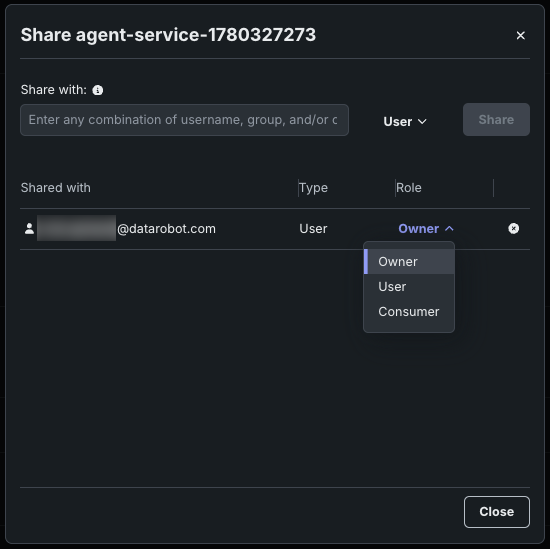
Workloads support the OWNER, EDITOR, and OBSERVER roles for new integrations; additional legacy aliases are accepted. 共有ロールは、イベント、統計情報、および /protons/ サブリソースに伝播するため、コラボレーターは所有者と同じテレメトリーとライフサイクルを確認できます。
For the full role list, propagation rules, and shareRecipientType options (user, group, organization, role), see Sharing and access control.
Run lifecycle actions
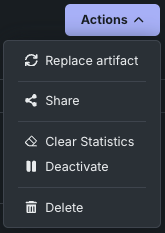
コンソール > デプロイされたワークロードページのサービスタブにあるワークロード行のアクションメニュー()、およびデプロイ済みのワークロードの詳細ビューにあるアクションメニュー()では、以下のライフサイクルおよびガバナンスに関するアクションが用意されています。
| アクション | 説明 |
|---|---|
| 統計をクリア | Resets the Workload's stats counters to a clean baseline. Calls DELETE /workloads/{workload_id}/stats. The same endpoint also supports scoping by protonId, startTime, and endTime for partial resets—see Reset Workload stats. |
| 非アクティブ化 | Stops the Workload's underlying proton without deleting the Workload. Calls POST /workloads/{workload_id}/stop; the Workload object and its metadata persist, and you can restart it later. Restarting a draft Workload resets the 8-hour TTL. |
| 削除 | Permanently removes the Workload, including its protons and invoke routing. Calls DELETE /workloads/{workload_id}. Use Deactivate when you want to pause execution but keep the Workload object. |
For the underlying API behavior, status transitions, draft TTL interactions, and the restart flow for a stopped Workload, see Lifecycle actions. For more information on the promotion and replacement actions, see Update deployed Workloads.