Configure job notifications
To configure notifications for a job, click Create policy to add or define a policy for the job. You can use a policy template without changes or as the basis of a new policy with modifications. You can also create an entirely new notification policy:
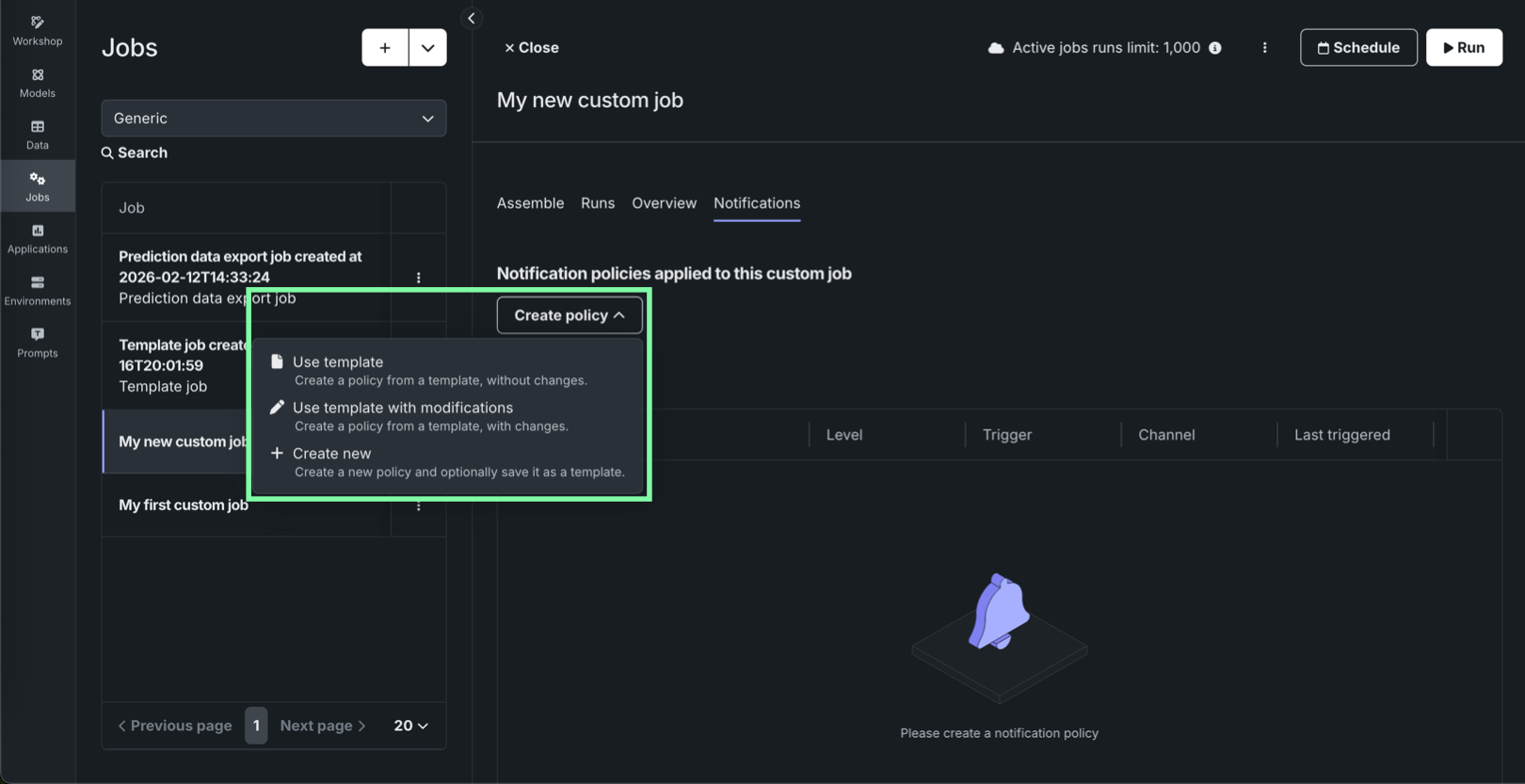
| Option | Description |
|---|---|
| Use template | Create a policy from a template, without changes. |
| Use template with modifications | Create a policy from a template, with changes. |
| Create new | Create a new policy and optionally save it as a template. |
Under Policy summary, click the edit icon to edit the policy name, and then configure the required settings for the creation method you selected:
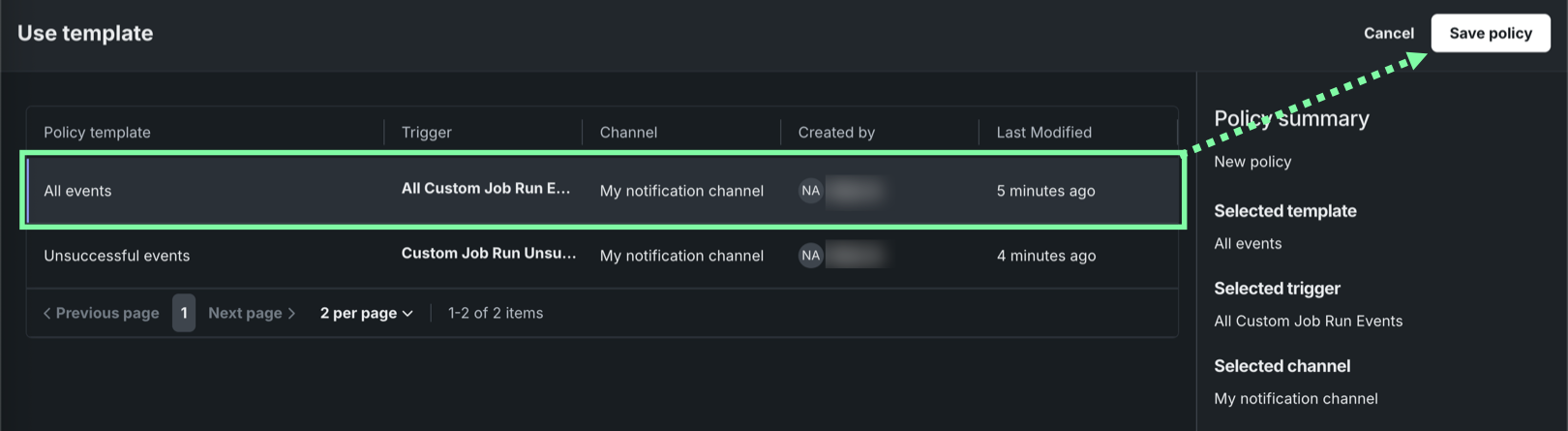
Use template
In the Use template panel, select a policy, and then click Save policy:
Use template with modifications
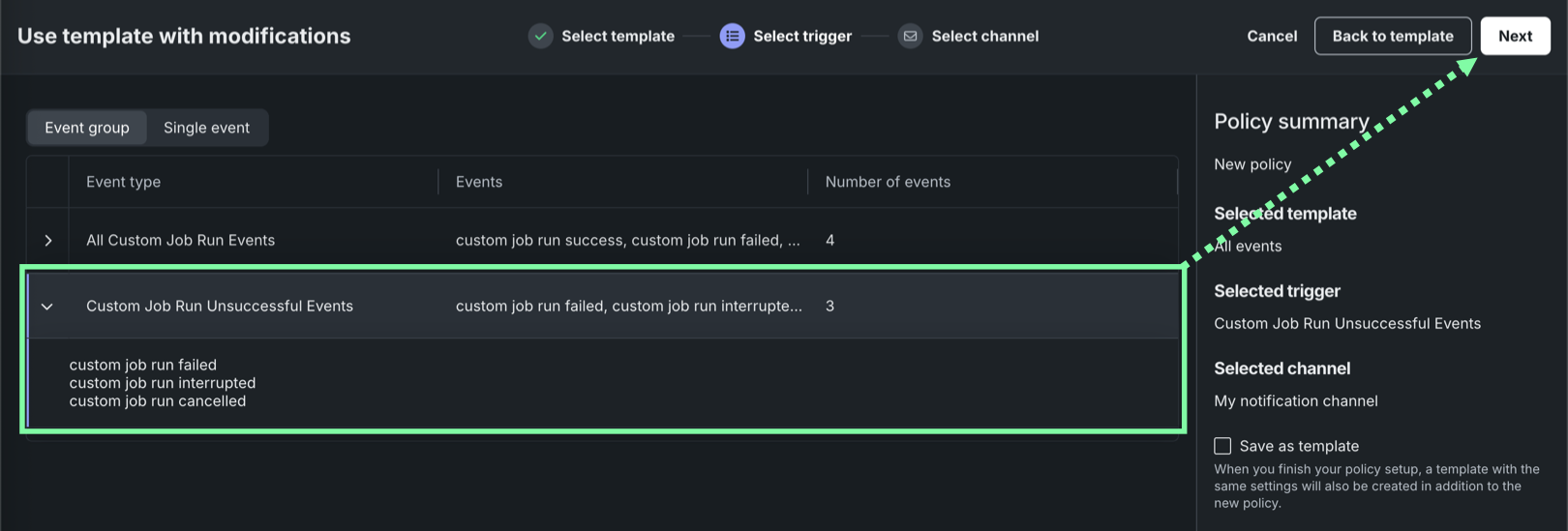
In the Use template with modifications panel, on the Select template tab, select a policy template, then click Next. On the Select trigger tab, select an Event group or a Single event and click Next:
On the Select channel tab, select a Channel template or a Custom job channel associated with the specific custom job.
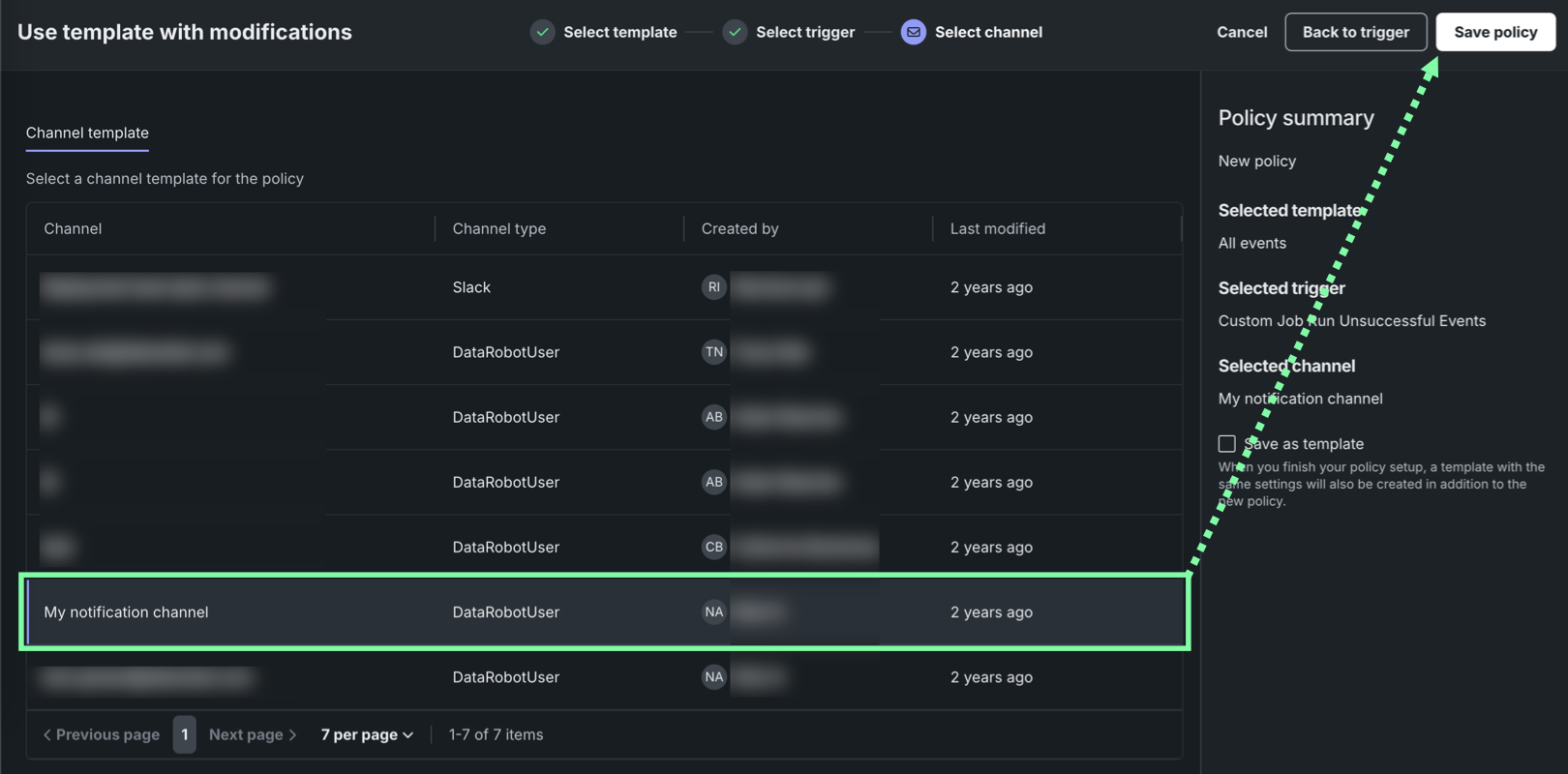
Alternatively, if you haven't configured an appropriate channel, click Create custom job channel, configure the following channel settings, and then click Create channel to add and select a new custom channel:
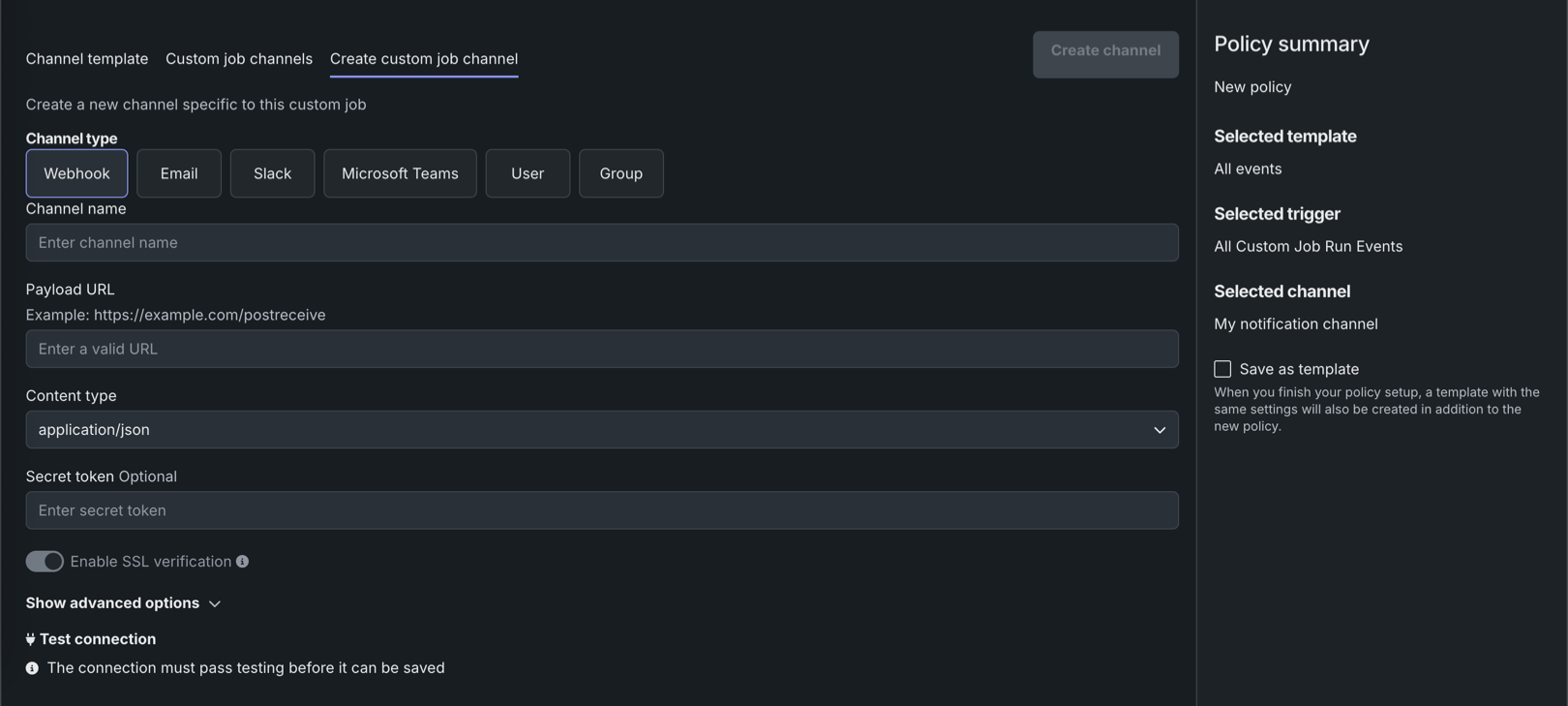
| Channel type | Fields |
|---|---|
| External | |
| Webhook |
|
|
|
| Slack |
|
| Microsoft Teams |
|
| DataRobot | |
| User | Enter one or more existing DataRobot usernames to add those users to the channel. To remove a user, in the Username list, click the remove icon . |
| Group | Enter one or more existing DataRobot group names to add those groups to the channel. To remove a group, in the Group name list, click the remove icon . |
Optionally, select Save as template to save the policy configuration as a template for future use.
Click Save policy. The new policy appears in the table under Notification policies applied to this job.
Create new
In the Create new panel, on the Select trigger tab, select an Event group or a Single event, and then click Next.
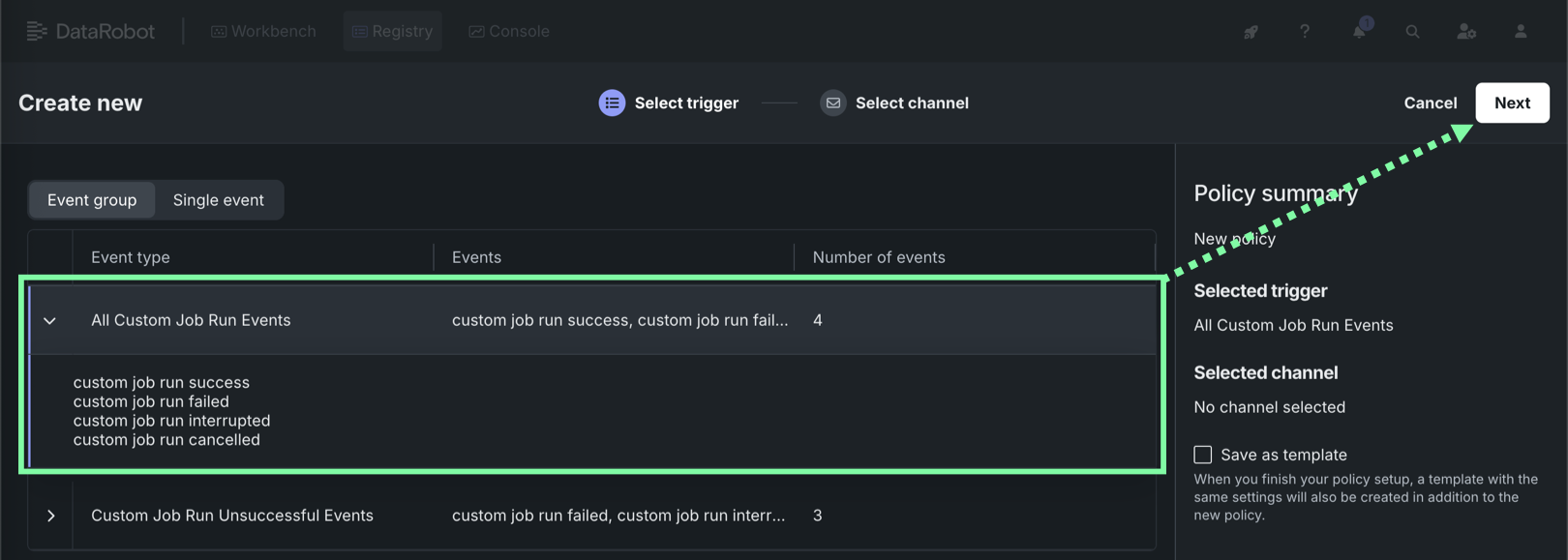
On the Select channel tab, select a Channel template or a Custom job channel associated with the specific custom job.
Alternatively, if you haven't configured an appropriate channel, click Create custom job channel, configure the following channel settings, and then click Create channel to add and select a new custom channel:
| Channel type | Fields |
|---|---|
| External | |
| Webhook |
|
|
|
| Slack |
|
| Microsoft Teams |
|
| DataRobot | |
| User | Enter one or more existing DataRobot usernames to add those users to the channel. To remove a user, in the Username list, click the remove icon . |
| Group | Enter one or more existing DataRobot group names to add those groups to the channel. To remove a group, in the Group name list, click the remove icon . |
Optionally, select Save as template to save the policy configuration as a template for future use.
Click Save policy. The new policy appears in the table under Notification policies applied to this job.
Next steps
After configuring notifications for a custom job, run the job, review its execution details, or explore how the job's runtime environment is versioned.
- Run and schedule jobs: Run a custom job immediately or configure a recurring schedule for it.
- View and manage jobs: Review job and run details, including the Notifications tab, from the custom job panel.
- View and manage a custom job's environment: View and manage the custom environment version defined for the job.