Develop agentic workflows in DataRobot
After you've connected an agentic workflow custom model to an agentic playground, as you compare and test the workflow, you can modify the workflow's code in a codespace or in the Registry workshop. Changes to the code are reflected in the agentic playground, allowing agentic workflow builders to experiment until they build a production-ready agentic workflow for deployment to Console.
Agentic workflow components
To assemble an agentic workflow, a standard workflow's custom model code could include the following components:
| File | Contents |
|---|---|
custom.py |
The custom model code, implementing the Bolt-on Governance API (the chat hook) to call the LLM and also passing those parameters to the agent (defined in agent.py). |
agent.py |
The agent code, implementing the agentic workflow in the MyAgent class, and the ToolClient class instance required to interface with agentic tools. |
tools_client.py |
The ToolClient class code, defining the API endpoint and deployment ID for the deployed tool, getting the authorization context (if required), and providing interfaces for the score, score_unstructured, and chat hooks. |
helpers.py |
The code defining helper functions for the agent. |
tool_deployment.py |
The BaseTool class code, containing all necessary metadata for implementing tools. |
tool.py |
The code for interfacing with the deployed tool, defining the input arguments and schema. Often, this file won't be named tool.py, as you may implement more than one tool. In this example, this functionality is defined in tool_ai_catalog_search.py. |
model-metadata.yaml |
The custom model metadata and runtime parameters required by the agentic workflow. |
requirements.txt |
The libraries (and versions) required by the agentic workflow. |
For more information on assembling agentic workflows, review the following resources:
| Resource | Description |
|---|---|
datarobot-agent-templates repository |
Documentation and ready-to-use templates for building and deploying AI agents with multi-agent frameworks. These templates streamline the process of setting up your own agents with minimal configuration requirements. |
agent-tool-templates repository |
Documentation and source code for the global agentic tools available in the Registry. The source code for these tools can serve as templates for creating your own custom model tools for agentic workflows. |
datarobot-user-models repository |
Tools, templates, and information for assembling, debugging, testing, and running your custom models, custom tasks and custom notebook environments with DataRobot. The custom model infrastructure is the foundation of agentic workflows. |
| Custom model assembly documentation | Documentation for assembling, testing, and running custom models. |
| Workshop documentation | Documentation for using the DataRobot UI to upload model artifacts to create, test, and deploy custom models to Console, a centralized model management and deployment hub. |
Modify an agentic workflow
Agentic workflows connected to the agentic playground can be continuously modified and developed as you prompt, compare, and evaluate metrics. This works for custom tools built manually, and tools built programmatically using the agent templates in the public datarobot-agent-templates repository.
Codespace
Codespaces are the primary method for developing your agentic workflow while testing in an agentic playground. In DataRobot, a codespace is a development environment you can use to view, modify, and run your agent's files. Changes made in the codespace are passed on to the agentic workflow in the agentic playground, as well as the custom agent in the Registry workshop.
To develop an agentic workflow in a codespace, locate the Open in Codespace option in one of the following locations:
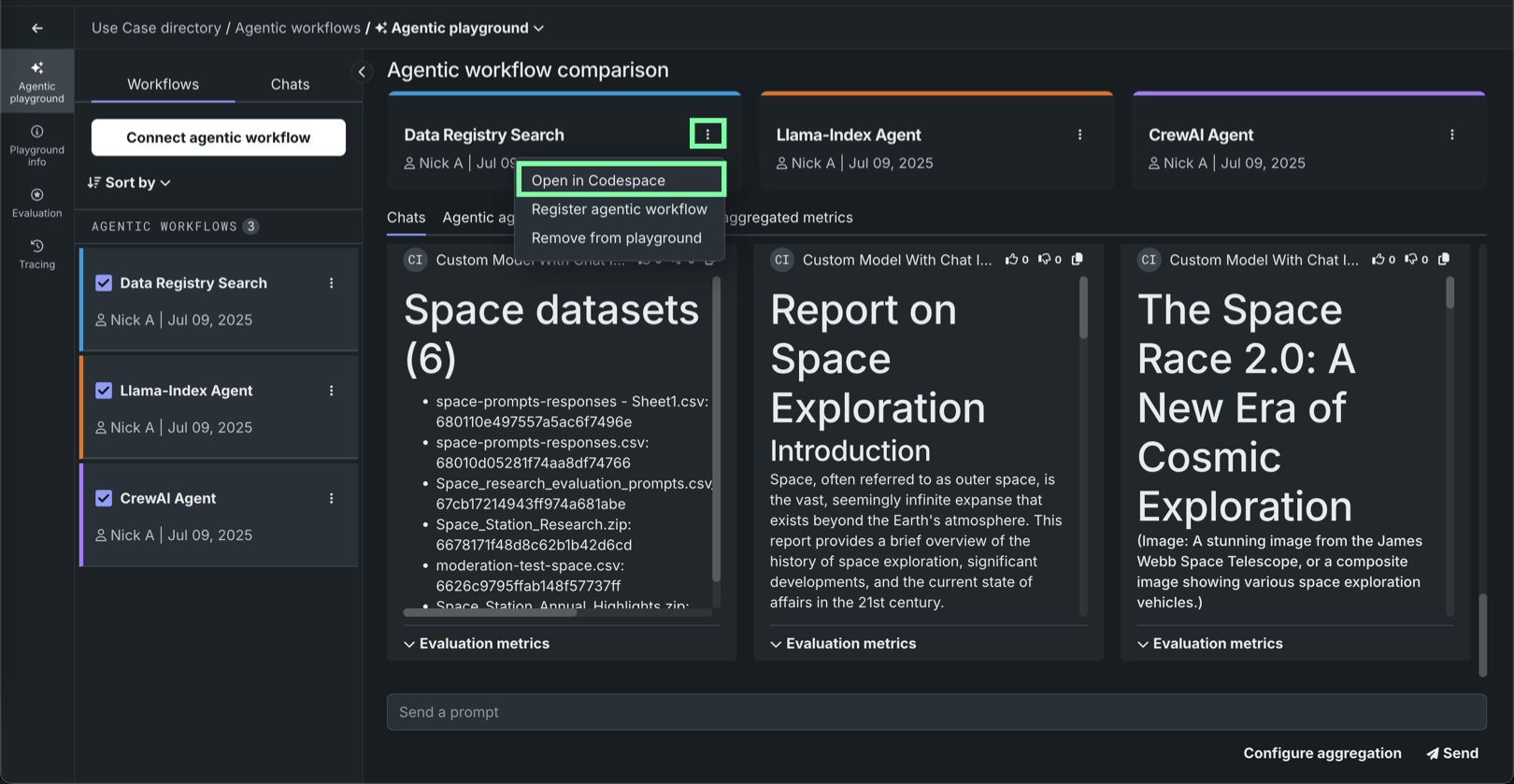
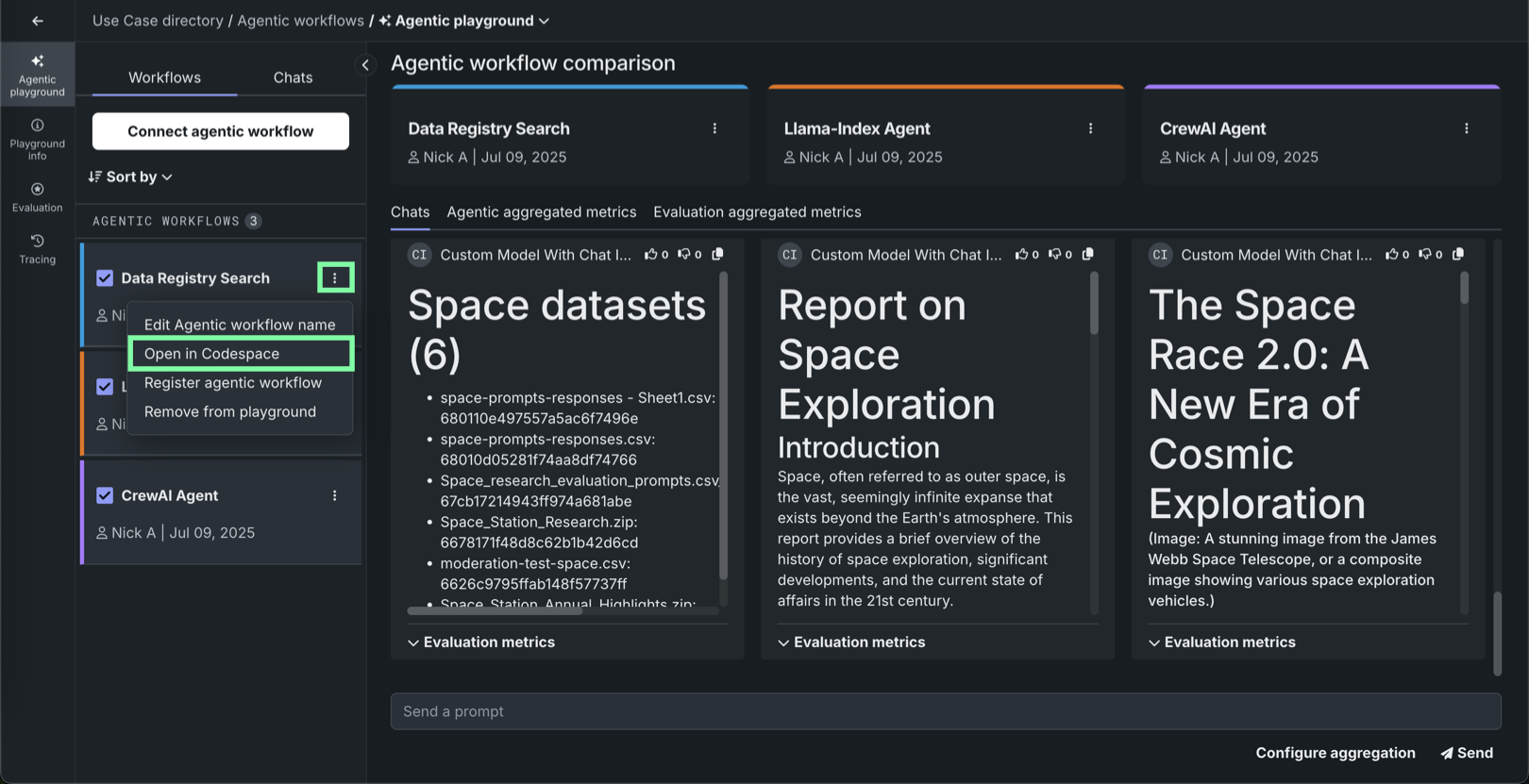
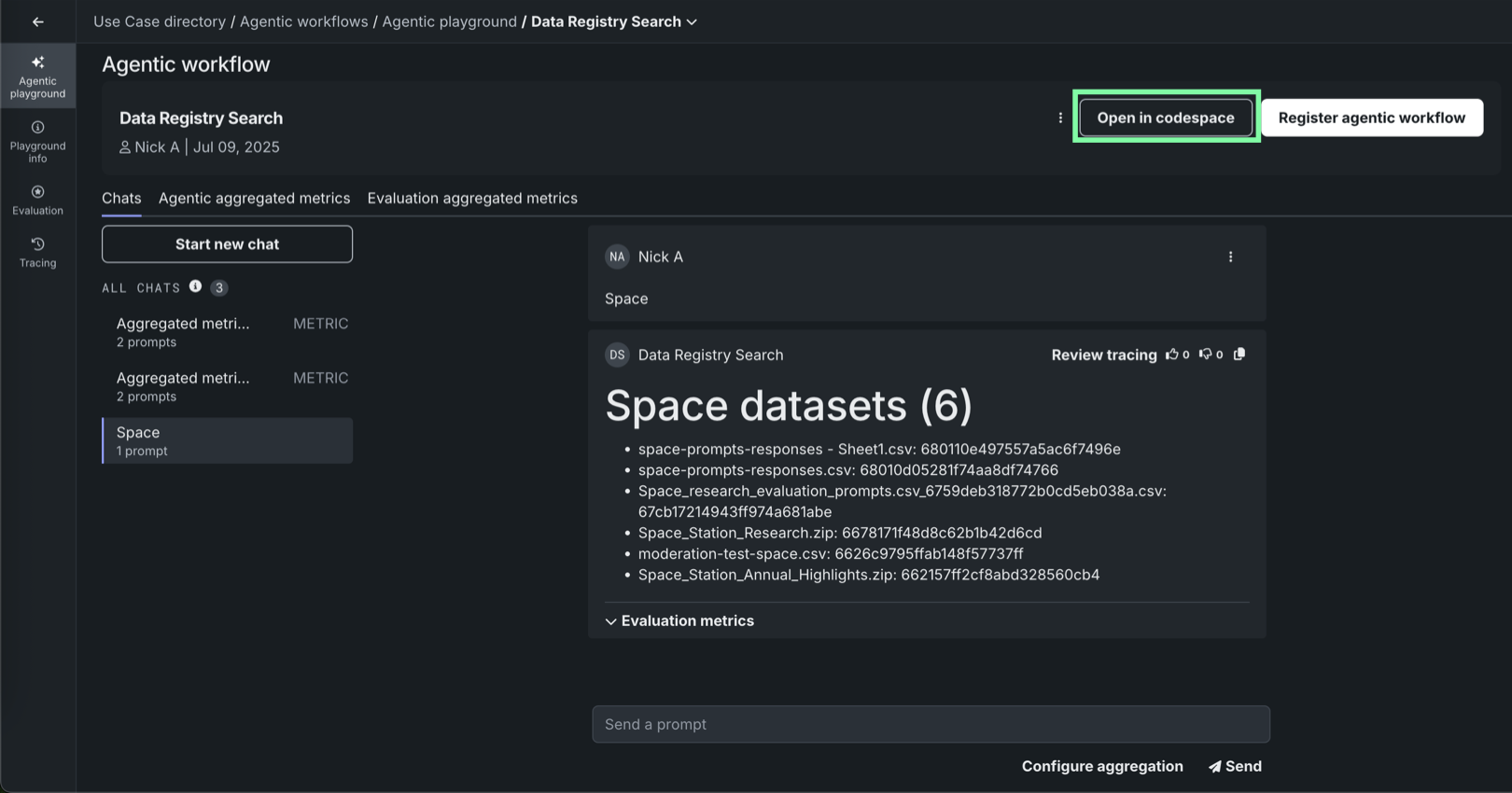
Any of these options opens a codespace in a panel for the selected agentic workflow, where you can modify your agent's code to address issues identified in the playground.
Codespace loading
The panel displays a Waiting for the codespace to start... message while the agent's files are loaded.
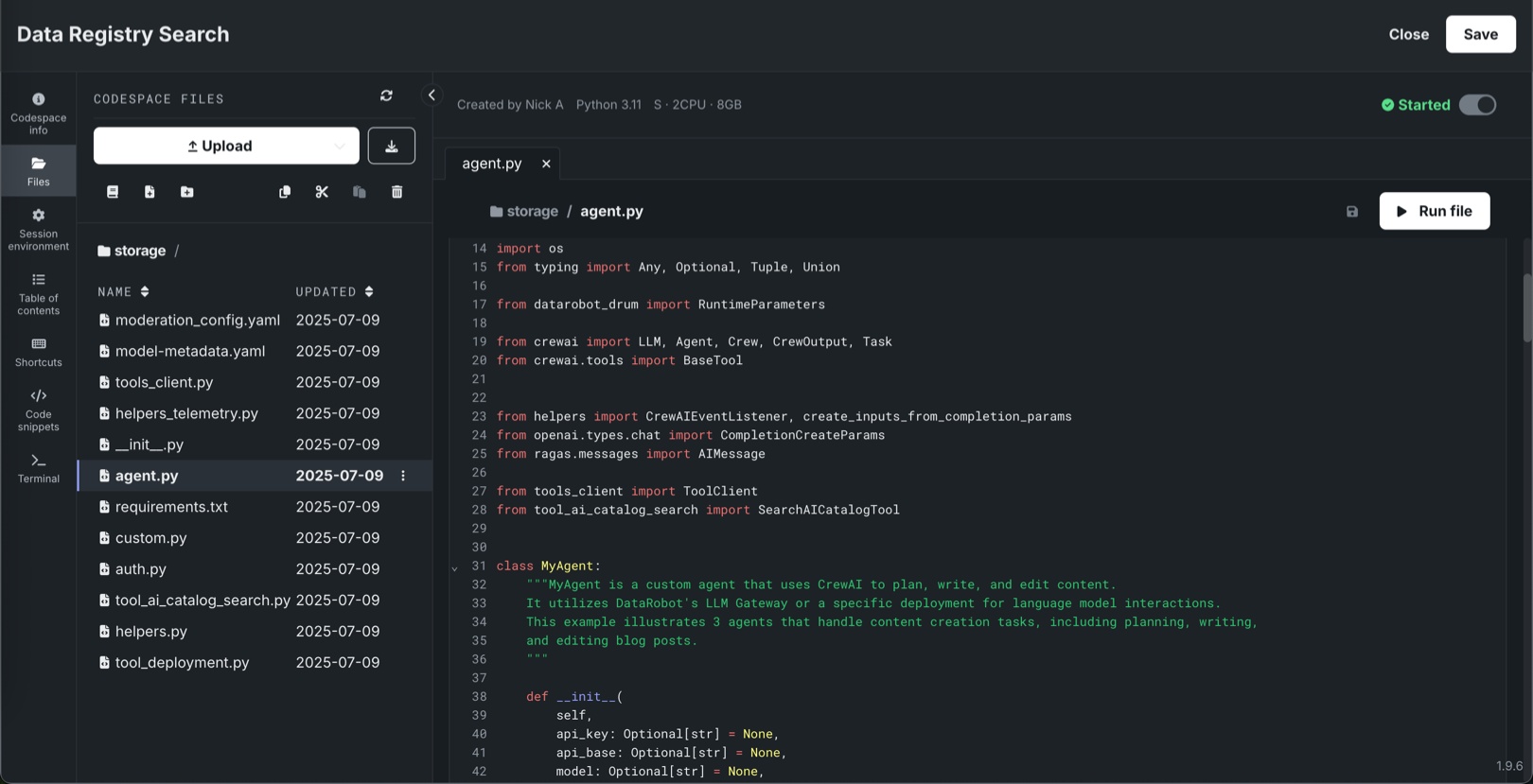
When you finish modifying the agent code, click Save to pass those changes to the agentic workflow connected to the playground and in the Registry workshop.
Workshop
Similar to modifying an agentic workflow in a codespace, you can also modify your agent code directly in the Registry's workshop. For more information, see the Workshop documentation. When you save the changes to your agentic workflow in the workshop, a new version is created and passed to the agentic workflow connected to the playground.
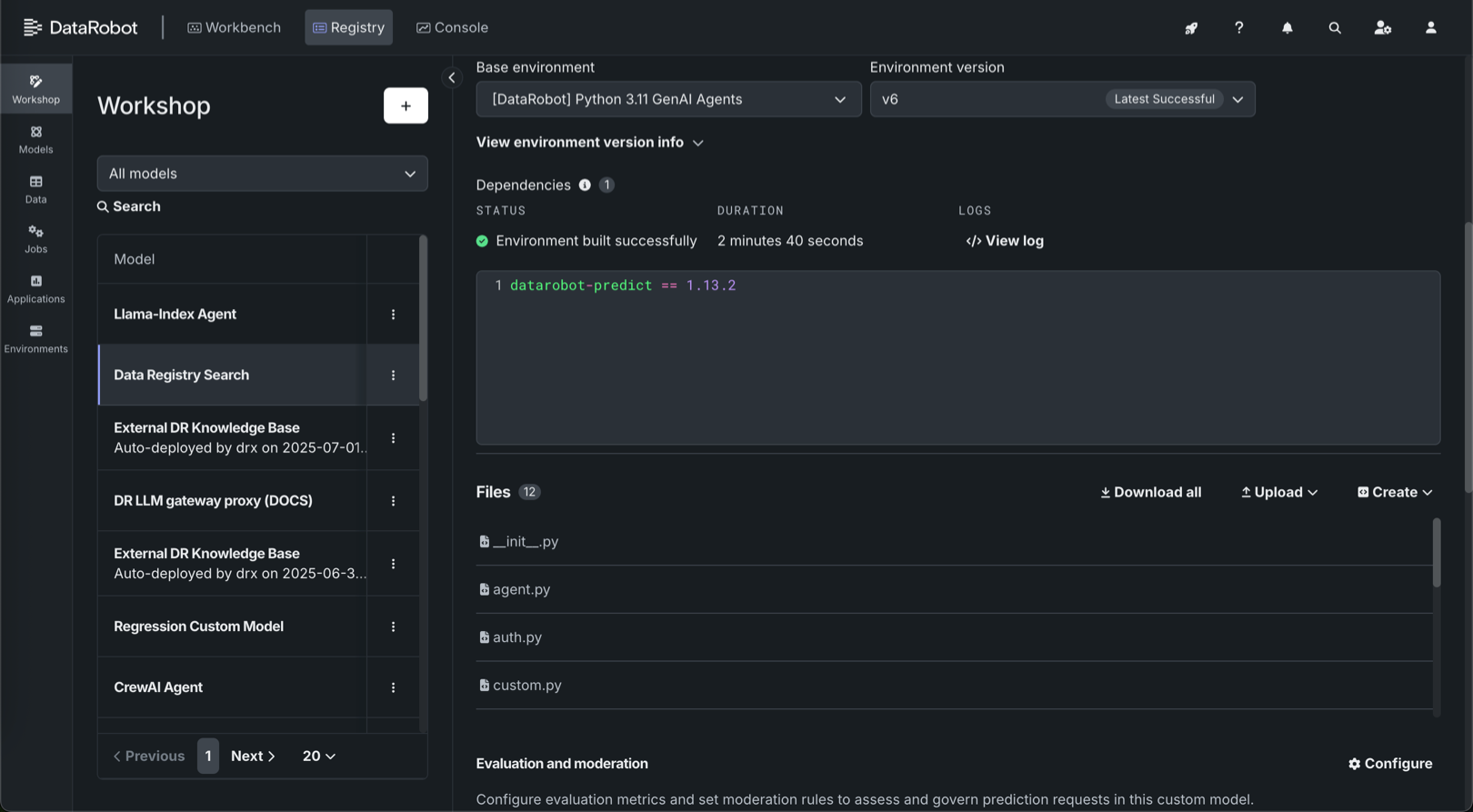
From the workshop you can also configure evaluation metrics and moderations not available in an agentic playground.