Jira
Self-Managed AI Platform installations
The Jira connector is automatically installed and does not need to be manually added.
Supported authentication
- Basic (username/password)
Password requirement
When setting up the connection in DataRobot, enter an Atlassian API token in the password field. For more information, see the Atlassian documentation.
Prerequisites
The following is required before connecting to Jira in DataRobot:
- An Atlassian account with basic authentication
- Data stored in Jira
Set up a connection in DataRobot
To connect to Jira, create a vector database and, when you select a data source, add Jira as the connection.
You can also set up a Jira connection from the Account Settings > Data connections page.
Required parameters
The table below lists the minimum required fields to establish a connection with Jira:
| Required field | Description |
|---|---|
| Domain Name | The unique URL of your Jira instance in the following format: yourcompany.atlassian.net. |
Browse with JQL
For Jira connectors, you can use Jira Query Language (JQL) to browse and filter your projects. To filter with JQL, after configuring the connection, click Add from JQL query.
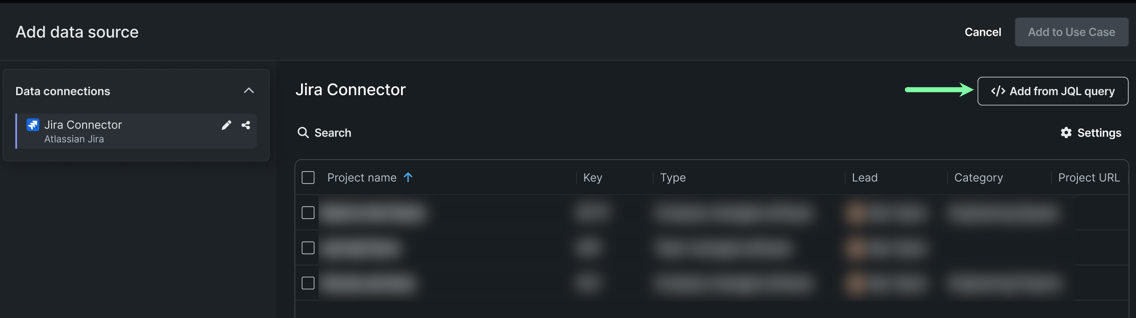
Enter a JQL query in the query editor and click Add to Use Case to use the filtered results.
Feature considerations
- The Jira connector only supports unstructured data and is only available during vector database creation.
- You can only add and view the Jira connector as part of the vector database create workflow and from Account settings > Data connections. You cannot view Jira connections in other areas where you work with datasets (structured data), for example, the Browse data modal in NextGen or the AI Catalog in DataRobot Classic.
Troubleshooting
| Problem | Solution | Instructions |
|---|---|---|
| When attempting to execute an operation in DataRobot, the firewall requests that you clear the IP address each time. | Add all allowed IPs for DataRobot. | See Allowed source IP addresses. If you've already added the allowed IPs, check the existing IPs for completeness. |