Review Workload events
On the Activity log > Events tab, you can view important Workload events. These events can help diagnose issues with a Workload or provide a record of the actions leading to the current state of the Workload. 各イベントには、タイプとステータスがあります。 イベントログは、イベントタイプ、イベントステータス、または発生日時でフィルターでき、各イベントの詳細を確認できます。
To view the event log, on the deployed Workload, click the Activity log > Events tab. 最新のイベントはリストの一番上に表示されます。 The Events list displays Workload events with any selected filters applied. イベントごとに、イベント名とステータスアイコン、タイムスタンプ、イベントメッセージ、およびイベントの詳細を表示できます。
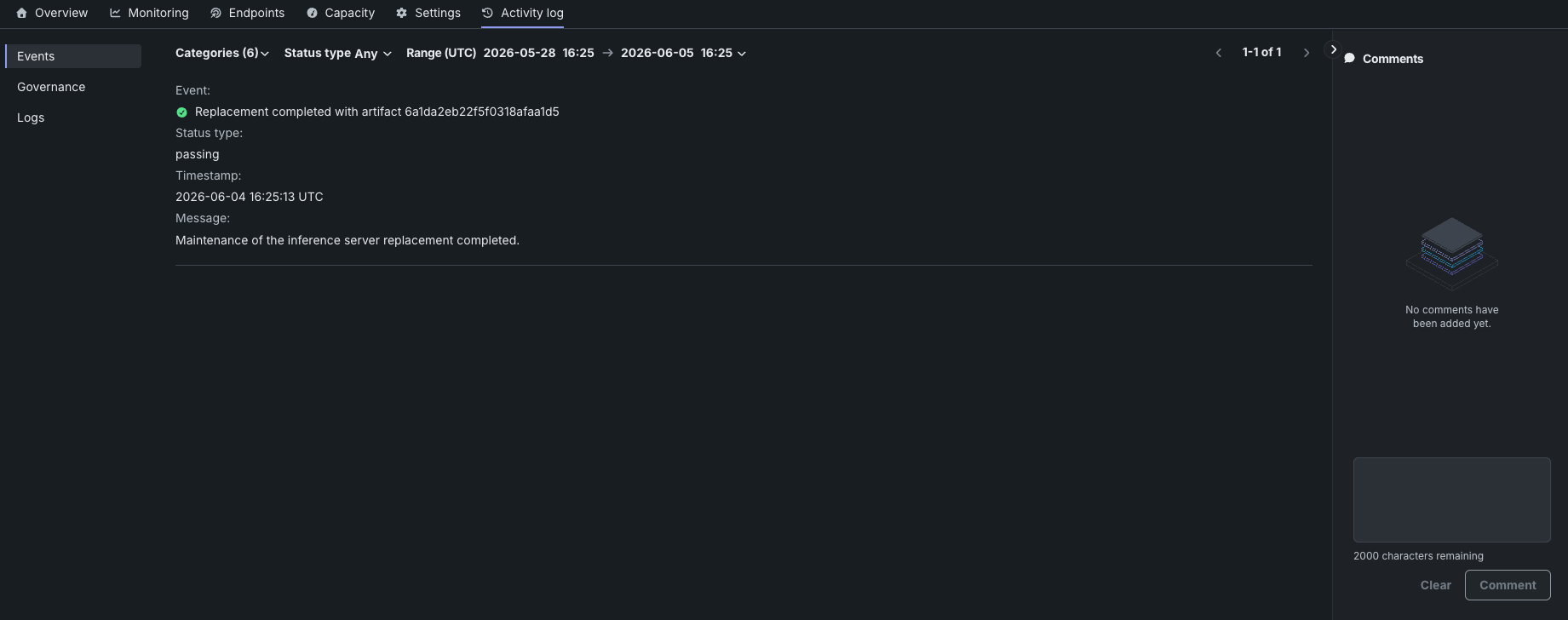
| ステータスアイコン | 説明 |
|---|---|
| 緑 / 合格 | 必要なアクションはありません。 |
| 黄色 / リスクあり | 懸念点が見つかりましたが、早急なアクションは不要です。監視を続けます。 |
| 赤 / 失敗 | 早急なアクションが必要です。 |
| Gray / Informational | デプロイアクションの詳細を示します(デプロイ起動が開始された、など)。 |
| グレー/不明 | 不明です。 |
To interact with the Events log, configure any of the following filters or perform the following actions:
| フィルター | 説明 |
|---|---|
| カテゴリー | Display log events by category. The default displays all event categories. |
| ステータスのタイプ | Display events by status: Success, Warning, Failure, or Info. The default displays Any status type. |
| 範囲 (UTC) | Display events logged within the specified range (UTC). The default displays the last seven days up to the current date and time. |
IDフィールドのコピー
リンクのないIDフィールドの場合は、コピーアイコン をクリックしてIDをコピーできます。