Access global models in Registry
Premium
Global models and tools are premium features. Contact your DataRobot representative or administrator for information on enabling this feature.
From Registry, you can deploy global models and tools for predictive, generative, or agentic use cases. These high-quality, open-source models and tools are ready for deployment. For LLM use cases, you can find classifiers to identify prompt injection, toxicity, and sentiment, as well as a regressor to output a refusal score. For agentic use cases, you can access an array of tools to deploy and connect to your agentic workflow.
Global model availability
Global models created by DataRobot are available to all users. Administrator-created global models are available based on the following rules:
- If an organization administrator creates a global model or tool, the asset is available to all users within the organization.
- If a platform administrator creates a global model or tool, it's available to all users of that DataRobot platform instance.
Only administrators have edit rights to global models and tools. Deployed global models and tools follow the deployment's sharing rules.
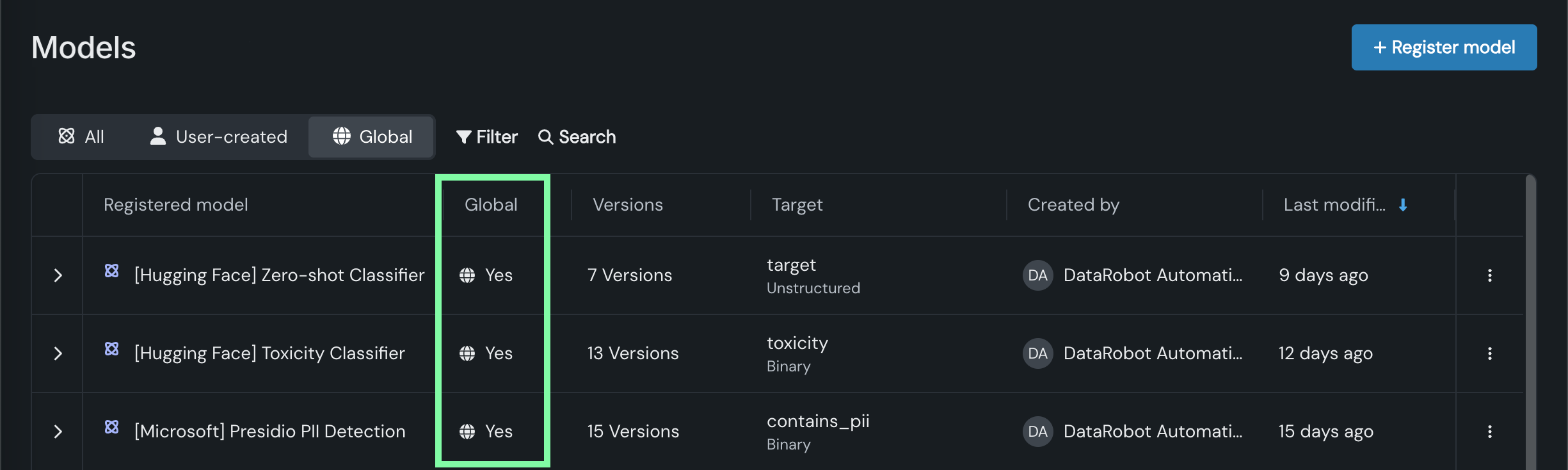
To identify global models on the Registry > Models tab, locate the Global column and look for models with Yes:
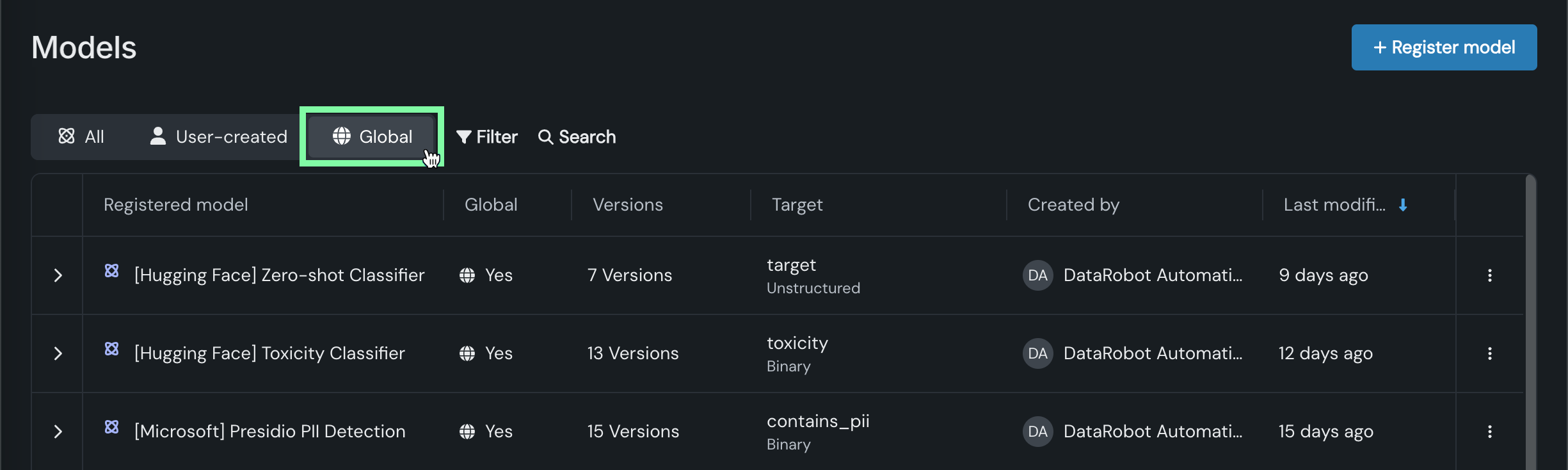
You can filter the Registry > Models tab to list only global models. Click Global:
Global models
Deploy pre-trained, global models for predictive or generative use cases. These high-quality, open-source models are trained and ready for deployment, allowing you to make predictions without additional setup.
The following global models are available for deployment to Console:
| Model | Type | Target | Description |
|---|---|---|---|
| Prompt Injection Classifier | Binary | Classifies text as prompt injection or legitimate. This guard model requires one column named text, containing the text to classify. For more information, see the deberta-v3-base-injection model details. |
|
| Toxicity Classifier | Binary | Classifies text as toxic or non-toxic. This guard model requires one column named text, containing the text to classify. For more information, see the toxic-comment-model details. |
|
| Sentiment Classifier | Binary | Classifies text sentiment as positive or negative. This model requires one column named text, containing the text to classify. For more information, see the distilbert-base-uncased-finetuned-sst-2-english model details. |
|
| Emotions Classifier | Multiclass | Classifies text by emotion. This is a multilabel model, meaning that multiple emotions can be applied to the text. This model requires one column named text, containing the text to classify. For more information, see the roberta-base-go_emotions-onnx model details. |
|
| Refusal Score | Regression | Outputs a maximum similarity score, comparing the input to a list of cases where an LLM has refused to answer a query because the prompt is outside the limits of what the model is configured to answer. | |
| Presidio PII Detection | Binary | Detects and replaces Personally Identifiable Information (PII) in text. This guard model requires one column named text, containing the text to be classified. The types of PII to detect can optionally be specified in a column, 'entities', as a comma-separated string. If this column is not specified, all supported entities will be detected. Entity types can be found in the PII entities supported by Presidio documentation. In addition to the detection result, the model returns an anonymized_text column, containing an updated version of the input with detected PII replaced with placeholders. For more information, see the Presidio: Data Protection and De-identification SDK documentation. |
|
| Zero-shot Classifier | Binary | Performs zero-shot classification on text with user-specified labels. This model requires classified text in a column named text and class labels as a comma-separated string in a column named labels. It expects the same set of labels for all rows; therefore, the labels provided in the first row are used. For more information, see the deberta-v3-large-zeroshot-v1 model details. |
|
| Python Dummy Binary Classification | Binary | Always yields 0.75 for the positive class. For more information, see the python3_dummy_binary model template. |
To clear the global model filter, in the Filters applied row, click x on the Global filter badge. You can also click Clear all to remove every filter applied.
Tools for agentic workflows
When building agents, you often need to integrate tools to handle tasks critical to the agent workflow—typically for complex use cases involving communication with external services. While some tools are embedded directly in the code of an agentic workflow, other tools are deployed externally and called by the agent process. Because externally deployed tools can scale independently, they are ideal for resource intensive, I/O bound, or reusable tools. Deploying tools externally also enables production-ready monitoring, mitigation, and moderation capabilities in Console.
The following global tools are available for deployment to Console:
Identifying tools
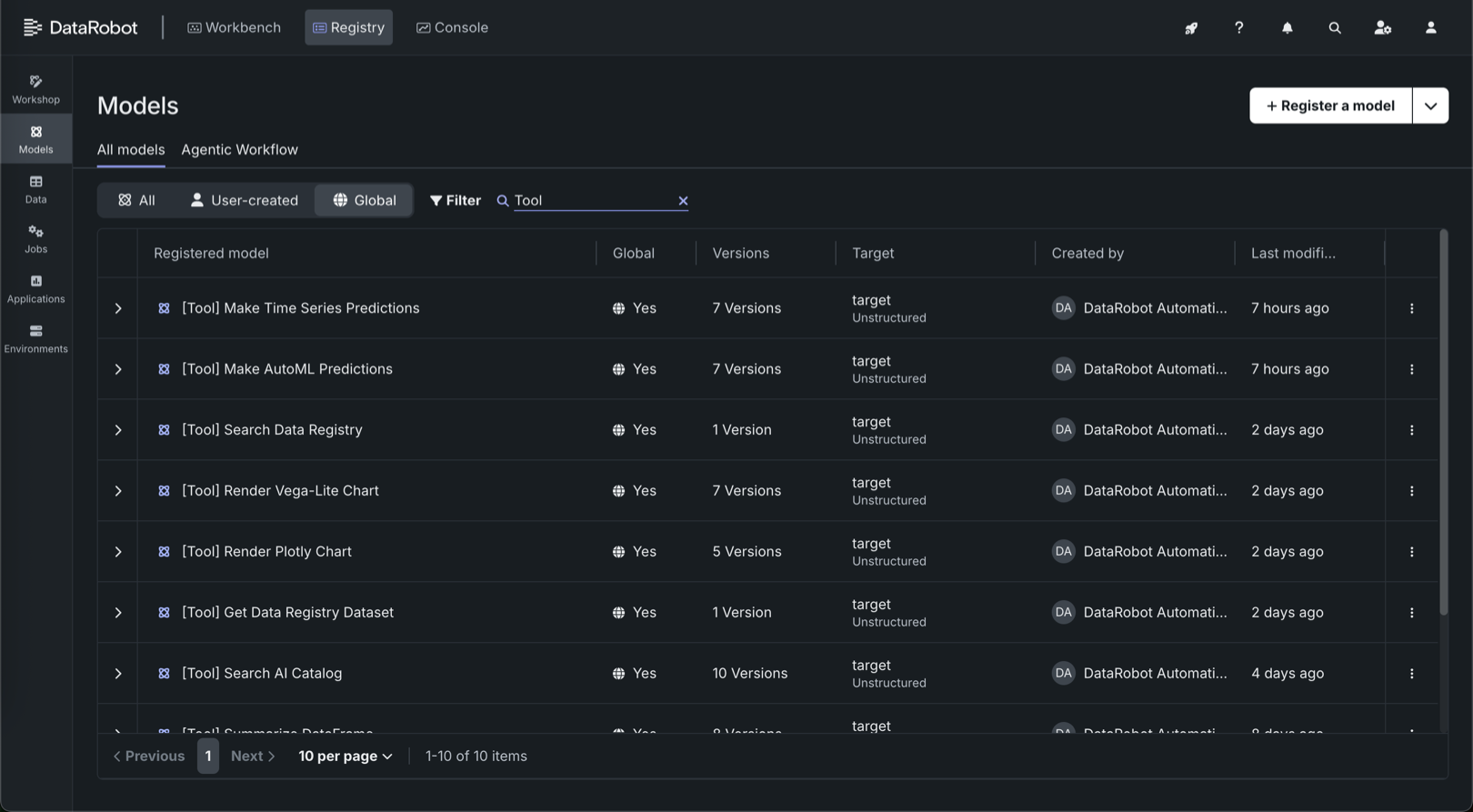
All global tools are prefixed with the [Tool] identifier. Use this identifier to filter the global models and tools list to show only tools.
| Tool | Description | Notes |
|---|---|---|
| Get Data Registry Dataset | Retrieves datasets from the DataRobot Data Registry using a dataset_id and returns the dataset in CSV format as raw bytes. |
N/A |
| Make AutoML Predictions | Accepts a pandas.DataFrame and uses that data to return a prediction from the specified predictive model. |
The argument columns_to_return_with_predictions tells the tool to return columns from the input dataset. Use this to make sure you can interpret the predictions. For example, you may want to return an ID or other identifying column so that you can see which prediction is which because you can't rely on the index or order of the predictions. |
| Make Text Generation Predictions | Accepts a string and returns a prediction from the specified DataRobot text generation model (LLM). | Suitable for tasks like summarization or text completion. This tool should only be used for TextGeneration deployments and not for regression, classification, or other target types. |
| Make Time Series Predictions | Returns forecasts from a time series model. | Before using this tool, verify that you have all the data needed. Time series models require a forecast point. They also have specific requirements for the input data. |
| Render Plotly Chart | Returns a JSON object containing a rendered Plotly chart object generated based on the provided specification and dataset ID. | When generating the Plotly chart, placeholders in the specification—indicated by double braces enclosing a column name (for example, {{ column_name }})—are replaced by the corresponding values from the specified column in the Data Registry dataset. The Data Registry dataset is identified by the dataset_id input parameter. |
| Render Vega-Lite Chart | Generates a Vega-Lite chart by passing in the Vega-Lite specification in JSON format and returns JSON with a base64-encoded image of the chart. | To provide data for the chart, pass in the Data Registry dataset_id for the dataset you want to chart. |
| Search Data Registry | Searches for datasets in the DataRobot Data Registry using search terms. Returns matching datasets as a pandas.DataFrame. |
The Data Registry does not support partial matching. If this tool doesn't return the expected results, try again with a more specific search query. |
| Summarize DataFrame | Provides a detailed summary of a pandas.DataFrame in Markdown format, including statistics and data insights. |
N/A |
Agentic tool target type
All global tools have an Unstructured target type and a Target of target.
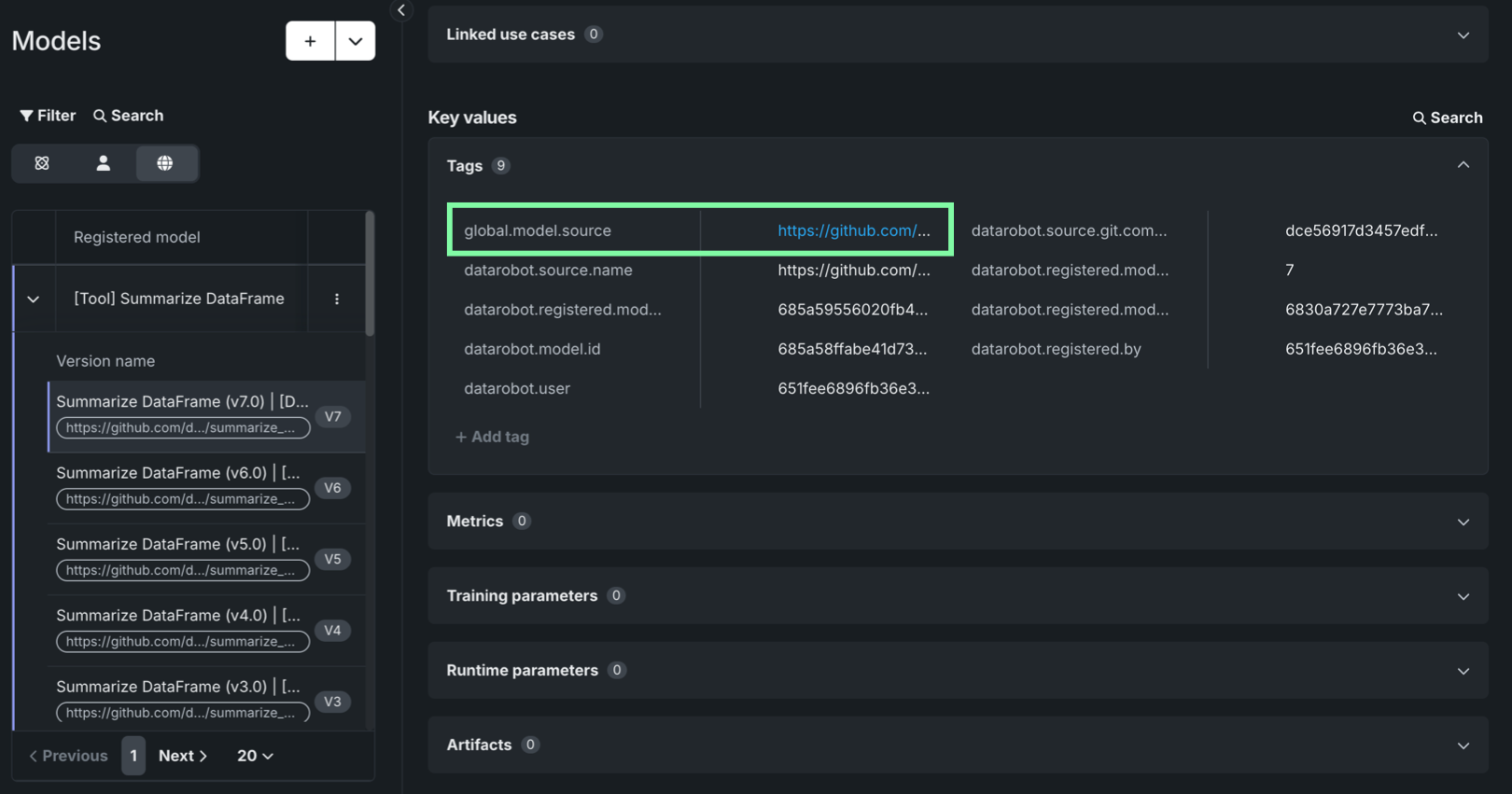
To learn more about a tool, you can access the source code in the public agent-tool-templates repository. Each tool is tagged with the global.model.source tag, linking to the directory containing the source files for that tool. This allows you to explore its contents to learn more about the model, review its input and output schema, or use the code as a template for building a customized tool. To find the repository link:
-
Apply the Global filter and look for a [Tool] in the list.
-
Open a version and in the version, scroll down to the Key values section.
-
Open the Tags panel and locate the
global.model.sourcetag. -
Hover over the tag value to view the full URL, or, click the link to open the repository to the directory for that tool.