Feature lists
After adding a dataset to your Use Case, DataRobot generates feature lists as part of EDA. Feature lists control the subset of features that DataRobot uses to build models and make predictions. Each model has a feature list associated to it.
You might want to use feature lists to:
- Remove features that cannot be used in the model for any reason, for example, a feature that is causing target leakage.
- Make predictions faster by removing unimportant features (i.e., ones that don't improve the model's performance).
You can use one of the automatically created lists—Informative and Raw—or create a custom feature list.
View feature lists
The Feature lists tile is a dedicated page where you can view, manage, and create custom feature lists.
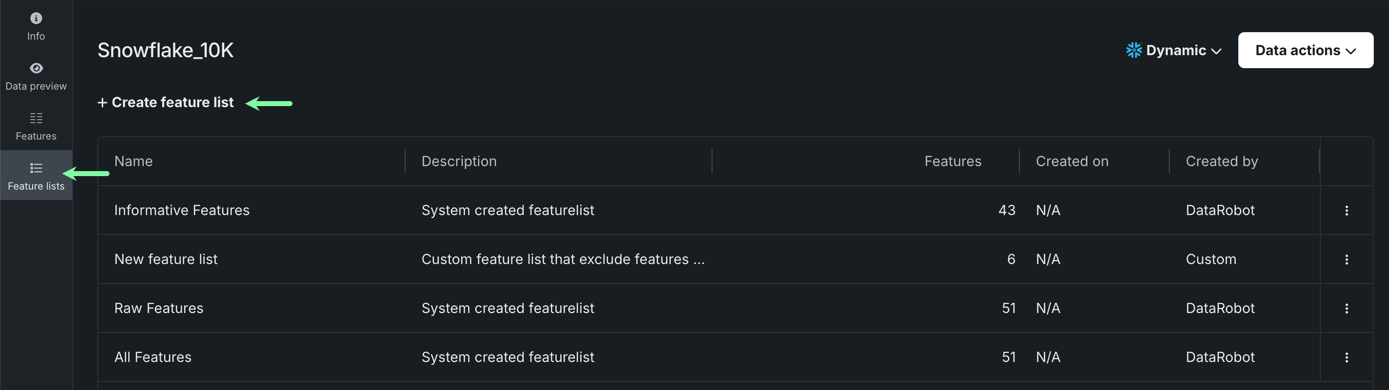
Before setting up an experiment, use exploratory data insights to explore different feature lists before choosing the appropriate one to use for modeling.
Create a feature list
To create a custom feature list:
-
On the Feature lists tile, click + Create feature list.
-
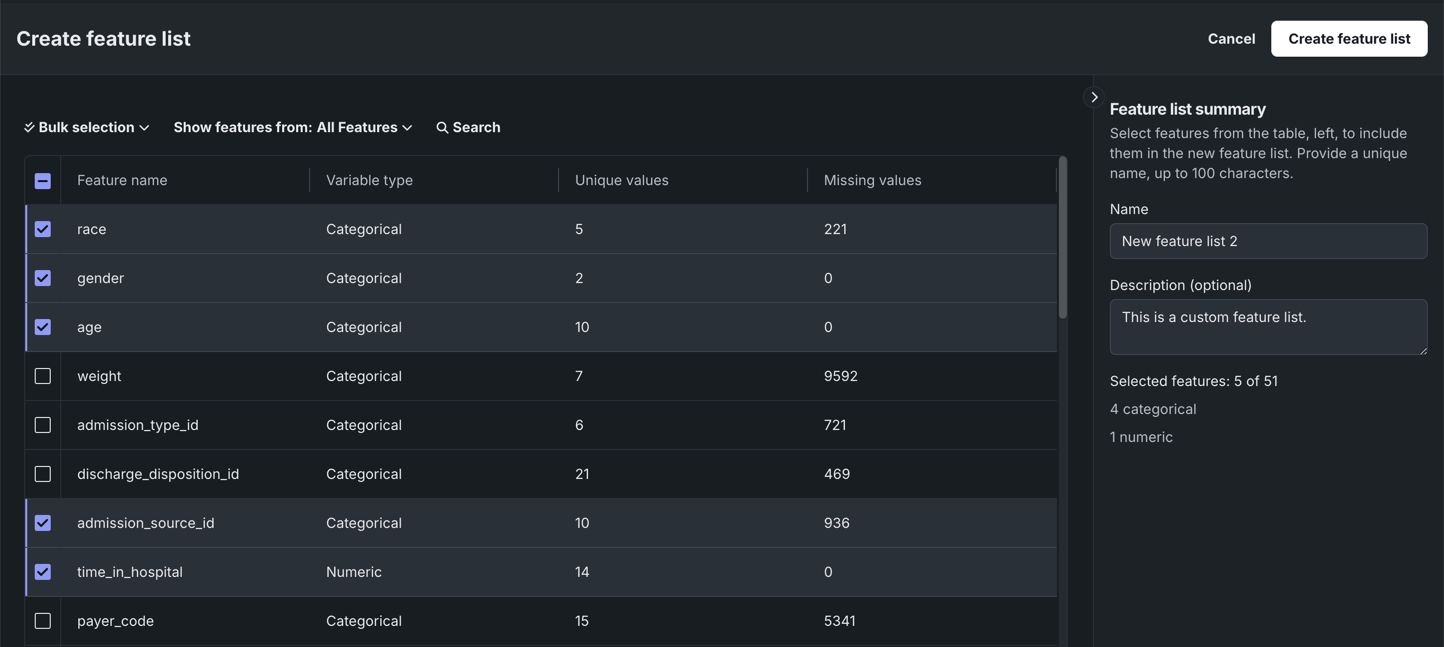
Select the box next to each feature you want to include in your custom list. Then, enter a name and description (optional) for the new feature list.
-
When you're done, click Create feature list in the top-right corner. You can now access the new feature list from the Feature lists tile.