Deploy workflows
Once the agentic workflow is registered (listed in the Models tile in Registry), you can deploy it to Console as you would any other model type, providing access to DataRobot monitoring capabilities.
To deploy an agentic workflow from Registry:
-
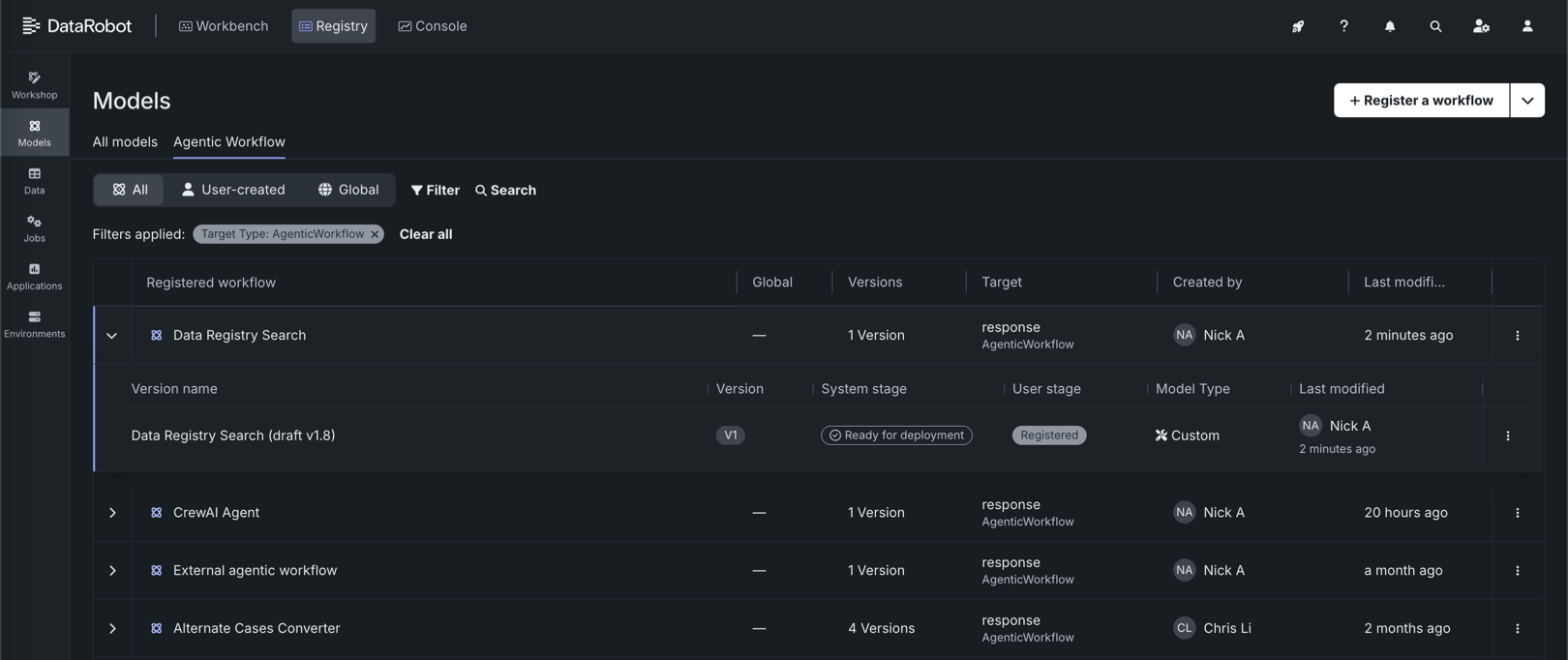
On the Registry > Models page, if the registered agentic workflow isn't already open, click the Agentic workflow tab and locate the workflow to deploy.
-
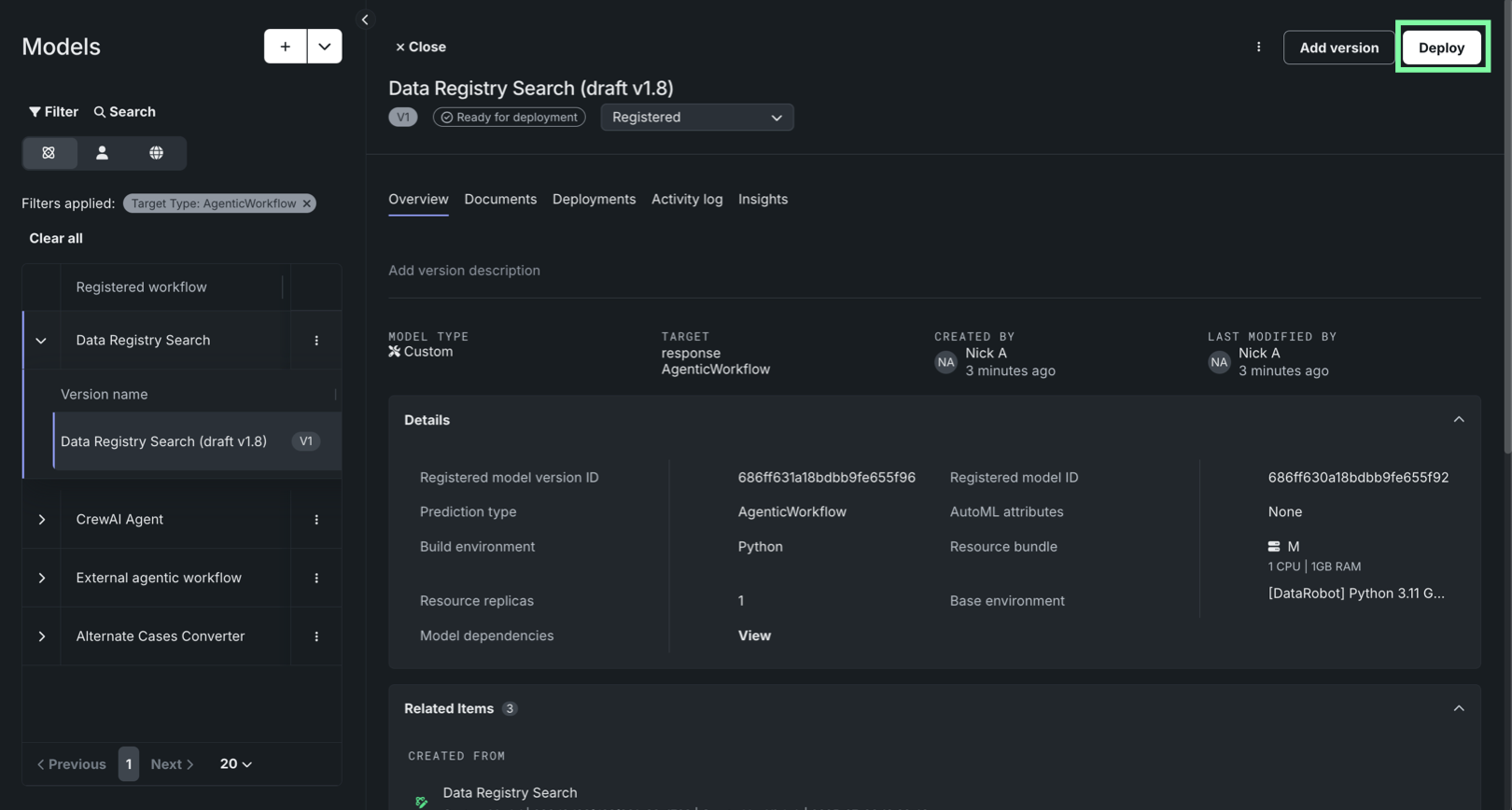
Click the agentic workflow to open it. If it has the Ready for deployment status badge, click Deploy.
-
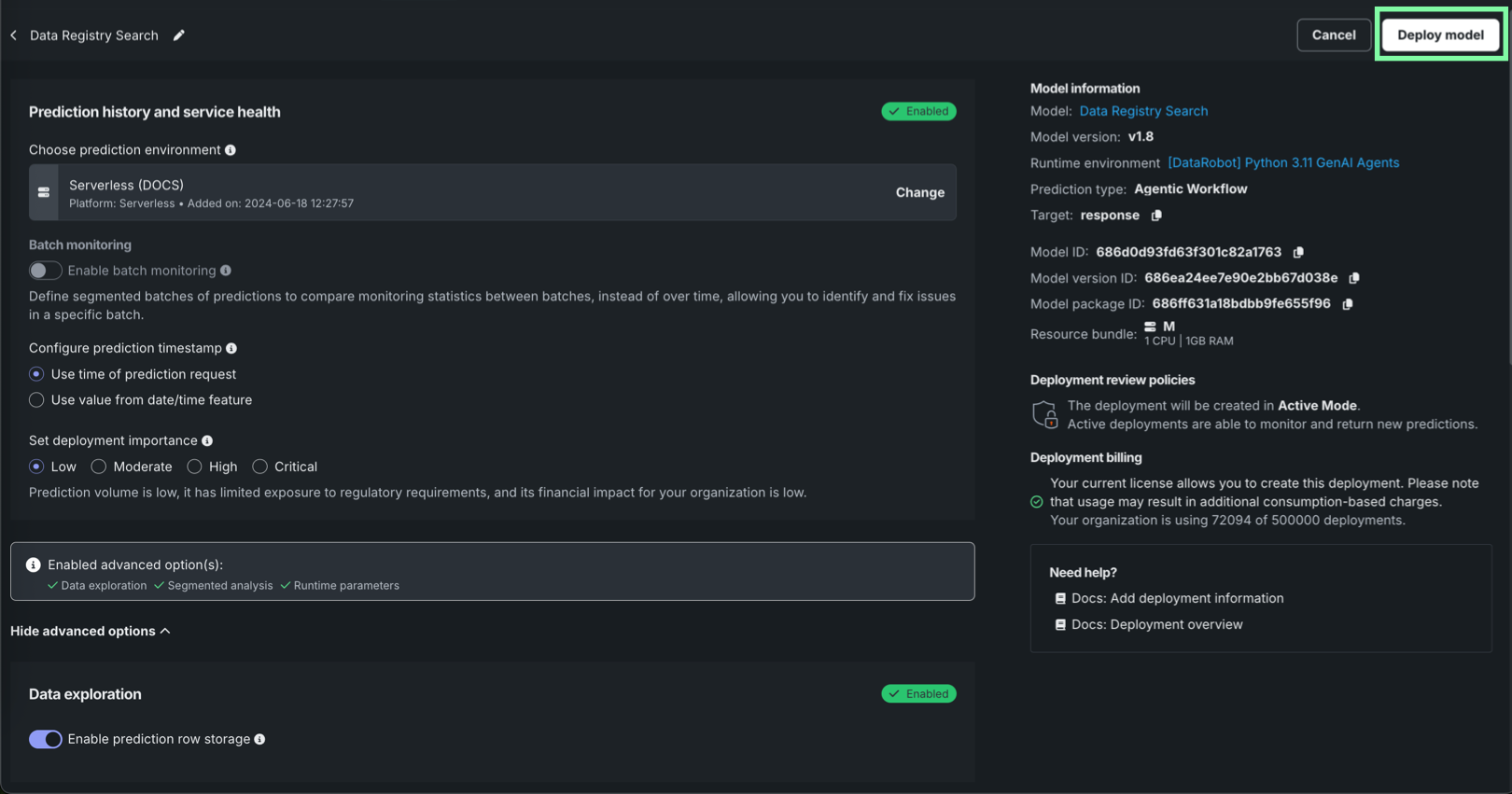
Configure the deployment settings for the agentic workflow. In particular, review the following sections:
- Prediction history and service health: Ensure the intended DataRobot Serverless prediction environment is selected. For this deployment type, you can only select serverless environments.
- Data exploration: Ensure that prediction row storage is enabled so you can export deployment data and use tracing on the tab.
- Custom metrics: Ensure automatic association ID generation for prediction rows is enabled—and an association ID feature name is provided—to enable custom metrics for the deployment.
- Runtime parameters: Ensure the runtime parameters provided during agentic workflow assembly are correct, and edit them if necessary.
Setting configuration post-deployment
You can configure these settings after the workflow is deployed; however, some settings, like runtime parameters, require temporary deactivation of the deployment.
-
After configuring the deployment settings, click Deploy model.
The Creating deployment dialog box appears. Wait for deployment creation, or click Return to deployments to open Console.