DataRobot OpenCodeプラグイン
dr opencodeプラグインは、OpenCode(ターミナル上で動作するオープンソースのAIコーディングエージェント)をDataRobot LLM Gatewayに直接接続します。 DataRobotを通じて自分のアカウントでアクセス可能なすべてのモデルが、1つのツール内で使用できるため、その時のタスクに合わせてモデルを切り替えることができます。 また、このプラグインには、Agent Assistスキルを含む、DataRobotのエージェントスキルがインストールされています。
クイックスタート
DataRobot OpenCodeプラグインを使用するには、DataRobot Codespacesまたはローカルマシンに次のものが必要です。
-
LLM Gatewayへのアクセス権を持つDataRobotアカウント。
-
OpenCodeを(Codespace内ではなく)ローカルで実行していて、まだ
drを持っていない場合は、Homebrewを使用してインストールします。brew install datarobot-oss/taps/dr-cliその他のインストール方法(Linux、Windows、または特定のバージョン)については、使用を開始するを参照してください。
任意の環境のターミナルで、以下に示すコマンドを実行します。
まず、古いバージョンのCLIを使用している場合は、opencodeプラグインに対応したバージョン(v0.2.76以降)に更新します。
dr self update --force
次に、プラグインをインストールして、OpenCodeを起動します。
# Install the OpenCode plugin
dr plugin install opencode

# Launch OpenCode
dr opencode
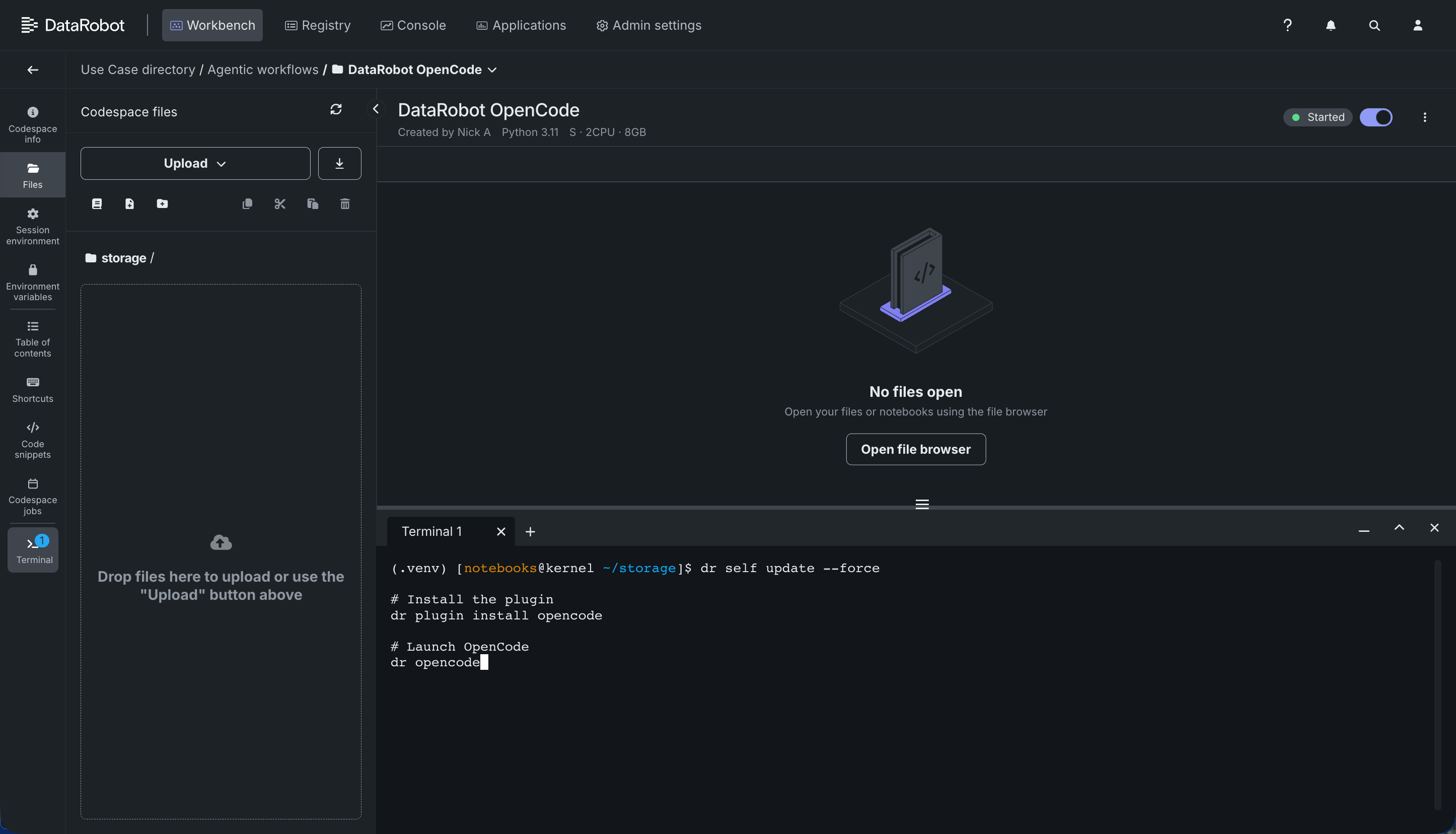
CLIをまだ認証していない場合、プラグインがLLM GatewayにアクセスするにはDataRobotの資格情報が必要なため、dr opencodeは最初にdr auth loginを実行します。 そこから、初回起動時に、使用するプラットフォーム用のOpenCodeバイナリがインストールされ、現在のディレクトリでターミナルUIが起動します。 OpenCodeを初めて起動すると、DataRobotテーマがデフォルトでアクティブになります。 /themes(またはキーバインドCtrl+X、続いて T)を使用して別のテーマに切り替えると、その選択は今後のdr opencode起動時に反映されます。手動で編集する設定ファイルはありません。
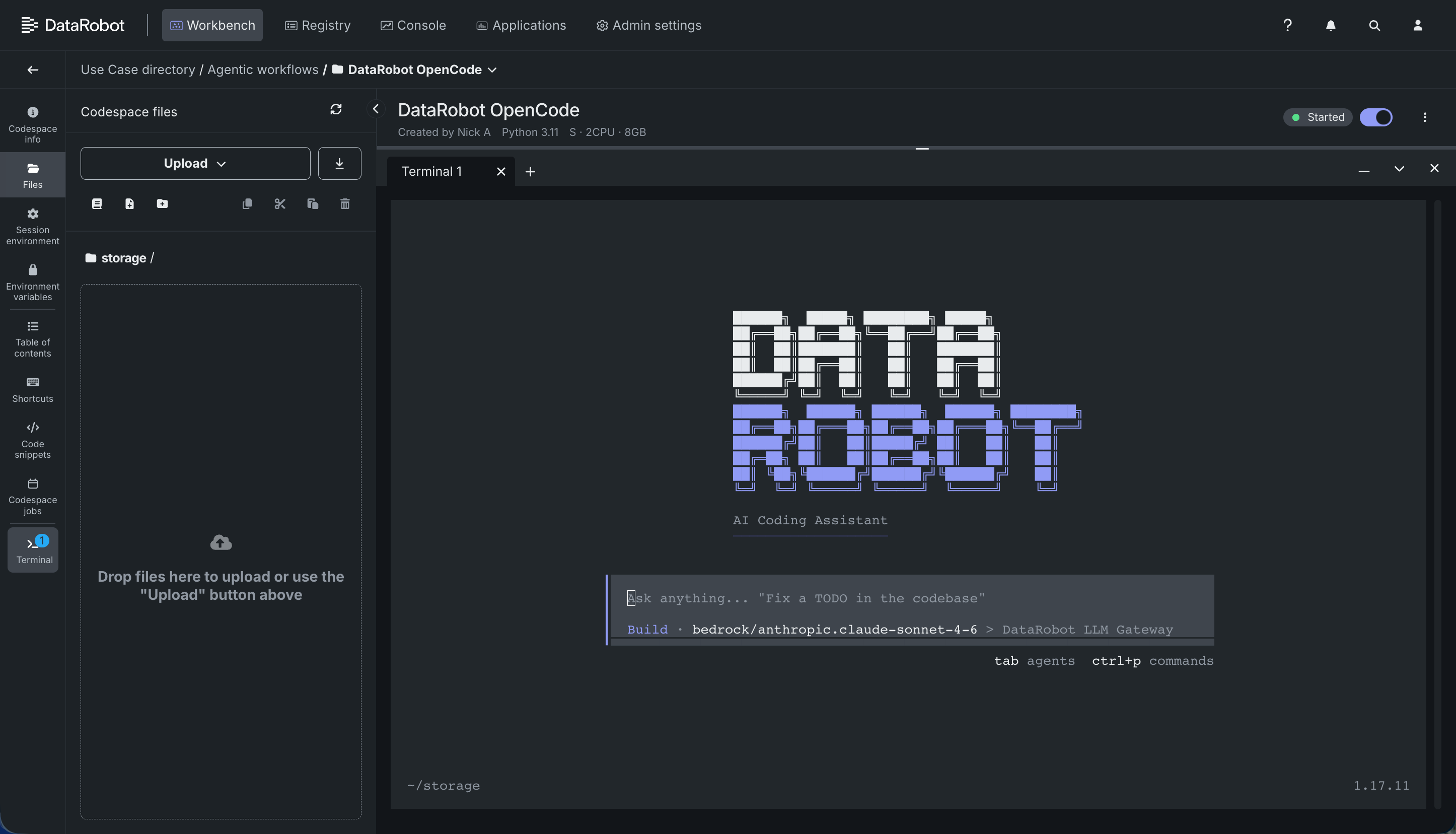
Codespaceのターミナル
Codespace内で、統合ターミナルを開き、同じ3つのコマンドを実行します。 その環境でDATAROBOT_API_TOKENとDATAROBOT_ENDPOINTがすでに設定されている場合は、dr auth loginを別途実行する必要はないかもしれません。
プラグインの設定
dr opencodeを実行するたびに、プラグインは独自の設定ディレクトリ($XDG_CONFIG_HOME/datarobot/opencode、またはXDG_CONFIG_HOMEが設定されていない場合は~/.config/datarobot/opencode)に新しいOpenCode設定を生成し、そのセッションにおいて、OpenCodeがその設定を参照するようにします。
設定の分離
このプラグインの設定は、OpenCode独自のデフォルト設定場所とは別になっているため、既存のOpenCodeのグローバル設定と競合することはありません。
プラグインのマニフェストでは認証が必要となるため、drはDataRobotのエンドポイントとAPIトークンを自動的にそのプロセスに転送します。 生成された設定では、これらを使用して、組織のLLM Gatewayカタログをバックエンドとするdatarobotプロバイダーを登録します(ユーザーがモデルを選択するまでは、プロバイダーが提供するClaude Sonnet 4.6モデル(デフォルト)またはカタログ内の最初のモデルが使用されます)。
OpenCodeセッション内では、/modelsコマンド(またはキーバインドCtrl+X、続いてM)を使用して、モデルの一覧表示や切り替えを行うことができます。
/models
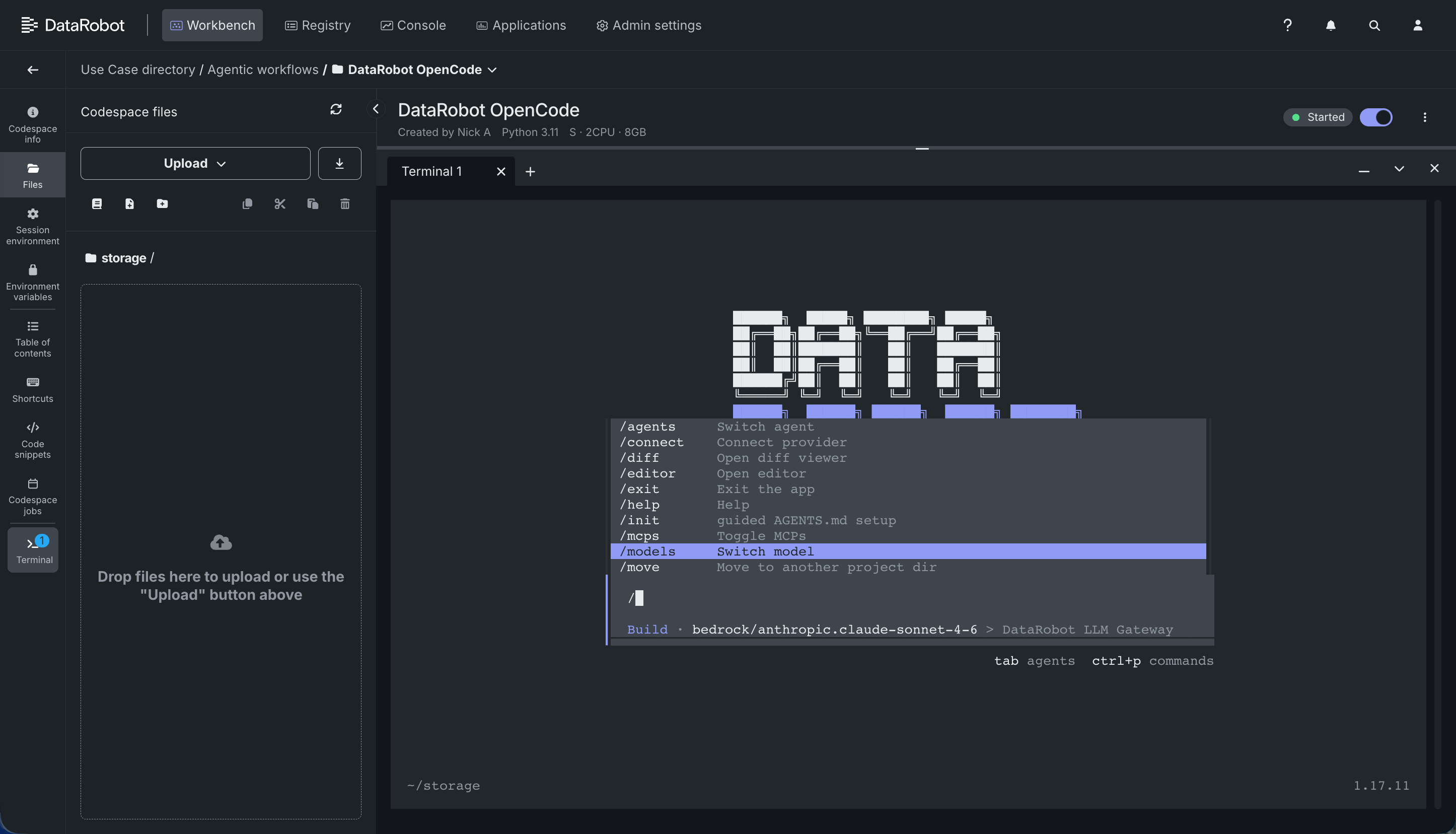
モデルはdatarobot/<model-name>の形式で表示されます。 F2を押すと、最近使用したモデルを切り替えることができます。また、特定のモデルを一度だけ起動するためにピン留めすることも可能です。
dr opencode --model datarobot/<model-name>
これにより、ターミナルを離れることなく、タスクごとに異なるモデルを選択できます。たとえば、簡単な編集には高速なモデルを、複雑なリファクタリングには推論能力の高いモデルを使用するなどです。
設定ファイルは起動のたびに再生成されます
生成されたopencode.jsonとtui.jsonは、dr opencodeを実行するたびに最初から再構築されるため、手動で編集しないでください。変更内容は次回の起動時には反映されません。 唯一の例外は、モデルとテーマの選択です。/modelsまたは/themesで最後に選択した内容は、OpenCode自身の状態(~/.local/state/opencode)から読み込まれ、自動的に引き継がれます。毎回DataRobotのデフォルト設定にリセットされることはありません。
DataRobotのエージェントスキルを使用する
生成された設定では、opencode-datarobot-skillsプラグインも登録されます。このプラグインは、初回実行時にDataRobotのエージェントスキル(Agent Assistを含む)およびDataRobotのテーマバリエーションをOpenCodeのskillsディレクトリとthemesディレクトリにインストールします。
OpenCodeでは、組み込みのskillツールを通じて、インストール済みのスキルがエージェントに自動的に表示されます。手動で読み込む必要はありません。 利用可能なスキルを確認したり、スキルを起動したりするには、セッション内で次のように質問します。
What DataRobot skills are available?
Use the datarobot-model-deployment skill to deploy this model.
すでにAgent Assistを使用中の場合
すでにAgent Assistの外部LLM設定を行っている場合、dr opencodeは同じ環境変数を読み取り、LLM Gatewayカタログではなくそのモデルにルーティングします。追加の設定は不要です。
| 特徴量 | dr opencodeでの効果 |
|---|---|
AGENT_ASSIST_LLM_BASE_URL |
外部モデルをagent-assistプロバイダーとして追加し、LLM Gatewayのモデルと並んでデフォルトとして設定します。 |
AGENT_ASSIST_LLM_MODEL_NAME |
そのプロバイダーで使用されるモデル名。 |
AGENT_ASSIST_LLM_API_KEY |
外部プロバイダーの資格情報。ベースURLが設定されていない場合は、LLM Gatewayカタログの資格情報としても使用されます。 |
AGENT_ASSIST_DISABLE_LLM_GATEWAY |
LLM Gatewayカタログの取得を完全にスキップし、外部モデルのみを使用します(AGENT_ASSIST_LLM_BASE_URLおよびAGENT_ASSIST_LLM_MODEL_NAMEが必要です)。 |
Agent Assist自体における各変数の機能については、環境とコマンドのリファレンスを参照してください。
プラグインの更新または削除
プラグインを最新バージョンに更新するには、以下を実行します。
dr plugin update opencode
プラグインを削除するには、以下を実行します。
dr plugin uninstall opencode
Related documentation
詳細については、以下のドキュメントを参照してください。