Data and modeling (V11.1.0)
July 17, 2025
The DataRobot V11.1.0 release includes many new data, modeling, and admin feature enhancements, described below. See additional details of Release 11.1:
Release v11.1.0 provides updated UI string translations for the following languages:
- Japanese
- French
- Spanish
- Korean
- Brazilian Portuguese
Data
Connect to JDBC drivers in Workbench
In Workbench, you can connect to and add snapshotted data from supported JDBC drivers. When adding data to a Use Case, JDBC drivers are now listed under available data stores.
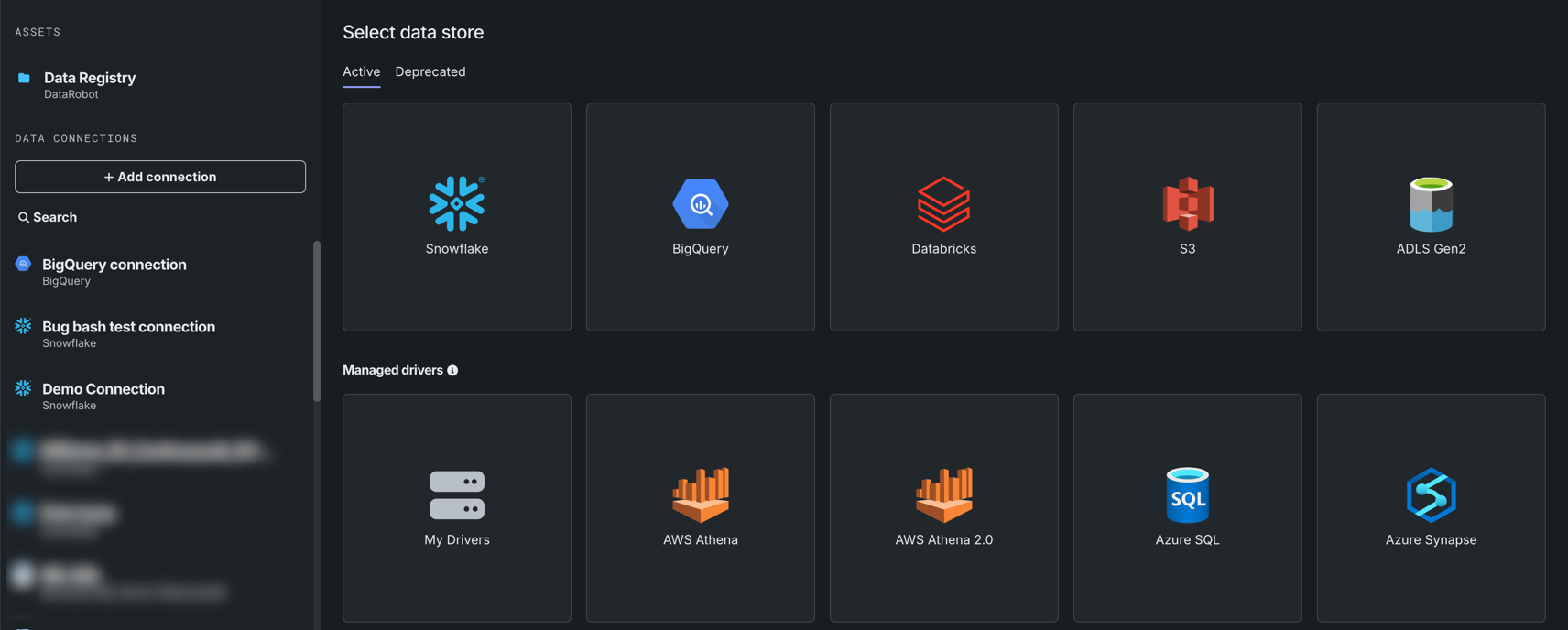
Note that only snapshotted data can be added from a JDBC driver.
Support for dynamic datasets in Workbench now GA
Support for dynamic datasets is now generally available in Workbench. Dynamic data is a “live” connection to the source data that DataRobot pulls upon request—for example, when creating a live sample for previews.
Additional data improvements added to Workbench
This release introduces the following updates to the data exploration experience in Workbench:
-
When exploring a dataset, click Show summary to view information, including feature and row count, as well as a Data Quality Assessment.

-
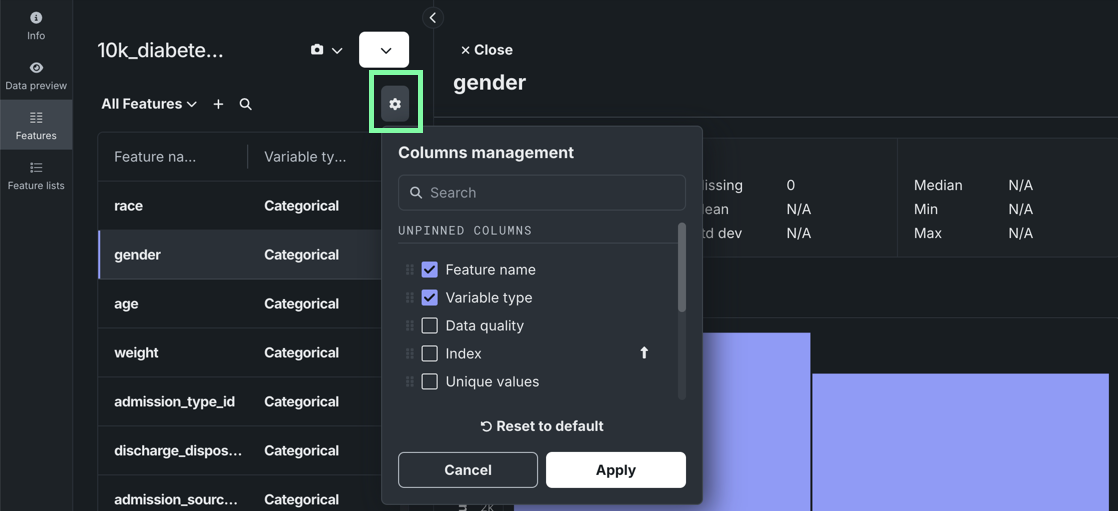
Manage which columns are visible when viewing individual features.
Mongo-based search in the AI Catalog
The AI Catalog now uses mongo-based search for security and performance improvements. Previously, the AI Catalog used Elasticsearch.
Support for unstructured data
This release brings connectors for S3 and ADLS to support unstructured data, enabling consistent read access to files, documents, media, and other non-tabular formats. The new endpoints support efficient, chunked transfer of unstructured data, enabling scalable ingestion and serving of large files, ultimately creating a scalable, maintainable, and unified approach to data connectivity that complements existing structured data support.
Modeling
Blenders now available in Workbench
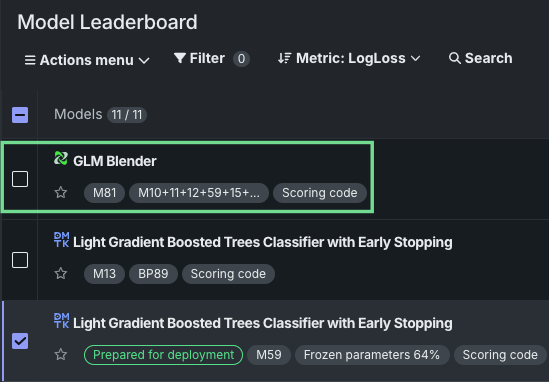
Blenders, also known as ensemble models, are now available as a post-modeling operation in Workbench. By combining the base predictions of multiple models and training them on predictions from the validation set of those models, blenders can potentially increase accuracy and reduce overfitting. With multiple blending methods available, blenders can be created for both time-aware and non-time-aware experiments.
Select from two to eight models from the Leaderboard’s Actions menu, select a blend method, and train the new model. When training is complete, the new blended model displays in the list on the Leaderboard.
Incremental learning improvements speed experiment start
Incremental learning (IL) is a model training method specifically tailored for supervised experiments leveraging datasets between 10GB and 100GB. By chunking data and creating training iterations, you can identify the most appropriate model for making predictions. This deployment brings two substantial improvements:
-
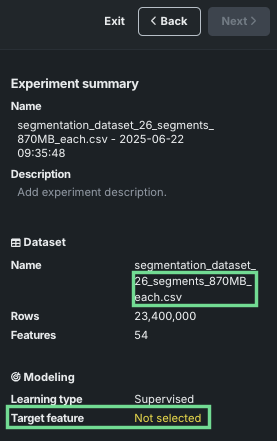
For static (or snapshotted) datasets, you can now begin experiment setup once EDA1 completes; the experiment summary populates almost immediately. Previously, because the first chunk was used as the data to start the project, it could take a long time to create the first chunk (depending on the size of the dataset). The EDA sample is a good representation of the full dataset and using it allows moving forward with setup, speeding experimentation. It also provides more efficiency and flexibility in iterating to find the most appropriate configuration before committing to applying settings to the full dataset.
-
Support for experiments creating time-aware predictions is now available.
Platform
Support for external OAuth server configuration
This release adds a new Manage OAuth providers page that allows you to configure, add, remove, or modify OAuth providers for your cluster.

Additionally, support has been added for two new OAuth providers: Google and Box. Refer to the documentation for more details.
Updated FIPS password requirements for Snowflake connections
Due to updates in FIPS credential requirements, DataRobot now requires that credentials adhere to Federal Information Processing Standards (FIPS), a government standard that ensures cryptographic modules meet specific security requirements validation. All credentials used in DataRobot, particularly Snowflake basic credentials and key pairs, must adhere to FIPS-compliant formats as indicated below:
- RSA keys must be at least 2048 bits in length, and their passphrases must be at least 14 characters long.
- Snowflake key pair credentials must use a FIPS-approved algorithm and have a salt length of at least 16 bytes (128 bits).
For additional details, refer to the FIPS validation FAQ.
Automated SAML SSO testing
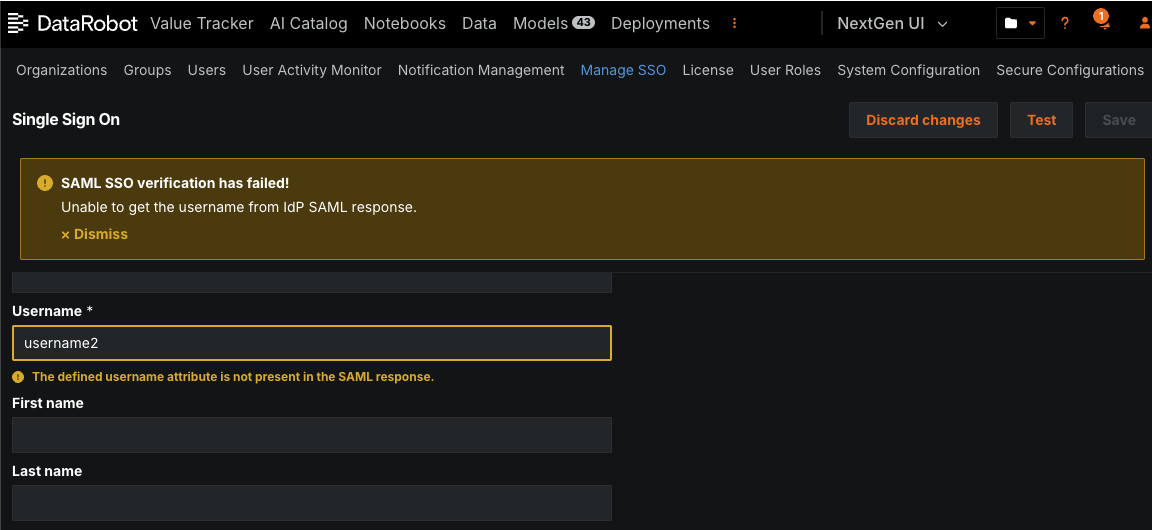
You can conduct automated testing for a SAML SSO connection after configuring it from the SSO management page. When you conduct a test, administrators provide the user credentials and perform the login process on the IdP side. When testing completes, you receive either a success message or a warning message about what went wrong, with fields highlighting the incorrect values.
All product and company names are trademarks™ or registered® trademarks of their respective holders. Use of them does not imply any affiliation with or endorsement by them.