September SaaS feature announcements
September 2025
This page provides announcements of newly released features available in DataRobot's SaaS multi-tenant AI Platform, with links to additional resources. From the release center, you can also access past announcements and Self-Managed AI Platform release notes.
Data
Support for Google Drive and SharePoint added to NextGen
Support for the Google Drive and SharePoint connectors has been added to NextGen in DataRobot. To connect to either Google Drive or SharePoint, go to Account Settings > Data connections or create a new vector database. To configure the connection, you can use OAuth, service account (Google Drive), or service principal (SharePoint) as the authentication method. Note that this connector only supports unstructured data, meaning you can only use it as a data source for vector databases.
Manually transform features in Workbench
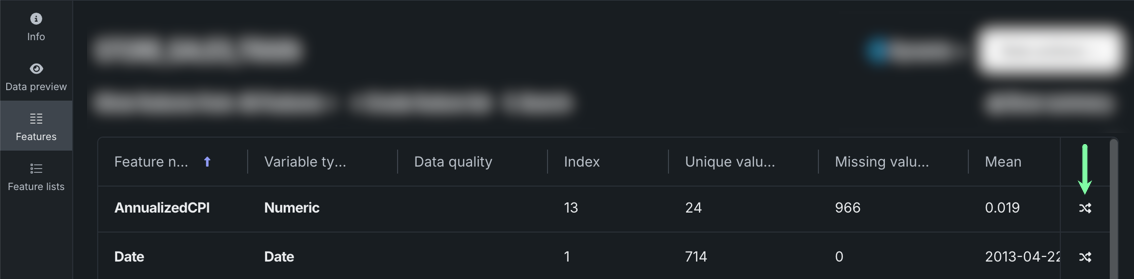
In Workbench, you can now create feature transformation based on specific features within a dataset from the Features tile on the data explore page or in an experiment. As part of EDA, DataRobot assigns variable types to each feature based on its values, however, there are times when you may need to change the variable type. For example, area codes may be interpreted as numeric but you would rather they map to categories. Creating feature transformations allows you to create additional features based on the original that can then be used for modeling and in feature lists.
Predictions and MLOps
Improved autoscaling options for custom models
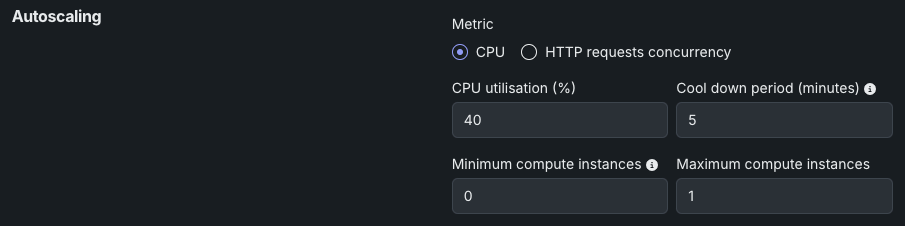
Autoscaling is now available for custom models and agentic workflows, automatically adjusting your deployment's capacity based on real-time demand. It adds replicas during high-traffic periods to maintain performance and scales down during quiet periods to free up resources for other workloads, maximizing infrastructure utilization without manual intervention.
DataRobot offers two autoscaling metrics for custom models and agentic workflows. CPU utilization scales when processing demands increase - reacting to resource consumption as a symptom of load. HTTP request concurrency provides more proactive scaling based on simultaneous requests - the actual cause of upcoming work - adding capacity before resources become exhausted. Choose CPU utilization for steady-state workloads or request concurrency for responsive scaling that anticipates demand before performance degrades.
Platform
View CPU usage details in the Usage Explorer
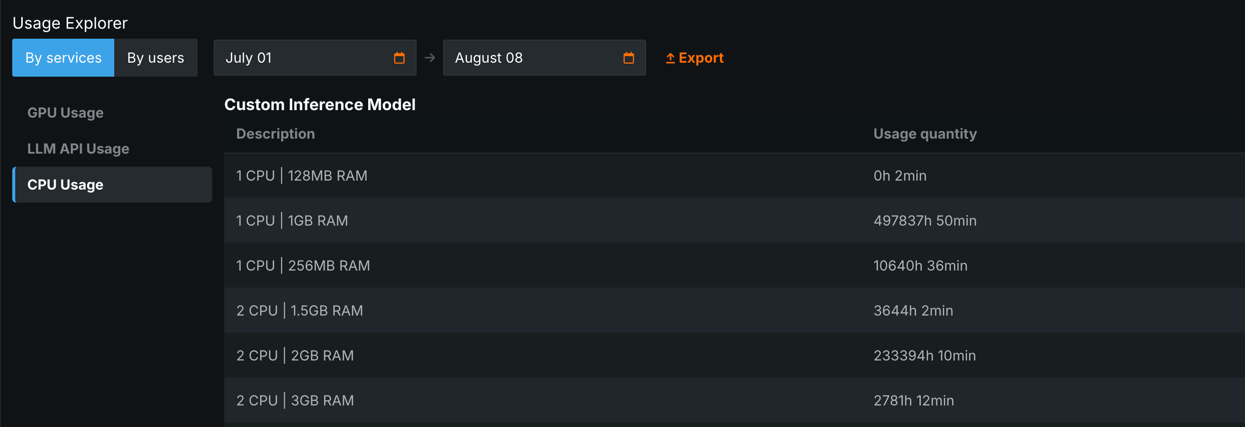
The Usage Explorer has been updated to include an overview of central processing unit (CPU) usage within the organization, broken down by service or user. This page can be accessed by clicking CPU Usage in the Usage Explorer.
All product and company names are trademarks™ or registered® trademarks of their respective holders. Use of them does not imply any affiliation with or endorsement by them.