July SaaS feature announcements
July 2025
This page provides announcements of newly released features available in DataRobot's SaaS multi-tenant AI Platform, with links to additional resources. From the release center, you can also access past announcements and Self-Managed AI Platform release notes.
Spotlight: New agentic AI Platform for scalable, governed AI application development
DataRobot announces a new agentic AI Platform for AI application development. Let DataRobot’s powerful GenAI help you build, operate, and govern enterprise-grade, scalable agentic AI applications.
Premium
DataRobot's Generative AI capabilities are a premium feature; contact your DataRobot representative for enablement information. Try this functionality for yourself in a limited capacity in the DataRobot trial experience.
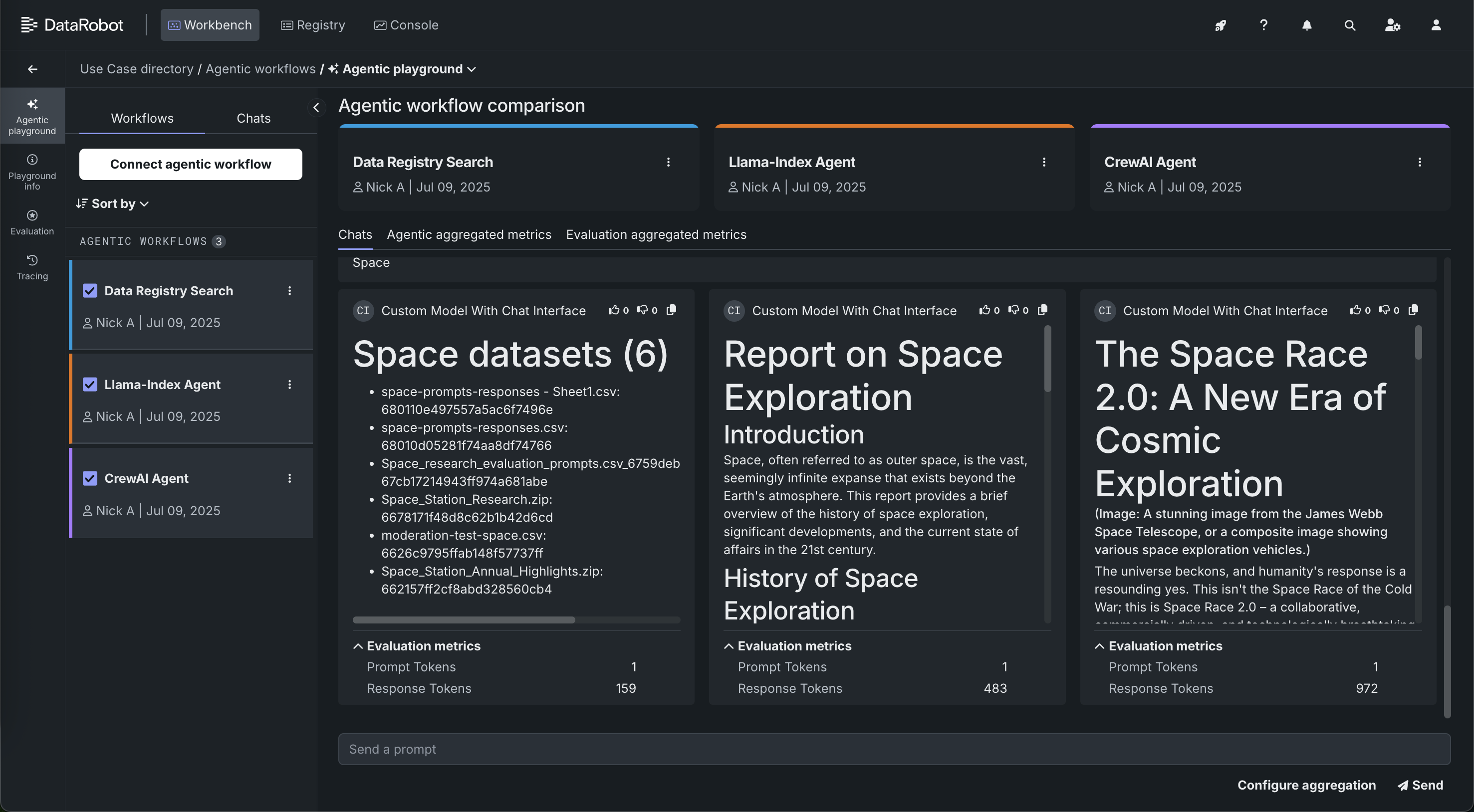
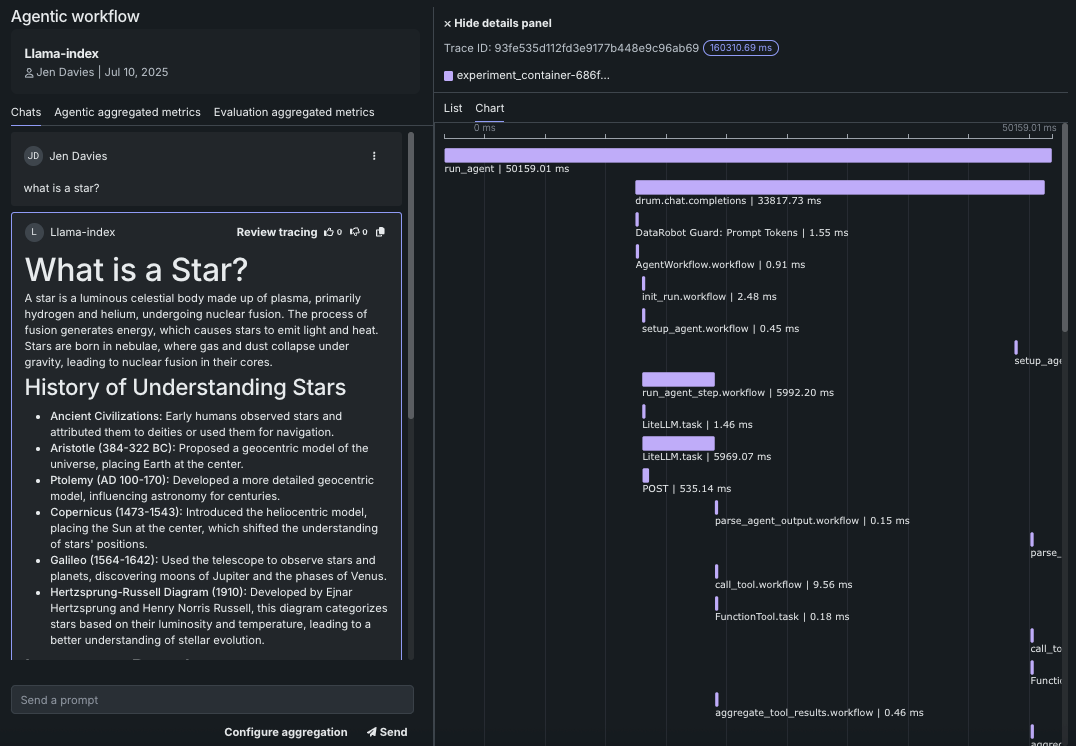
With this deployment, DataRobot is launching its new agentic AI Platform, designed to empower enterprises to build, operate, and govern scalable agentic AI applications. Because most app developers begin building agents in their local IDE, DataRobot is offering templates and a CLI to promote seamless local development, migration of code into DataRobot, and hooks into platform functionality. This allows you to prepare an agent prototype for production, which can include applying advanced agent debugging and experimentation tools—troubleshooting, evaluating, and testing guard models on agentic flows with individual compute instances via DataRobot codespaces. With agentic flows you get side-by-side flow comparison and granular error reporting for easy troubleshooting, and OTEL compliant tracing for observability in each component of the agent.
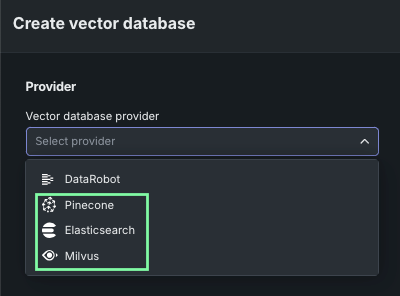
Global tools are accessible for common use cases along with tool-level authentication so you can bring your agents into production safely. DataRobot also offers "Batteries Included" integration with serverless LLMs from major providers like Azure OpenAI, Bedrock, and GCP, ensuring seamless experimentation, governance, and observability, all accessible via an LLM gateway. Finally, you can now connect to your own Pinecone or Elasticsearch vector databases during development and for use in production, allowing you to take advantage of scalable vector databases that give relevant context to LLMs.
All of this can be used alongside several other new features. DataRobot offers one-click deployment of NVIDIA Inference Microservices (NIM) in air-gapped environments and sovereign clouds. A centralized AI Registry for all tools and models used in agentic Workflows provides robust approval workflows, RBAC, and custom alerts. Real-time LLM intervention and moderation are supported with out-of-the-box and custom guards, including integration with NVIDIA's NeMo for content safety and topical rails. GenAI compliance tests and documentation generate reports for PII, Prompt Injection, Toxicity, Bias, and Fairness to meet regulatory requirements.
Key capabilities of the agentic release
The following are some of the major capabilities of the end-to-end agentic workflow experience, with more GenAI features described in the sections that follow:
-
BYO: Bring your agentic workflow—built with frameworks such as LangGraph, LlamaIndex, or CrewAI—from Registry > Workshop to the new agentic playground for testing and fine-tuning.
-
Build and deploy agents from templates leveraging multi-agent frameworks. Develop agents anywhere—in DataRobot or in your preferred local development environment—with LangGraph, CrewAI, or LlamaIndex. Using decorators, DataRobot auto-recognizes interrelations between tools, models, and more.
-
Single agent and multi-agent chat comparison functionality.
-
Detailed tracing for root cause analysis with metrics at both the agent and the tool level.
-
Iterative experimentation using DataRobot codespaces to develop agentic workflows alongside testing in an agentic playground.
-
A test suite to assess RAG lookup, LLM response quality, and user-defined guardrail efficacy. Synthetically generate or define evaluation data and then use LLMs and built-in NLP metrics to judge response quality (e.g. correctness, faithfulness, and hallucinations). A configurable "LLM as a Judge" assesses responses based on prompt and context. Synthetic examples are generated automatically based on content within the grounding data.
-
Monitor and govern in Registry and Console, including:
-
End-to-end monitoring to trace execution flow visually with functional and operational metrics at both the tool and agent levels. These detailed traces for each execution flow include tool usage and LLM input and output.
-
Register and deploy agents and tools in Registry and Console to enable production-ready governance, monitoring, mitigation, and moderation capabilities.
-
Deploy OSS and proprietary evaluation and moderation guards for agentic flows (for example, PII, relevance, jailbreak, hate speech).
-
Connect custom metrics for agentic cost, prompt tokens, and completion tokens to deployed agentic workflows in Console.
-
July features
GenAI
The following lists other new GenAI functionality.
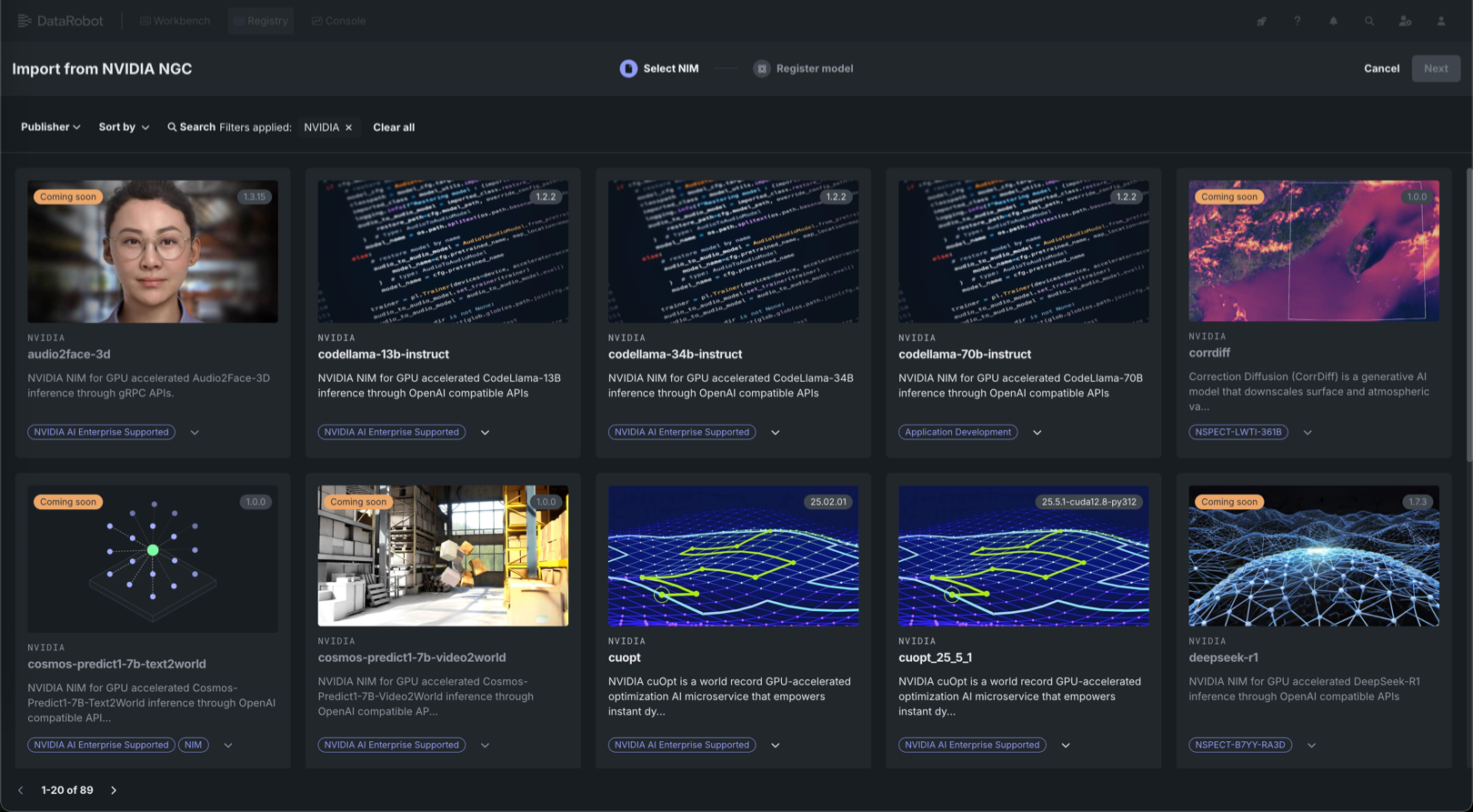
Explore 60+ GPU-optimized containers in the NIM Gallery
NVIDIA AI Enterprise and DataRobot provide a pre-built AI stack solution, designed to integrate with your organization's existing DataRobot infrastructure, which gives access to robust evaluation, governance, and monitoring features. This integration includes a comprehensive array of tools for end-to-end AI orchestration, accelerating your organization's data science pipelines to rapidly deploy production-grade AI applications on NVIDIA GPUs in DataRobot Serverless Compute.
In DataRobot, create custom AI applications tailored to your organization's needs by selecting NVIDIA Inference Microservices (NVIDIA NIM) from a gallery of AI applications and agents. NVIDIA NIM provides pre-built and pre-configured microservices within NVIDIA AI Enterprise, designed to accelerate the deployment of generative AI across enterprises.
DataRobot has added new GPU-optimized containers to the NIM Gallery, including:
-
Document processing: PaddleOCR and the NemoRetriever suite for OCR, document parsing, and intelligent data extraction from PDFs and forms.
-
Language models: DeepSeek R1 Distill (14B/32B) and Nemotron (Nano-8B/Super-49B) for reasoning, content generation, and conversational AI.
-
Specialized tools: CuOpt for decision optimization, StarCoder2-7B for code generation, and OpenFold2 for protein folding.
Vector database as a service
When creating a vector database in a Use Case, you can now select DataRobot or a direct connection to either Pinecone or Elasticsearch external data sources. These connections support up to 100GB file sizes. When you connect, the data source is stored locally in the Data Registry, configuration settings are applied, and the created vector database is written back to the provider. When selecting Pinecone or Elasticsearch, you will provide credential and connection information. Otherwise, the flow is the same as the DataRobot-resident Facebook AI Similarity Search (FAISS) vector database, with the exception of these considerations.
GitLab repository integration
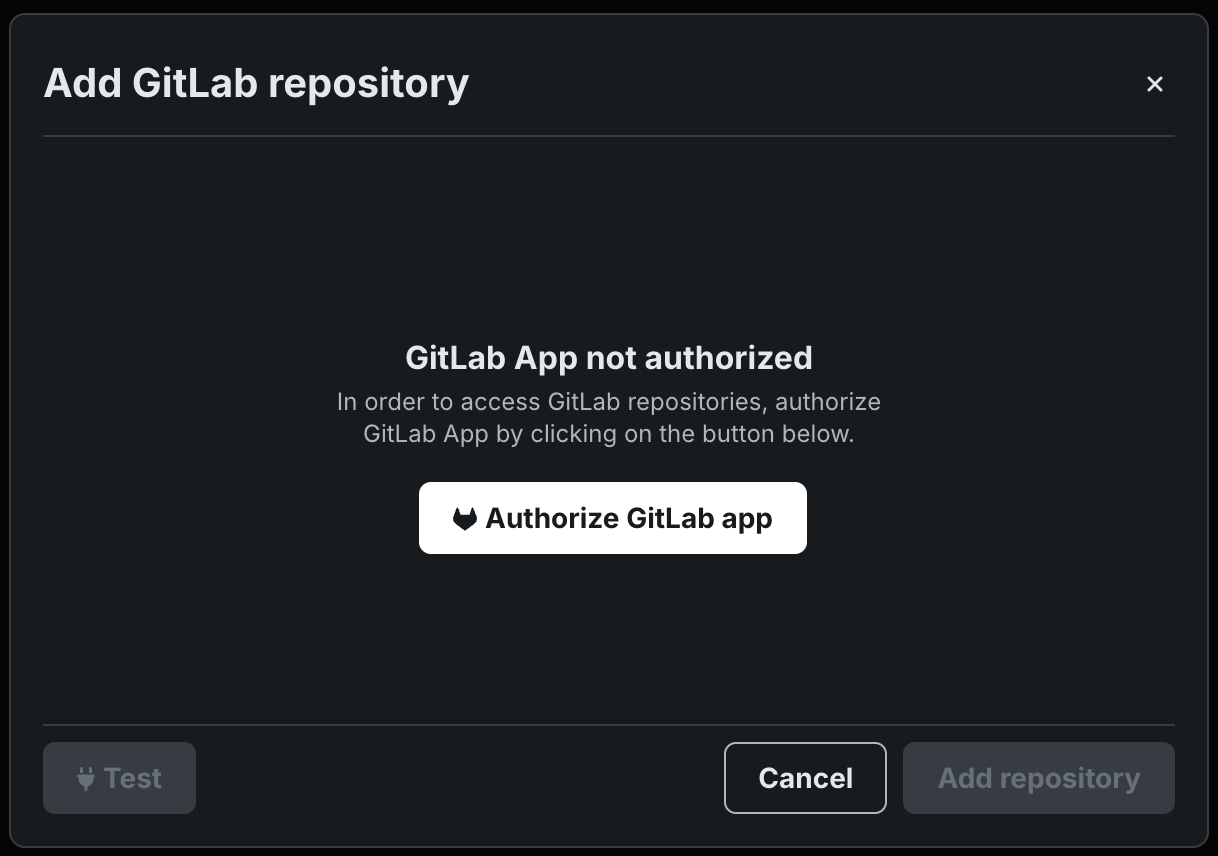
Connect to GitLab and GitLab Enterprise repositories to pull custom model files into Workshop, accelerating the development and assembly of custom models and custom agentic workflows.
Attach metadata for filtering prompt queries
You can select an additional file to define the metadata to attach to the chunks in the vector database. Select whether to replace duplicates or retain.
File Registry for vector databases
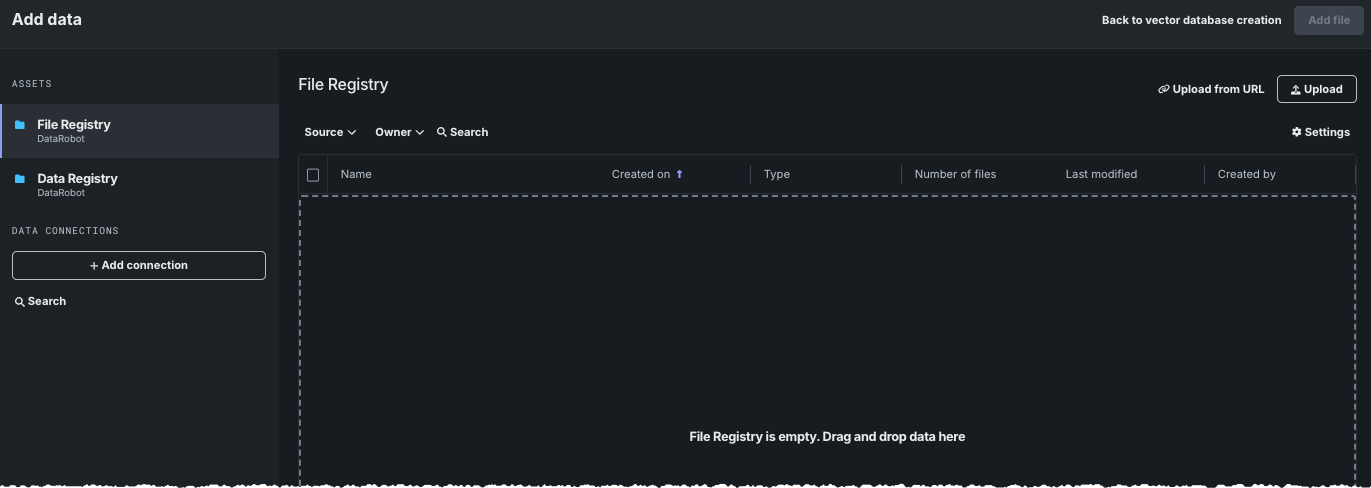
The File Registry is a "general purpose" storage system that can store any type of data. In contrast to the Data Registry, the File Registry does not do CSV conversion on files uploaded to it. In the UI, vector database creation is the only place where the File Registry is applicable, and it is only accessible via the Add data modal. While any file type can be stored there, the same file types are supported for vector database creation regardless of registry type.
Improvements to LLM moderation
The moderation of streaming chat responses for LLMs has been improved. Moderation guardrails help your organization block prompt injection and hateful, toxic, or inappropriate prompts and responses. Chat responses return datarobot_moderations if the deployed LLM is running in an execution environment that has the moderation library installed and the custom model code directory contains moderation_config.yaml to set up the moderations. If moderation is enabled and the streaming response is requested, the first chunk will always contain the information about prompt guards (if configured) and response guards.
Configure new moderation templates for LLMs
There are two new standard guard templates available for LLMs: jailbreak and content safety. These guards use NIM models and no longer require a custom deployment to use. With the new templates, you only need to select the deployed LLM to configure these moderation metrics.
Expanded LLM model support
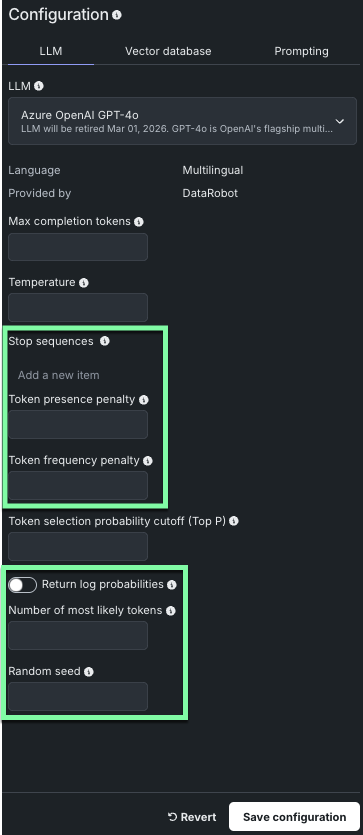
DataRobot has added support for many new LLM models when creating your LLM blueprint. Some of the new models implement additional model parameters, as indicated below.
Note
The parameters available will vary depending on the LLM model selected.
For steps on using the new models and parameters, refer to Build LLM blueprints.
Data
Wrangle datasets stored in the Data Registry
The ability to perform wrangling and pushdown on datasets stored in the Data Registry is now generally available. DataRobot's wrangling capabilities provide a seamless, scalable, and secure way to access and transform data for modeling.
Predictions and MLOps
Pull an execution environment from an image URI
To add an execution environment, you can now provide a URI for an environment image published to an accessible container registry. Optionally, you can include the source archive used to build the image for reference purposes. This source archive is not used to build the environment.
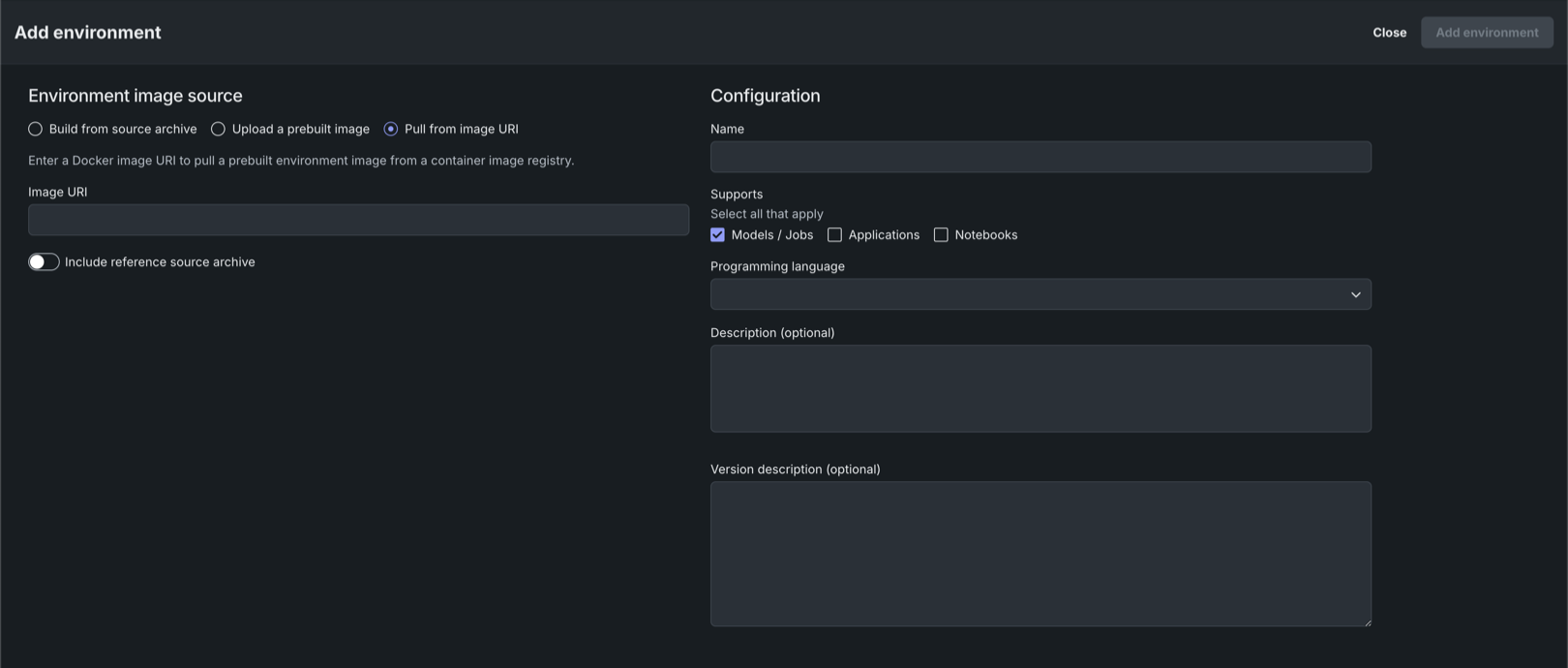
When adding an environment as an image URI, URI filtering allows only the URIs defined for your organization. If the URI you provide isn't allowed, a warning appears as helper text. URI filtering is not enforced for API administrators.
Deployment governance workflow improvements
When governance management functionality is enabled for an organization, a setup checklist appears on the deployment's overview page. Users can click a setting tile in the checklist to open the relevant deployment setting page.
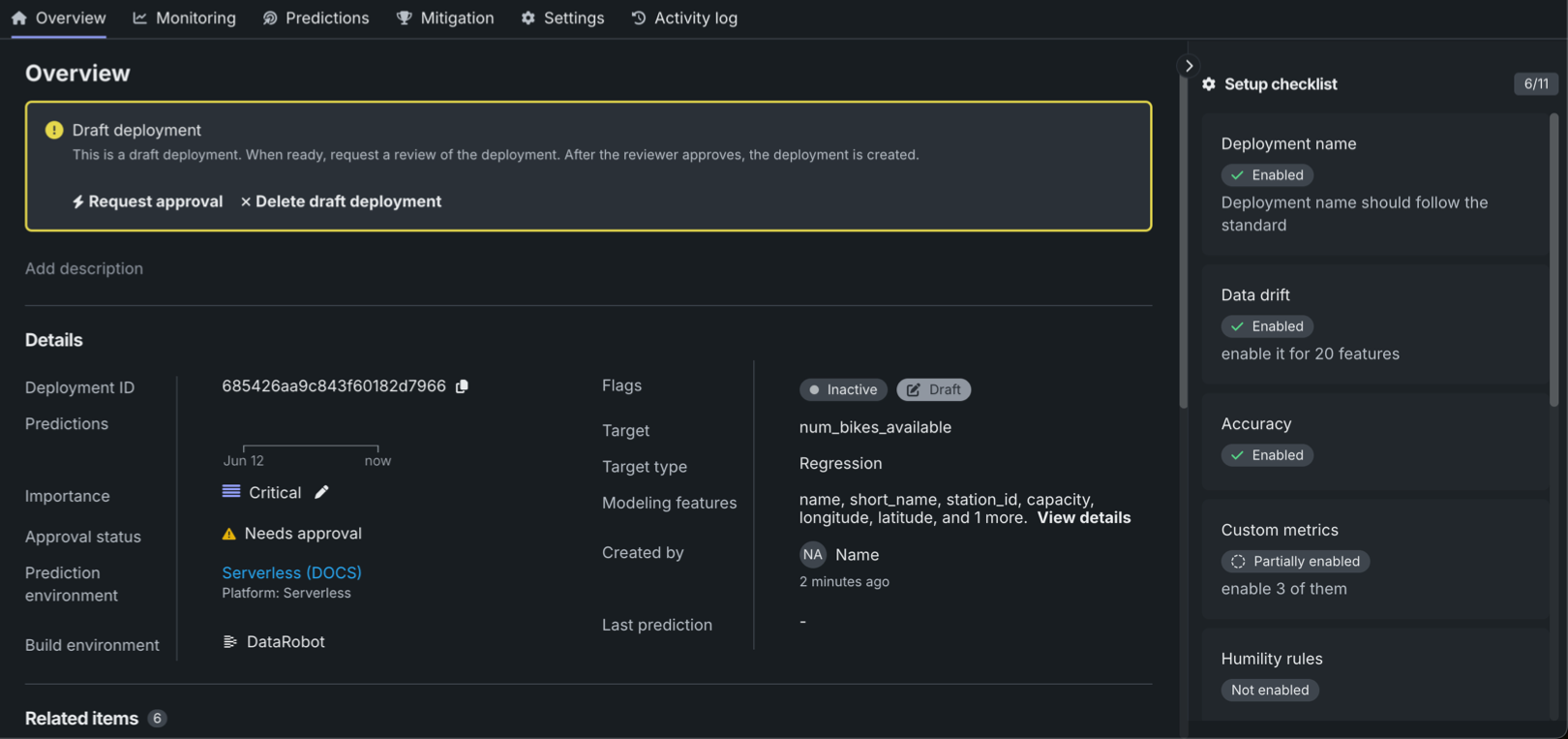
If a deployment is subject to a configured approval policy, the deployment is created as a draft deployment, as shown above. When a deployment is in the draft state, users can't make predictions, upload actuals or custom metric data, or create scheduled jobs. A deployment owner can request deployment approval on the deployment's overview page or the governance section of the deployment's activity log. After approval, the deployment is automatically moved out of the draft state and activated.
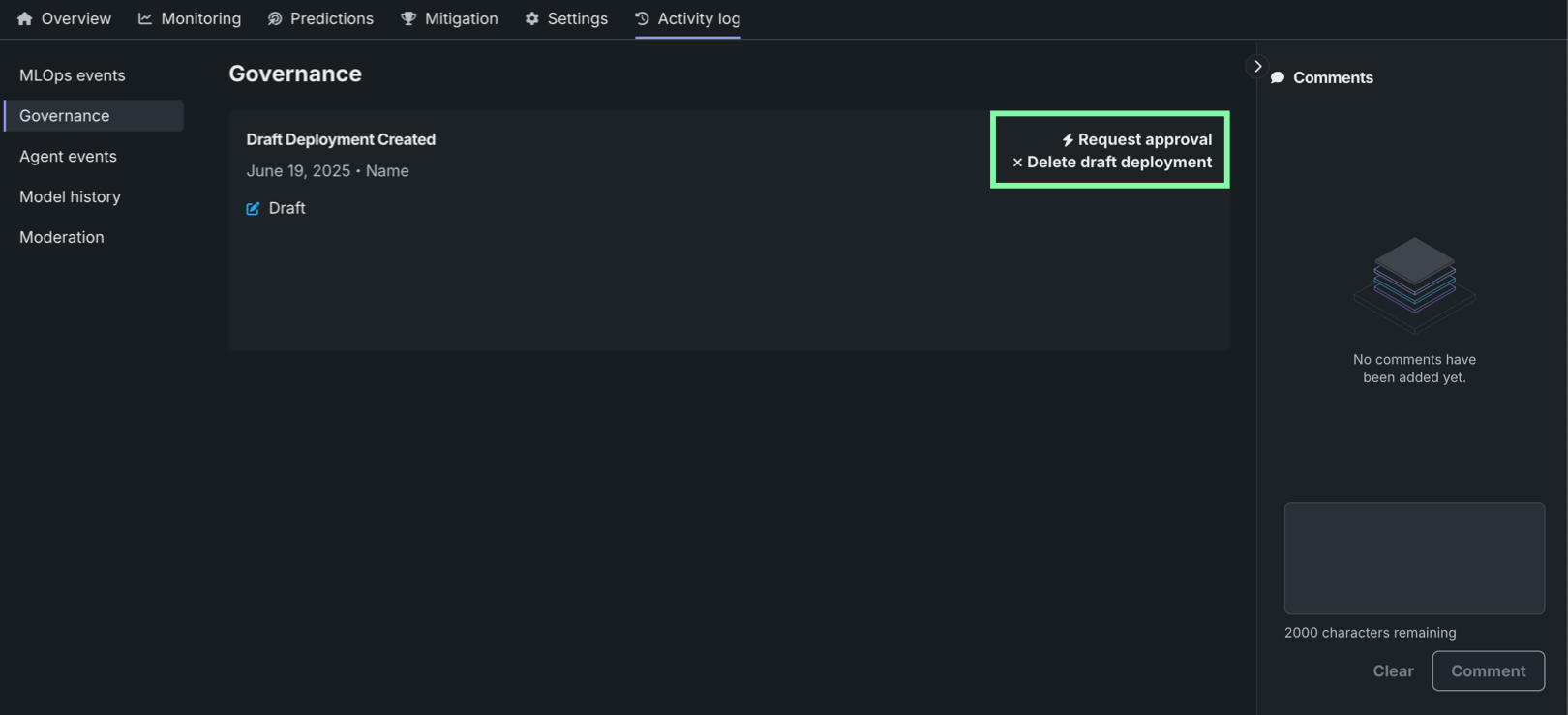
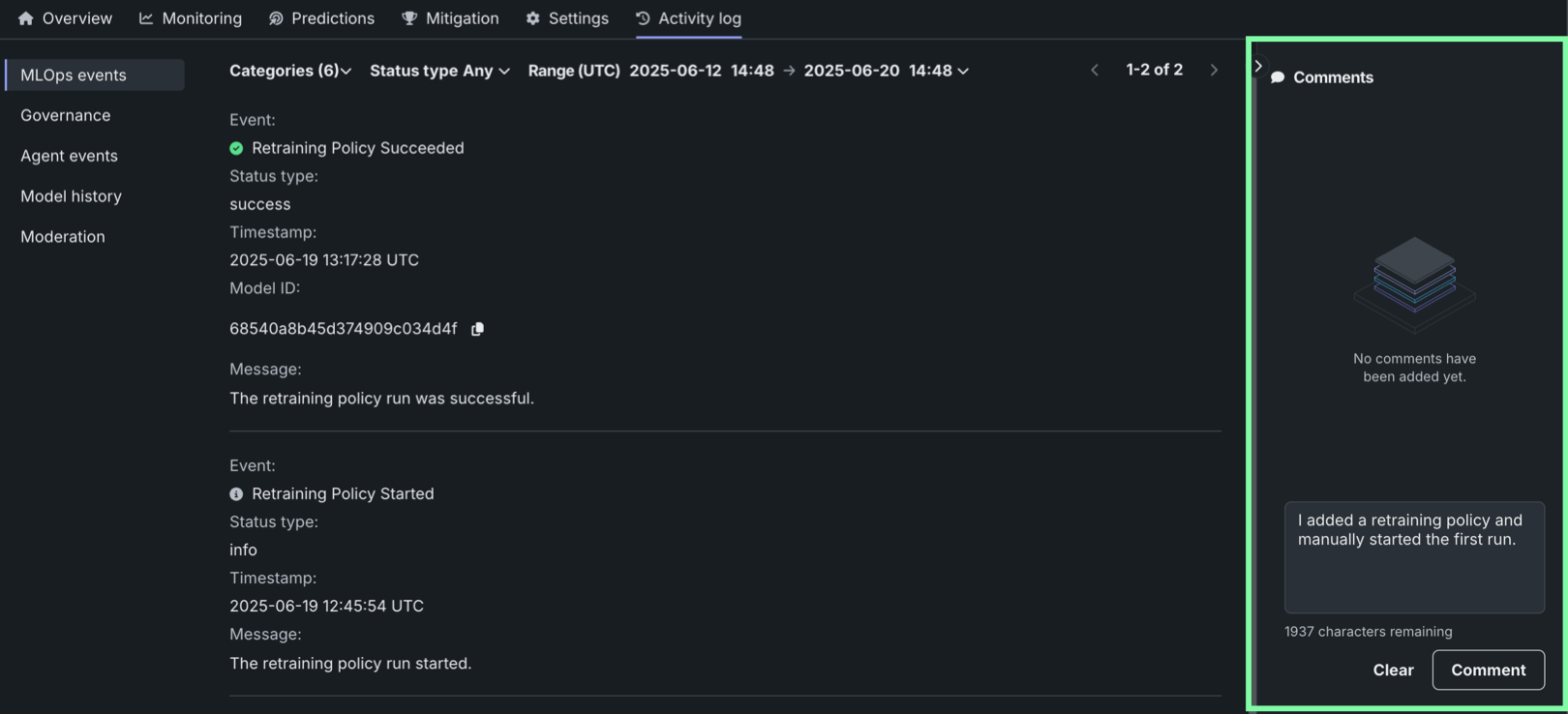
Pages in the activity log section now include a comments panel, where deployment owners and approvers can post comments to discuss deployment activity, configuration, and governance events. If a deployment is subject to an approval policy, the comments from the approval process are included in the comments panel.
Platform
Quickly access specific assets in NextGen
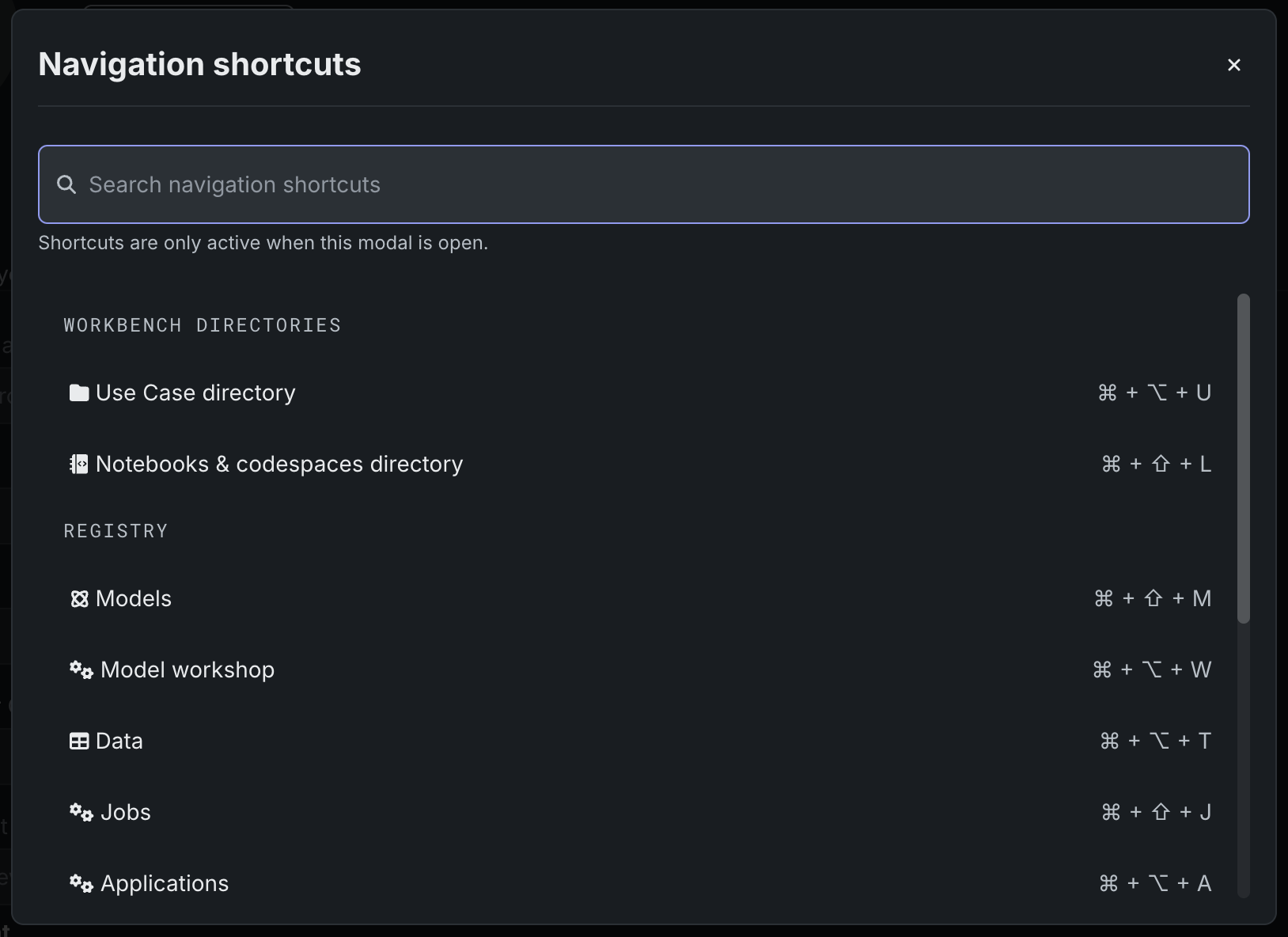
The shortcuts menu now allows you to search for and open specific assets in NextGen in addition to navigation elements introduced in a previous release. To open the menu, either press Cmd+K on your keyboard, or click the Search icon in the upper toolbar.
API
Public availability for notebooks and codespaces
The notebook and codespace APIs are now publicly available via the REST API and Python API client. They are fully documented and searchable within the DataRobot documentation. All related classes have been promoted to the stable client.
Python client v3.8
DataRobot's v3.8 Python client is now generally available. For a complete list of changes introduced in v3.8, see the Python client changelog.
All product and company names are trademarks™ or registered® trademarks of their respective holders. Use of them does not imply any affiliation with or endorsement by them.