Version 11.7.0
March 30, 2026
This page contains the new features, enhancements, and fixed issues for DataRobot's Self-Managed AI Platform 11.7.0 release. This is not a long-term support (LTS) release. Release 11.1 is the most recent long-term support release.
Version 11.7.0 includes the following new features and fixed issues.
Agentic AI
Connect to remote agents using the Agent2Agent protocol
Template agents can expose themselves as agent-to-agent (A2A) servers and connect to remote agents via the agent-to-agent protocol. You can configure the A2A protocol through the agentic application template repo. Configuring an A2A protocol allows you to build complex, multi-agent systems that are governed and auditable. You can also configure external agent communication via the Python API client.
PostgreSQL added as a vector database provider
You can now create a direct connection to PostgreSQL using the pgvector extension, which provides vector similarity search, ACID compliance, replication, point-in-time recovery, JOINs, and other PostgreSQL features. This is in addition to Pinecone, Elasticsearch, and Milvus for use as an external data connection for vector database creation.
Registry Tools and MCP workflows
A new section has been added to Registry that allows users to manage agentic tools available to the deployment. Agentic tools provide a way for agents to interact with external systems, tools, and data sources.
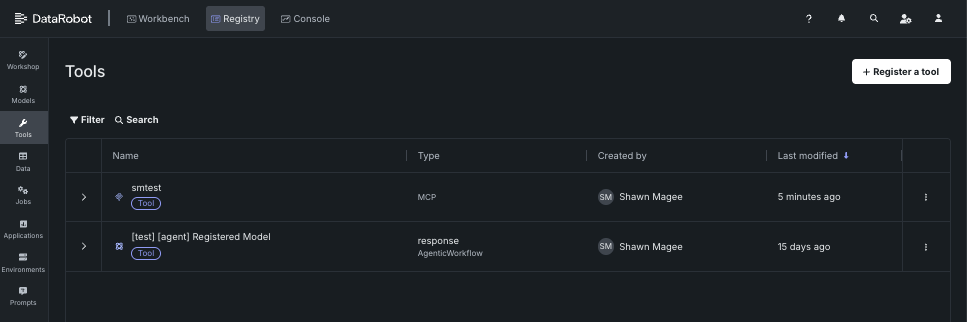
The Registry > Tools page describes how to register and view and manage agentic tools for use with DataRobot's MCP server. For additional information on the MCP server, see the Model Context Protocol documentation.
ACL hydration for vector databases
ACL hydration applies the same document-level permissions from Google Drive and SharePoint to vector database retrieval. When content is ingested, DataRobot stores access control information from the source, keeps it updated (Drive Activity API for Google Drive, Delta Query for SharePoint), and filters RAG / vector search results so each user only sees chunks from files they're allowed to access in the original system.
Organization admins enable access control list synchronization on a supported data connection; applications can forward X-DataRobot-Identity-Token so agents enforce per-user filtering. This is a premium capability.
Explore new GPU-optimized containers in the NIM Gallery
NVIDIA AI Enterprise and DataRobot provide a pre-built AI stack solution, designed to integrate with your organization's existing DataRobot infrastructure, which gives access to robust evaluation, governance, and monitoring features. This integration includes a comprehensive array of tools for end-to-end AI orchestration, accelerating your organization's data science pipelines to rapidly deploy production-grade AI applications on NVIDIA GPUs in DataRobot Serverless Compute.
In DataRobot, create custom AI applications tailored to your organization's needs by selecting NVIDIA Inference Microservices (NVIDIA NIM) from a gallery of AI applications and agents. NVIDIA NIM provides pre-built and pre-configured microservices within NVIDIA AI Enterprise, designed to accelerate the deployment of generative AI across enterprises.
With the release of version 11.7 in March 2026, DataRobot added new GPU-optimized containers to the NIM Gallery, including:
- Boltz-2
- cosmos-reason2-2b
- cosmos-reason2-8b
- diffdock
- nemotron-3-super-120b-a12b
- OpenFold3
New agent evaluation metrics
DataRobot now offers four additional metrics for evaluating agent performance. Three new operational metrics are available in the playground to provide insights into agent efficiency: agent latency measures the total time to execute an agent workflow including completions, tool calls, and moderation calculations; agent total tokens tracks token usage from LLM gateway calls or deployed LLMs with token count metrics enabled; and agent cost calculates the expense of calls to deployed LLMs when cost metrics are configured. These operational metrics leverage data from the OTel collector, which is configured by default in the agent templates. Additionally, a new quality metric for agent guideline adherence is available in Workshop, which uses an LLM as a judge to determine whether an agent's response follows a user-supplied guideline, returning true or false based on adherence.
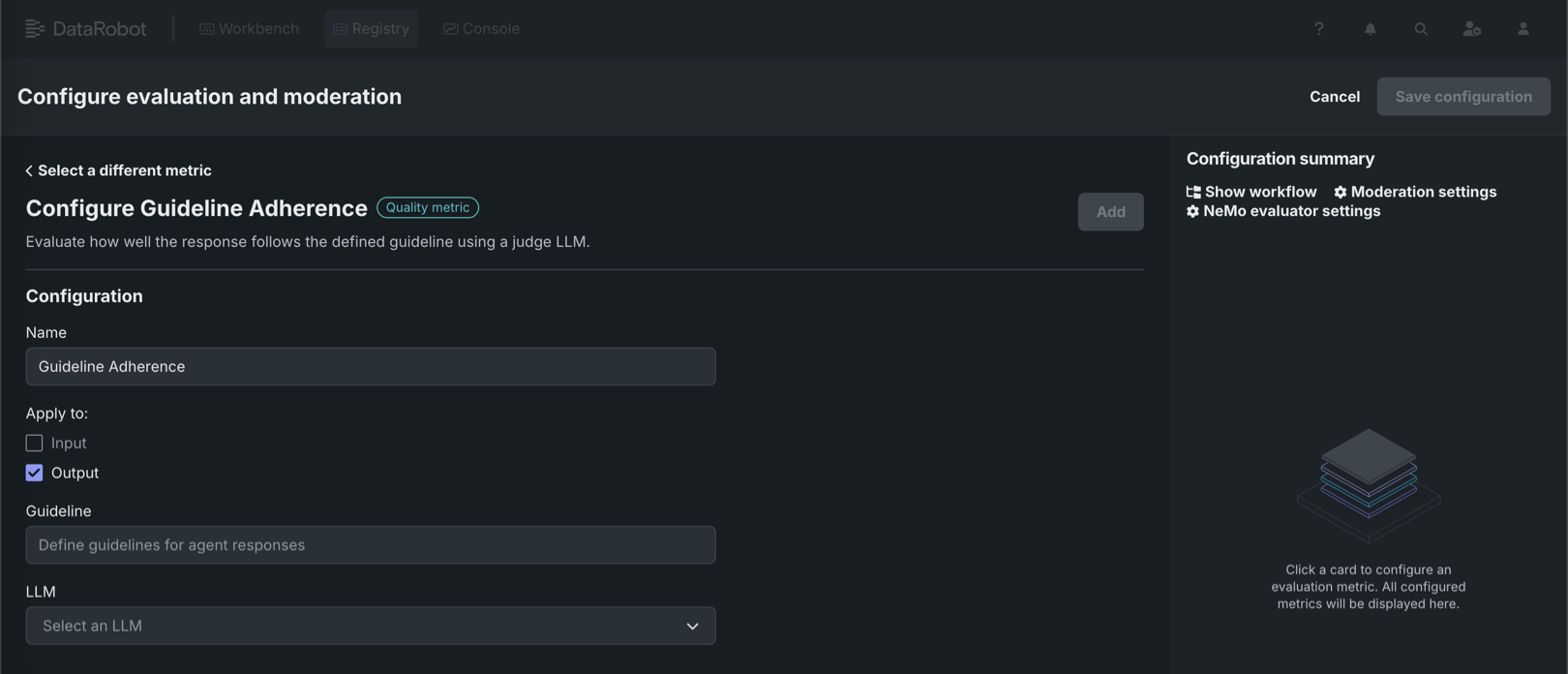
For more information, see the documentation for Playground metrics and Workshop metrics.
NeMo Evaluator metrics in Workshop
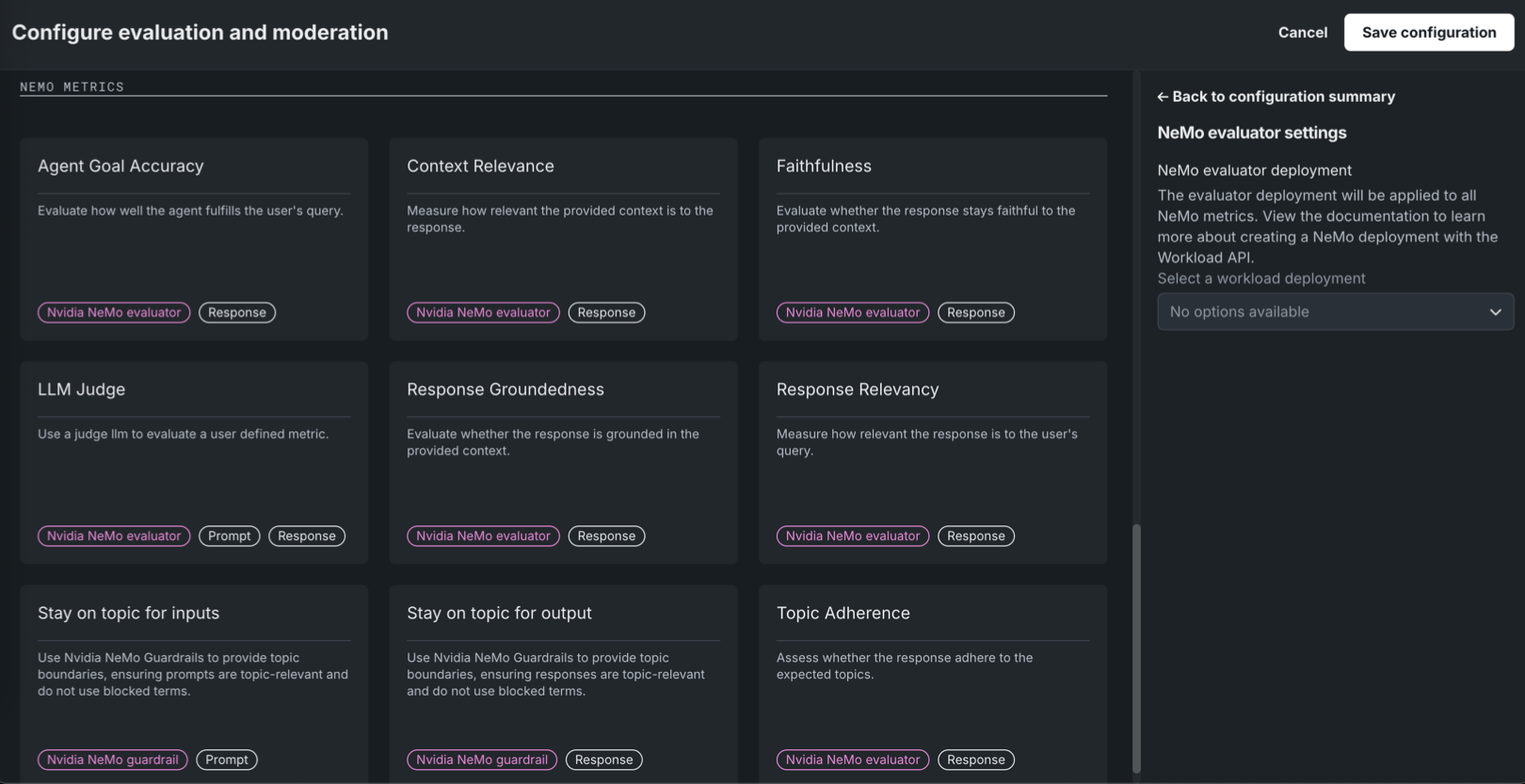
Available as a private preview feature, NeMo Evaluator metrics are configurable in Workshop when assembling a custom agentic workflow or text generation model. On the Assemble tab, in the Evaluation and moderation section, click Configure to access the Configure evaluation and moderation panel. The NeMo metrics section contains the following new metrics:
| Evaluator metric | Description |
|---|---|
| Agent Goal Accuracy | Evaluate how well the agent fulfills the user's query. |
| Context Relevance | Measure how relevant the provided context is to the response. |
| Faithfulness | Evaluate whether the response stays faithful to the provided context using the NeMo Evaluator. |
| LLM Judge | Use a judge LLM to evaluate a user defined metric. |
| Response Groundedness | Evaluate whether the response is grounded in the provided context. |
| Response Relevancy | Measure how relevant the response is to the user's query. |
| Topic Adherence | Assess whether the response adheres to the expected topics. |
NeMo Evaluator metrics require a NeMo evaluator workload deployment, set in NeMo evaluator settings in the Configuration summary sidebar. Create the workload and workload deployment via the Workload API before you can select it; the Select a workload deployment dropdown shows "No options available" until a deployment exists.
For more information, see Configure evaluation and moderation.
Data
Databricks native connector now supports unstructured data
You can now ingest unstructured data from Databricks Volumes using the Databricks native connector. To connect to Databricks, go to Account Settings > Data connections or create a new vector database. Note that if you are already connected to the Databricks native connector, you must still create and configure a new connection to ingest unstructured data.
For more information, see the Databricks native connector reference documentation.
Microsoft SharePoint support
DataRobot now features out-of-the-box support for Microsoft SharePoint, allowing you to securely and seamlessly connect to your SharePoint data stores. Designed specifically for unstructured data, this new connector streamlines the process of ingesting SharePoint files directly into DataRobot for vector database creation and GenAI workflows.
Support for Box added
Support for the Box connector has been added to NextGen in DataRobot. To connect to Box, go to Account Settings > Data connections or create a new vector database. Note that this connector only supports unstructured data, meaning you can only use it as a data source for vector databases.
For more information, see the Box reference documentation.
JDBC connector now supports MySQL, MSSQL, and PostgreSQL
The JDBC connector now supports query execution to read data from MySQL, Microsoft SQL Server, and PostgreSQL, providing low-latency, and therefore faster, previews for supported data stores. This change requires no additional setup.
MLOps and predictions
Notification policies for individual custom jobs
On the Registry > Jobs tab, while configuring an individual custom job, the new Notifications tab provides the ability to add notification policies for custom jobs, using event triggers specific to custom jobs. To configure notifications for a job, click Create policy to add or define a policy for the job. You can use a policy template without changes or as the basis of a new policy with modifications. You can also create an entirely new notification policy.
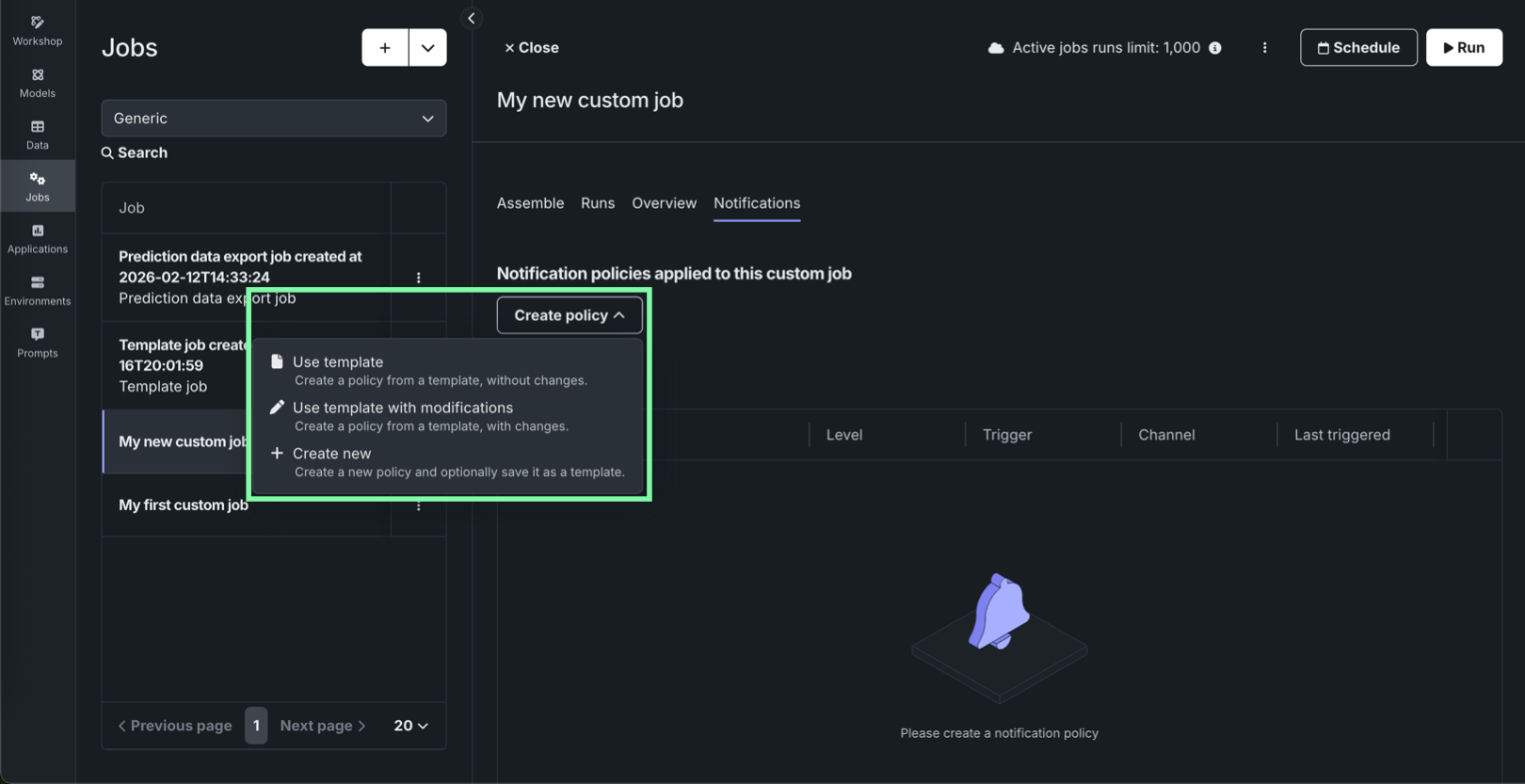
In addition, the Notifications templates page in Console includes Custom job policy templates alongside deployment policy templates and channel templates, so you can author and maintain reusable notification policy templates for custom jobs separately from deployment policies.
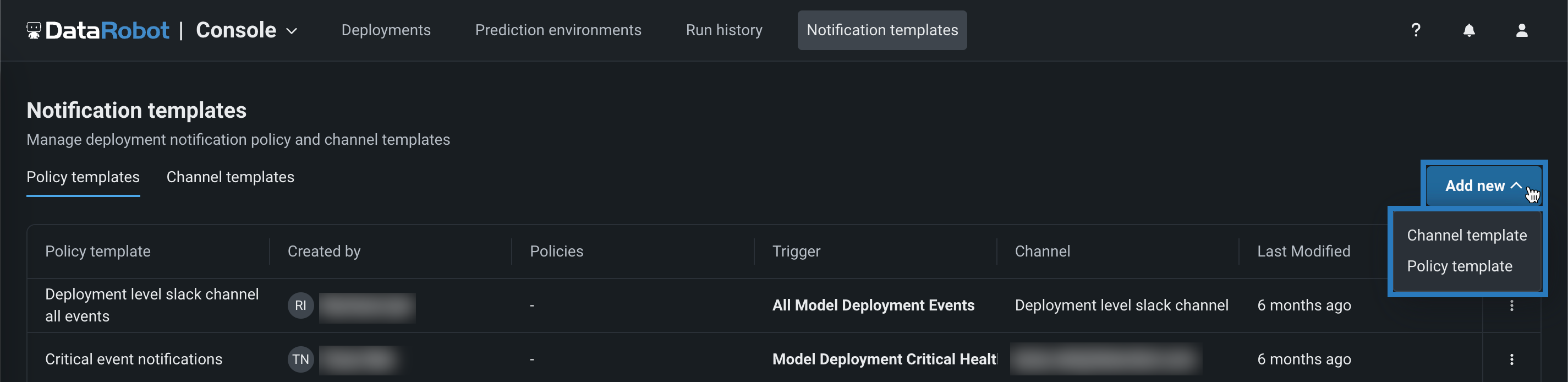
For details on job-level configuration, template authoring, and channel behavior, see the Configure job notifications and Notification templates documentation.
Secure configuration exposure for models, jobs, and applications
A new organization-level feature setting enables the exposure of secure configuration values when they are shared with users and referenced by credentials used in runtime parameters. When this feature is enabled, secure configuration values are injected directly into the runtime parameters of a custom model, application, or job executed in the cluster. When this feature is disabled, the credential is injected using only the configuration ID, without exposing the underlying secure configuration values.
When the Enable Secure Config Exposure feature is active, the Share modal shows a warning that the secret might be exposed so administrators are aware that shared configs can be used in this way. Organization administrators control whether this feature is enabled.
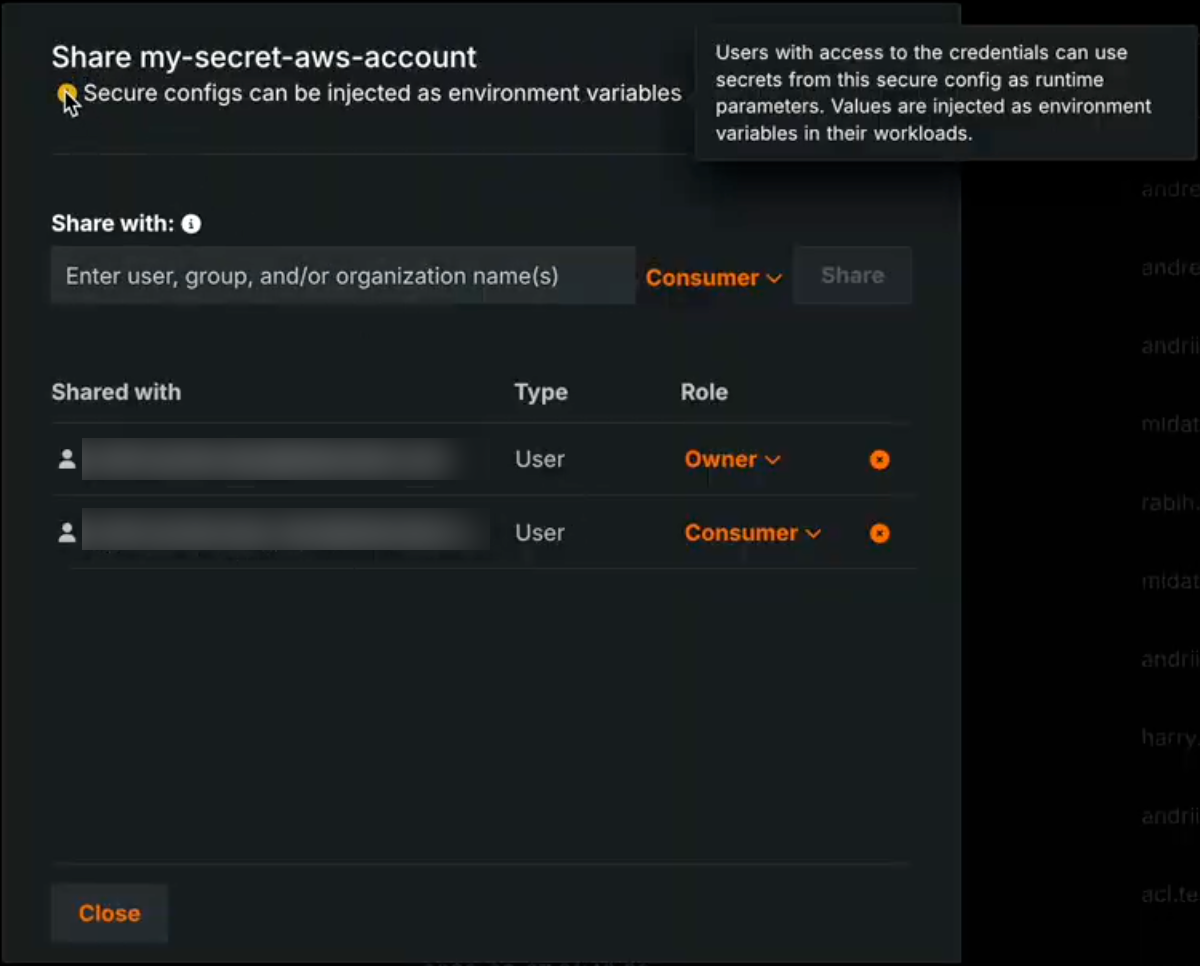
Secret exposure in runtimes
Activating the Enable Secure Config Exposure feature flag causes secret values to be exposed in the container's runtime. When this feature is enabled for your organization, any credential created from a shared secure configuration and used as a runtime parameter in a custom model, application, or job exposes actual secret values (such as access keys and tokens) by injecting them into the runtime. Those secrets are then present in the container's runtime and can be accessed by custom code. Do not enable or use this capability unless you accept the risks inherent in exposing secrets in an uncontrolled container runtime. Use only when necessary and with appropriate governance.
For more information, see the Secure configuration exposure documentation.
Platform
Observability configurations now compatible with Helm-native values
This release introduces improvements to observability by streamlining configuration to be compatible with Helm-native values. Instead of manually configuring multiple collectors, you now define your observability backends—like Splunk or Prometheus—once and assign them to a signal type: logs, metrics, or traces. This unified approach automatically handles the routing to the appropriate collectors, allowing you to use different backends for different signals without needing to understand the complex internal collector architecture. This reduces repetitive configuration and enables easier, more flexible telemetry export.
Applications
Applications moved to top-level navigation in DataRobot
You can now access all built applications, as well as access the Application Gallery, from the top-level navigation in DataRobot.
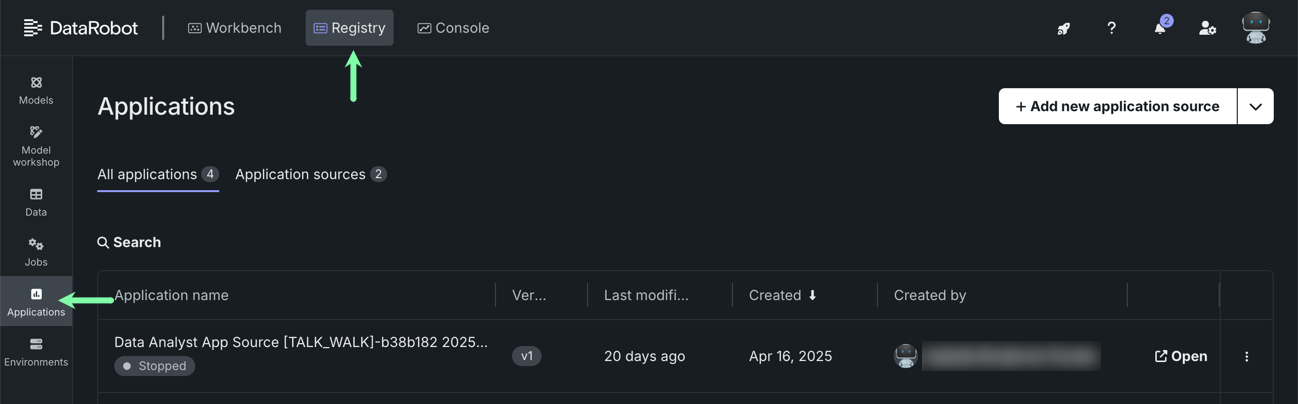
Previously, you had to go to the Applications tile in Registry to access both built applications and application sources. To create application sources or upload an application, you must still go to Registry > Application sources.
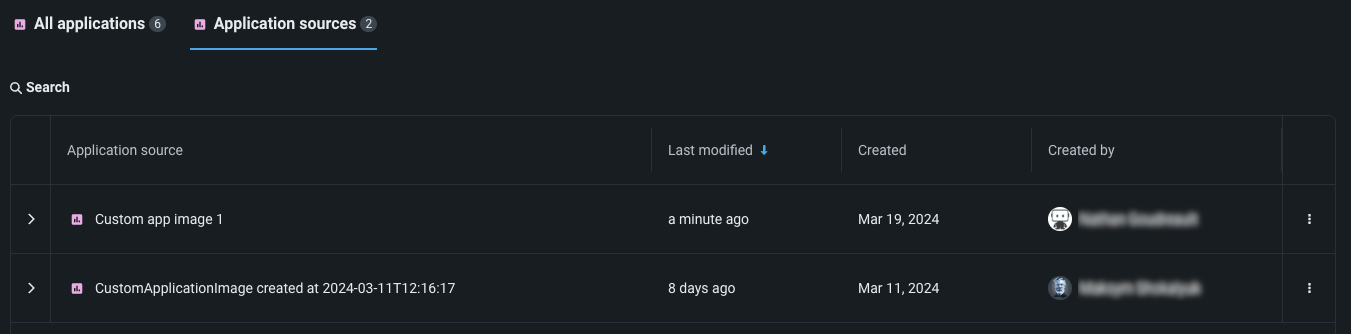
Code-first
GitLab Enterprise integration for codespaces
GitLab Enterprise integration with codespaces is now generally available. You can connect codespaces to private repositories in your organization’s GitLab Enterprise instance using OAuth, consistent with other supported Git providers. To use this integration, register an OAuth application in your GitLab Enterprise deployment and configure the oauth-providers-service chart (and related secrets) so DataRobot can complete the OAuth flow.
Filesystem interfaces for Python integration
DataRobot now supports fsspec (Filesystem interfaces for Python) integration through the Files API. Users can interact with DataRobot files using the standard Python fsspec interface via the PySDK, enabling a familiar, Pythonic developer experience for file operations. This seamless filesystem abstraction allows engineers to read, write, and manage files in DataRobot using the same patterns they already use with other fsspec-compatible storage backends.
Python client v3.14
Python client v3.14 is now generally available. For a complete list of changes introduced in v3.14, see the Python client changelog.
DataRobot REST API v2.43
DataRobot's v2.43 for the REST API is now generally available. For a complete list of changes introduced in v2.43, see the REST API changelog.
Deprecations and migrations
Upcoming deprecation of Aryn engine
With the next release, DataRobot is deprecating Aryn’s optical character recognition (OCR) API for self-managed, multi-tenant, and single-tenant deployments.
Issues fixed in Release 11.7.0
Data fixes
-
DM-20379: Fixes an issue with Azure OAuth which was preventing token acquisition.
-
DM-20420: Fixes an issue that occurred when reading a ZIP file from S3 using a native connector.
Core AI fixes
-
MMM-22516: Fixes an issue where the end time of the time range in "Clear Deployment Statistics" action was inclusive, causing an extra hour of data to be deleted.
-
MMM-22556: Fixes an issue retrieving OpenTelemetry logs with more than 10,000 entries.
-
MMM-22588: Fixes an issue where duplicate spans in tracing data would cause a rendering issue for the tracing chart.
-
MMM-22598: Prompt and completion fields are truncated for trace list API to make page loading faster.
-
PRED-12289: Fixes batch prediction jobs when using the passthrough columns feature.
-
PRED-12428: Batch predictions are now more reliable and no longer abort when an underlying prediction request takes longer than 350 seconds to complete. The time limit is now 600 seconds.
-
RAPTOR-16241: Enables CPU metering for custom jobs.
-
RAPTOR-16264: Reduces a race where custom job logs could disappear before finalization by increasing Kubernetes Job
ttl_seconds_after_finishedfrom 100 to 1000 seconds for both custom jobs and custom task fit executions.
Platform fixes
-
BUZZOK-29615:
InitContainersetup can now proceed during DataRobot version upgrade even if GenAI is not enabled. -
CFX-5105: Fixes ingress annotation duplications in the NBX services which were causing FluxCD pipeline failures.
-
CMPT-4628: A new script for k8s jobs fetches existing image metadata to backfill database information from the registry.
-
CMPT-4664: Code changes explicitly disable unnecessary logs regarding "missing tenant context" during internal healthchecks.
-
CMPT-4807: Fixes an issue where
PostgresConnectivityHealthCheckdid not support Postgres running on a non-standard port. -
CMPT-4847: Improves pod monitoring so that it now detects missing builder pods within ~15 minutes and immediately marks the build as FAILED. Previously, when image builder pods were terminated due to resource constraints, builds could remain stuck in a non-terminal state.
-
CMPT-4884: Adds an env var
IMAGE_BUILDER_SA_TOKEN_REGISTRIESthat can be configured in values (secrets) in order to pull the cluster native auth token for image-builder. -
CMPT-4930: Fixes an issue with the
TaskManagercheck in the Availability monitor when Quorum queue type is enabled, now preventing false-positive alerts. -
FLEET-4460: Makes image credentials for PPS upload Kubernetes cronjobs optional.
-
PLT-20531: Fixes an issue with admin privileges so that you can no longer grant System Admin privileges to Organization Admins.
-
PLT-20742: Fixes an issue where the Seat License page could fail to load when a seat license was still allocated to a deleted organization. The page now correctly displays all assigned seats.
-
XP-2983: Propagates
global.imageProjectindatarobot-observability-coresubcharts so that they can be configured just as any other DataRobot service. -
XP-3205: Enabled support for
prometheus-pushgatewayto fix application monitoring issues.
All product and company names are trademarks™ or registered® trademarks of their respective holders. Use of them does not imply any affiliation with or endorsement by them.