MLOps(V7.0)
2021年3月15日
DataRobot MLOps v7.0リリースには、以下に示す多くの新機能が含まれています。
リリースv7.0では、以下の言語のUI文字列の翻訳が更新されています。
- 日本語
- フランス語
- スペイン語
新機能と機能強化
以下の新しいデプロイ機能の詳細を参照してください。
- デプロイの精度指標の設定
- Now GA: Download the Portable Prediction Server image
- 一般提供:予測環境の作成と管理
- 一般提供:外部時系列デプロイの作成
- 一般提供:「予測を作成」タブの時系列デプロイのサポート
- 一般提供:MLOpsエージェントインテグレーションを使用したスコアリングコードのダウンロード
現在、以下に示す新しいデプロイ機能がパブリックベータに含まれています。 この機能を有効にする方法については、DataRobotの担当者にお問い合わせください:
新しいモデル登録機能
The following new model registry features are currently in public beta. この機能を有効にする方法については、DataRobotの担当者にお問い合わせください:
- Custom models portable prediction support
- GitHub Enterprise and Bitbucket Server integration for custom models
- Custom inference anomaly detection models
新しいデプロイ機能
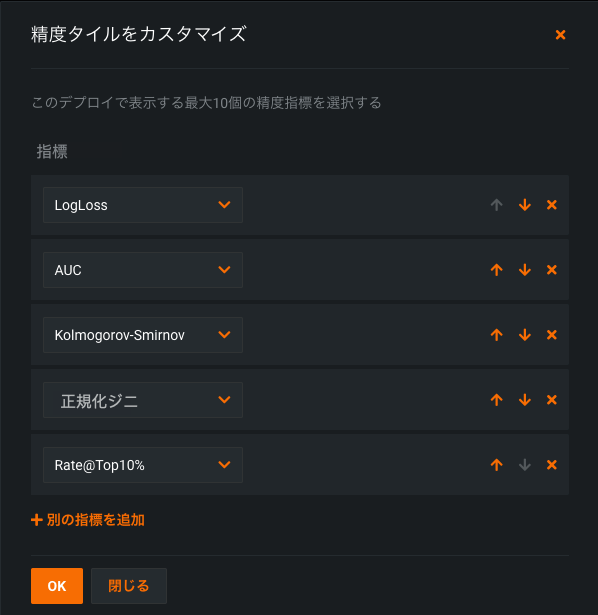
デプロイの精度指標の設定
DataRobot now allows you to configure the accuracy metrics displayed as tiles in the Accuracy tab for deployments. You can choose the number of metrics displayed (up to 10), and select from a variety of metrics specific to the modeling project type (regression or binary classification).
Now GA: Download the Portable Prediction Server image
You can now access and download the Portable Prediction Server (PPS) image from the API keys and tools page. The PPS image is an all-in-one dockerized solution that runs a fully functional Prediction API server with full model monitoring support via the MLOps Agent. Download the image and configure it to run prediction jobs outside of DataRobot and report prediction statistics back to a DataRobot deployment.
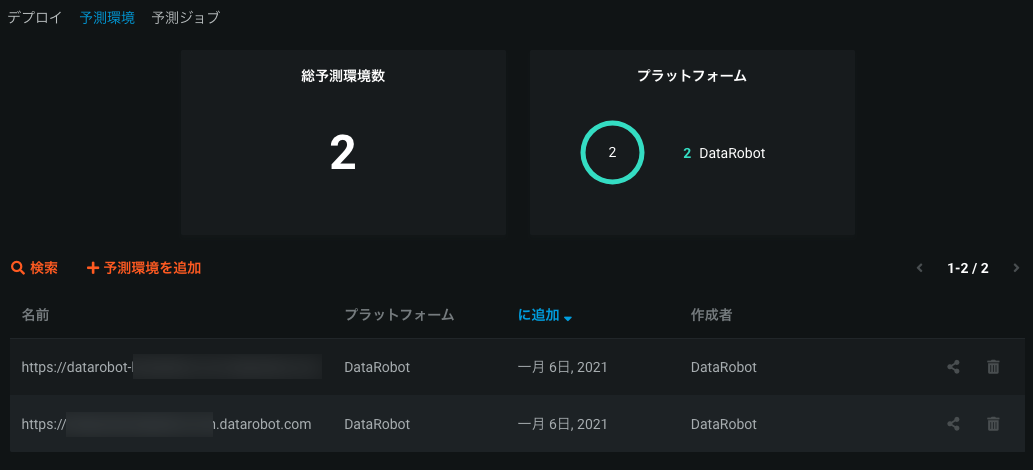
一般提供:予測環境の作成と管理
Now generally available, you can manage prediction environments for deployments running outside of DataRobot. This allows you to fully represent the various platforms you may have running your models externally from within your organization. Prediction environments support the ability to deploy and monitor a model in an external environment (via the Portable Prediction Server or with Scoring Code. Create a prediction environment, add it to DataRobot, and deploy a DataRobot model with the environment specified to establishing a deployment scenario for models running outside of DataRobot.
一般提供:外部時系列デプロイの作成
Now generally available, you can create a time series model, deploy that model external to DataRobot, and report prediction statistics back to DataRobot using the MLOps agent. This allows you to develop a time series model in DataRobot, but also export it in an easily usable form while maintaining DataRobot's deployment monitoring and management functionality.
一般提供:「予測を作成」タブの時系列デプロイのサポート
Now generally available, you can use the Make Predictions interface to efficiently score datasets with a deployed time series model. The interface allows you to see information about the model’s feature derivation window and forecast rows, ensuring that the data you are trying to score meets the proper requirements. You can also configure the time series options for the dataset you want to score so that you can make predictions for a specific forecast point without having to modify the dataset.

一般提供:MLOpsエージェントインテグレーションを使用したスコアリングコードのダウンロード
Now generally available, you can download the MLOps agent packaged with Scoring Code directly from a deployment. This allows you to quickly integrate the agent and report model monitoring statistics back to DataRobot for models running outside of DataRobot. Once configured, at prediction time the MLOps agent automatically starts, reports metrics, and shuts down without additional setup. You can download the Scoring Code and MLOps agent package from a deployment's Actions menu.
New public beta deployment features
Beta: Challenger models now available for external deployments
Now available as a public beta feature, deployments in remote prediction environments can use the Challengers tab. Remote models can serve as the champion model, and you can compare them to DataRobot and custom models challengers. If you want to replace the champion model with a challenger, you can also replace the model with a custom or DataRobot challenger model and deploy the new champion to your remote prediction environment.

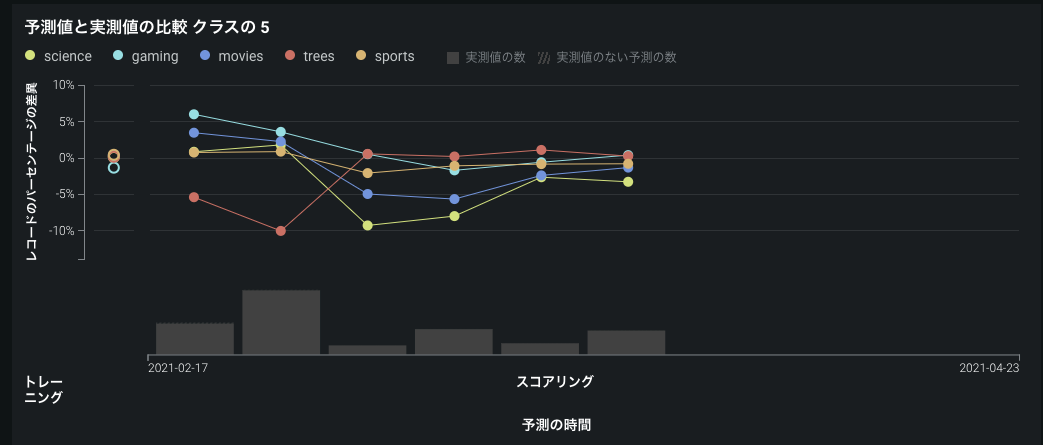
Beta: Improved monitoring support for multiclass deployments
Now available as a public beta feature, you can deploy multiclass models (including custom models) with improved monitoring capabilities. Multiclass deployments can now report accuracy and data drift statistics with proper configuration. Additionally, multiclass models deployed to remote prediction environments can be monitored by the MLOps agent. Multiclass deployments offer class-based configuration to modify the data displayed on the graphs of the Accuracy and Data Drift tabs. デフォルトでは、グラフにはトレーニングデータで最も一般的な5つのクラスが表示されます。 These monitoring capabilities are currently limited to ten classes.
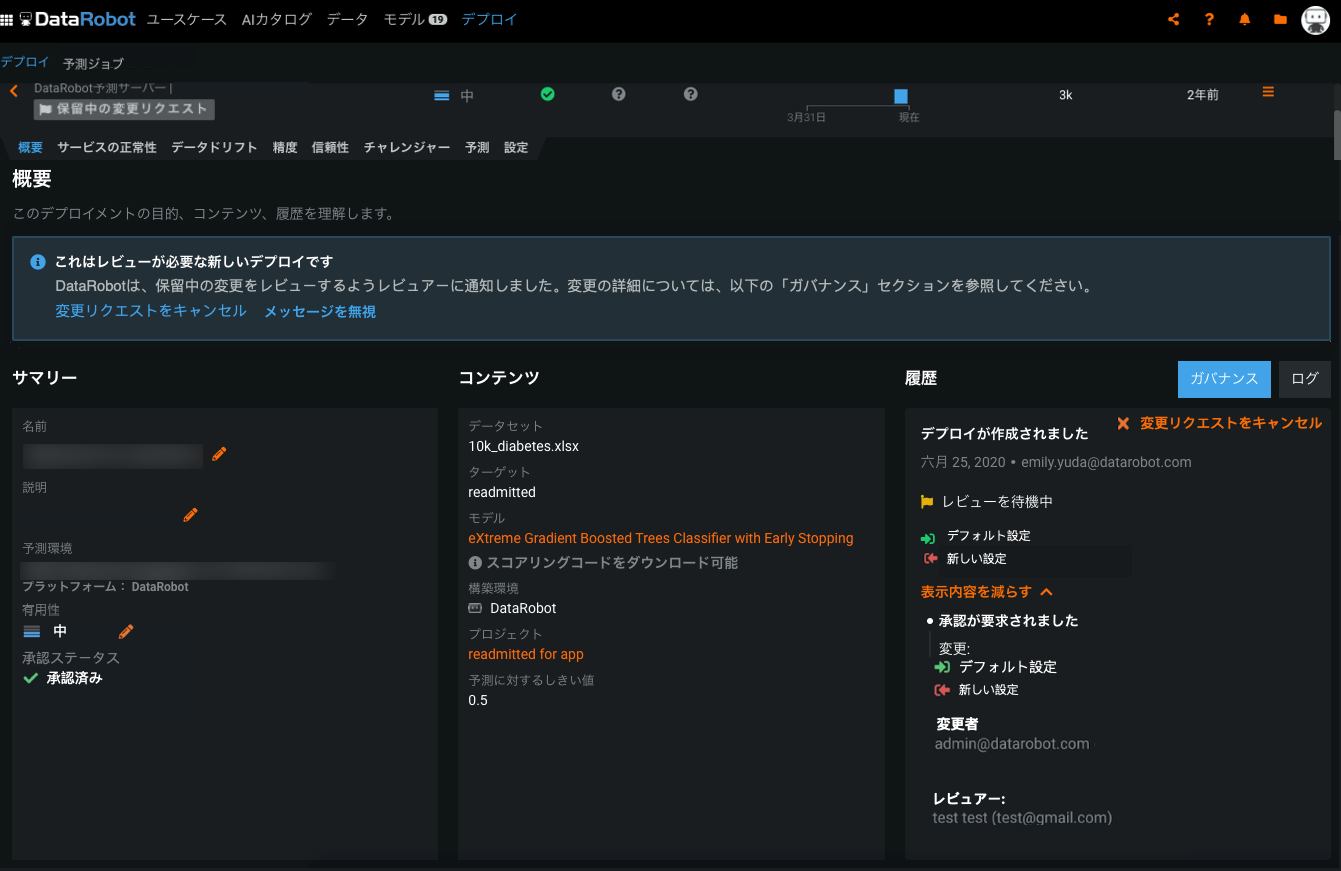
Beta: Feature Discovery deployments support governance workflow to manage secondary datasets
このリリースでは、ガバナンスワークフローを使用して、特徴量探索のデプロイのセカンダリーデータセットに対する更新を管理できます。 管理者が「セカンダリーデータセット設定の変更」承認ポリシートリガーをユーザー設定 > 承認ポリシーで設定した後にセカンダリーデータセットに変更を加えようとすると、承認プロセスが必要な変更リクエストのプロンプトが表示されます。 The creator of the change request can view its status under History in Deployments > Overview, and reviewers will see a pending changes notification requesting that they review the update.
新しいモデル登録機能
現在正規版(GA):カスタムモデルリソースの管理
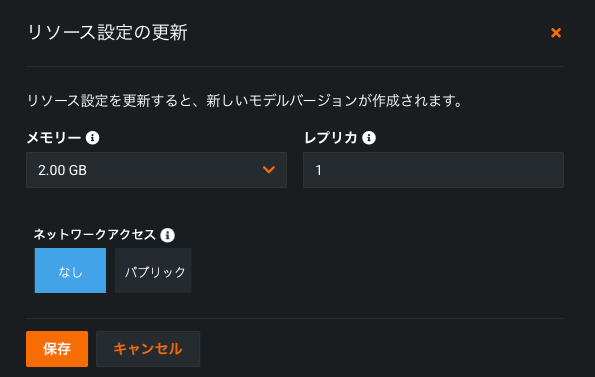
Custom model creators and organization admins can configure the resources allocated for a custom model. これらのリソースを設定すると、デプロイがスムーズになり、運用環境での環境エラー発生の可能性を最小限に抑えられます。 You can determine the maximum amount of memory a model can use when making predictions, as well as set the maximum number of replicas executed in parallel to balance workloads when a custom model is running.
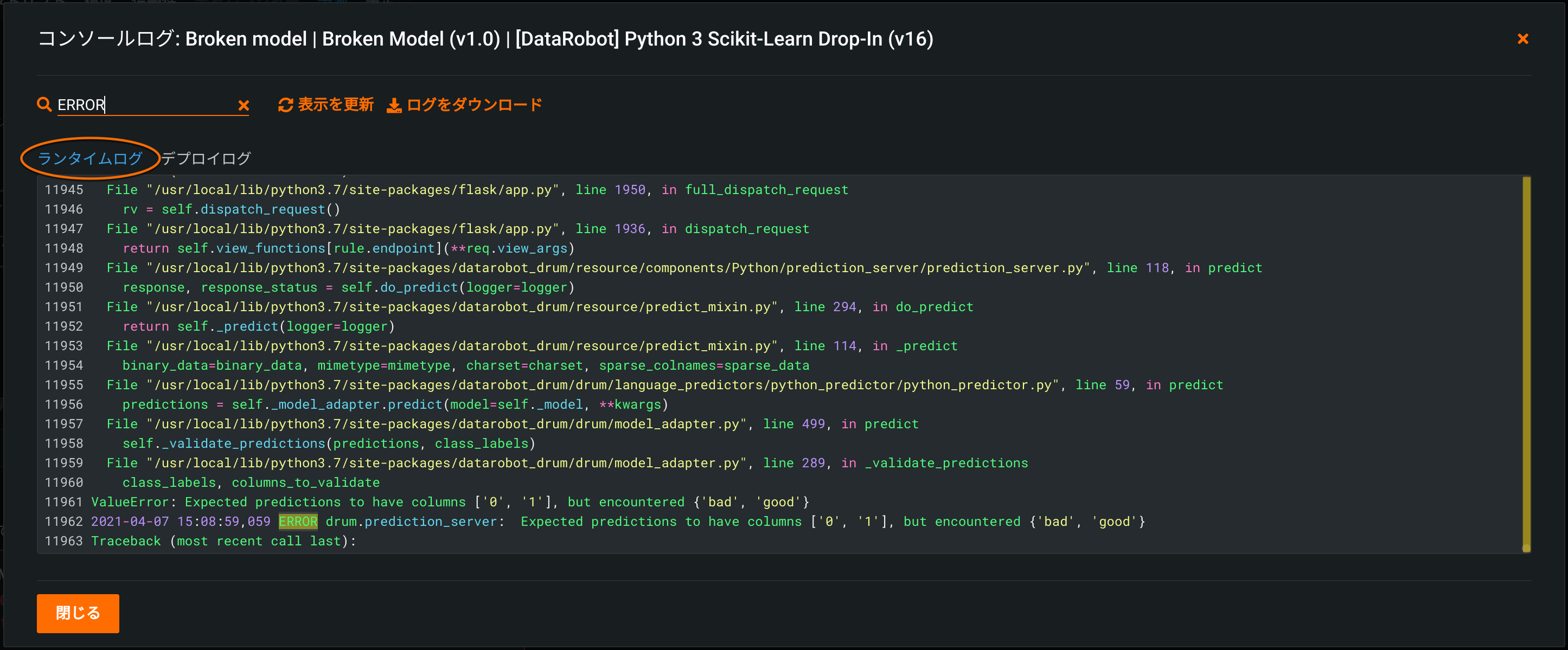
カスタムモデルのデプロイログ
When you deploy a custom model, it generates unique log reports that allow you to debug custom code and troubleshoot prediction request failures from within DataRobot. 次の2種類のログにアクセスできます。
-
Runtime logs are captured from the Docker container running the custom model. Use them to troubleshoot failed prediction requests. 予測リクエストを行った後、ログは5分間キャッシュされます。
-
Deployment logs are automatically captured if the custom model fails while deploying. ログは、デプロイの一部として恒久的に保存されます。
一般提供:構造化されていないカスタム推論モデルの作成
Now generally available, DataRobot supports unstructured custom models that do not use the conventional regression or binary classification target types. 非構造化モデルは、連続値モデルや二値分類モデルのように特定の入出力スキーマに準拠する必要はありません。 入力と出力に任意のデータを使用できます。 This allows you to deploy and monitor any type of model with DataRobot, regardless of the target type, and affords you more control over how you read the data from a prediction request and response.
New public beta model registry features
Beta: Custom Models now support portable predictions
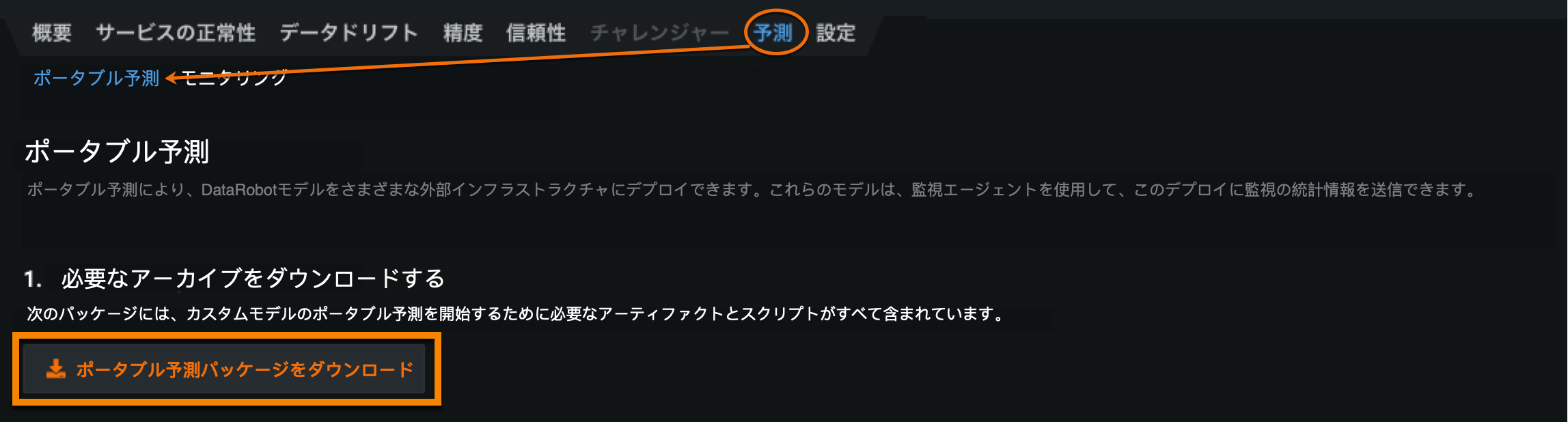
You can now deploy custom models to their own Portable Prediction Server (PPS). A downloadable bundle containing the custom model, a custom environment, and the MLOps agent is available to generate and launch a PPS image. Once started, the custom model PPS installation serves predictions via a REST API. The MLOps agent can be configured to report prediction statistics back to a DataRobot deployment for the custom model.
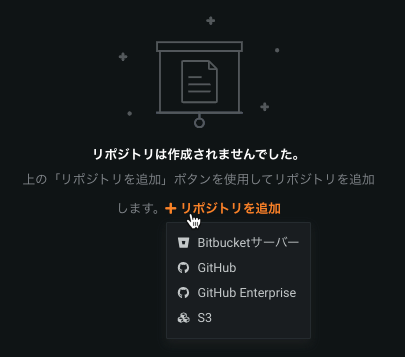
Beta: GitHub Enterprise and Bitbucket Server integration for custom models
Users can now register GitHub Enterprise and Bitbucket Server repositories in the Model Registry to pull artifacts into DataRobot and build custom inference models. Integrating either of these repositories allows you to directly transfer between a governed, code-centric machine learning development environment and a governed MLOps environment.
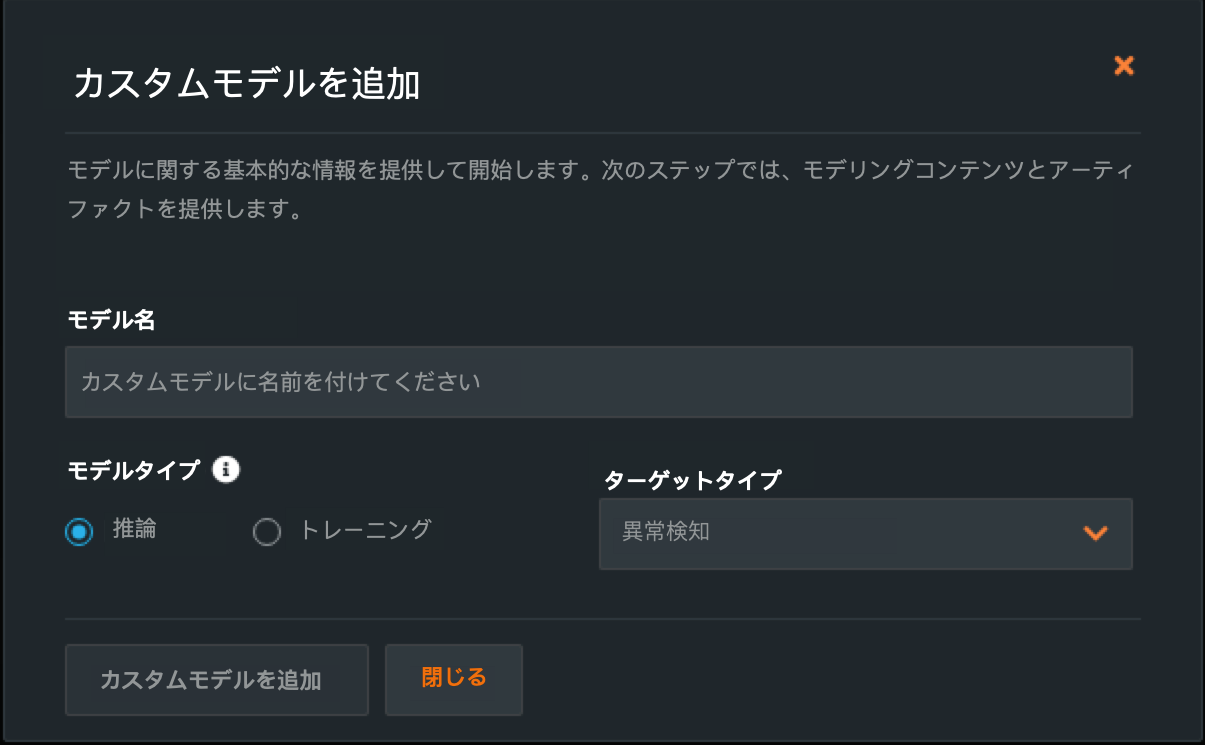
Beta: Custom inference anomaly detection models
Now available as a public beta feature, you can create a custom inference model for anomaly detection problems. When creating a custom model, you can indicate "Anomaly Detection" as a target type. Additionally, access the DRUM template for anomaly detection models. For deployed custom inference anomaly detection models, note that the following functionality is not supported:
- データドリフト
- 精度と関連付けID
- チャレンジャーモデル
- 信頼性ルール
- 予測の説明
記載されている製品名および会社名は、各社の商標または登録商標です。 製品名または会社名の使用は、それらとの提携やそれらによる推奨を意味するものではありません。