MLOps(V7.2)
2021年9月13日
DataRobot MLOps v7.2リリースには、以下に示す多くの新機能が含まれています。
リリースv7.2では、以下の言語のUI文字列の翻訳が更新されています。
- 日本語
- フランス語
- スペイン語
新機能と機能強化
以下の新しい機能の詳細を参照してください。
新しいデプロイ機能
Release v7.2 introduces the following new deployment features.
Set an accuracy baseline for remote models
Now generally available, you can set an accuracy baseline for models running in remote prediction environments by uploading holdout data. 外部モデルパッケージを登録するときにホールドアウトデータを提供し、予測を含む列を指定します。 Once added, you can enable challenger models and target drift for external deployments.
Accuracy baseline documentation
デプロイレポート
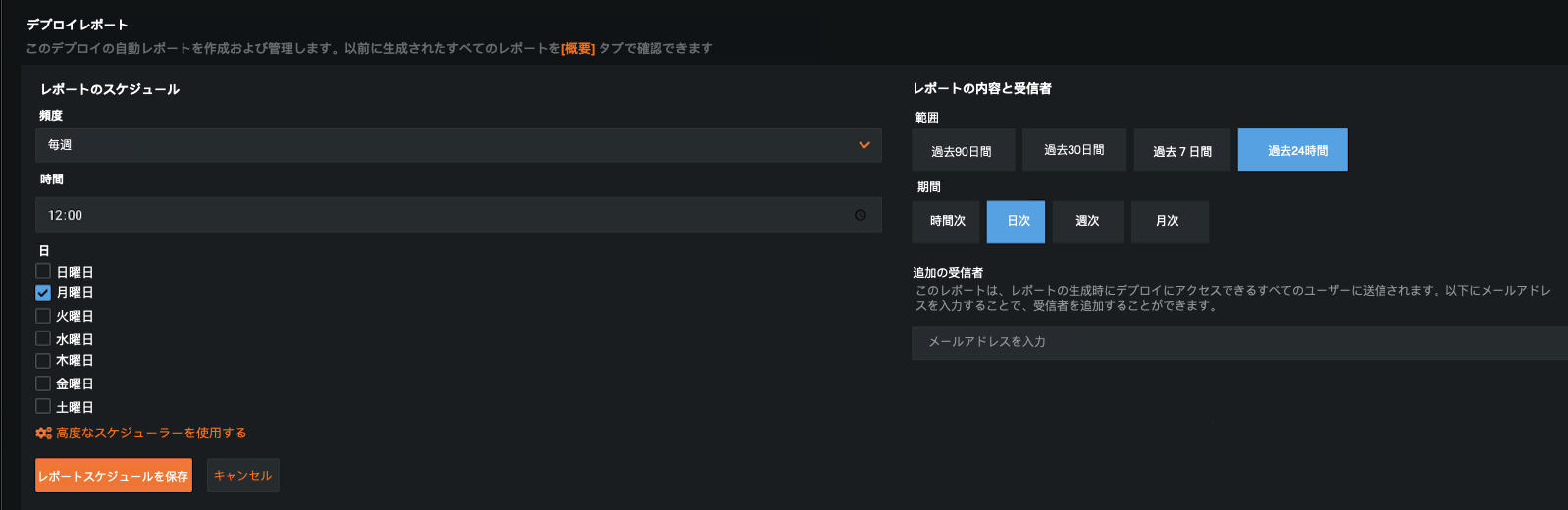
Now generally available, you can generate a deployment report on-demand, detailing essential information about a deployment's status, such as insights about service health, data drift, and accuracy statistics (among many other details). Additionally, you can create a report schedule that acts as a policy to automatically generate deployment reports based on the defined conditions (frequency, time, and day). When the policy is triggered, DataRobot generates a new report and sends an email notification to those who have access to the deployment.
Deployment report documentation
MLOps管理エージェント
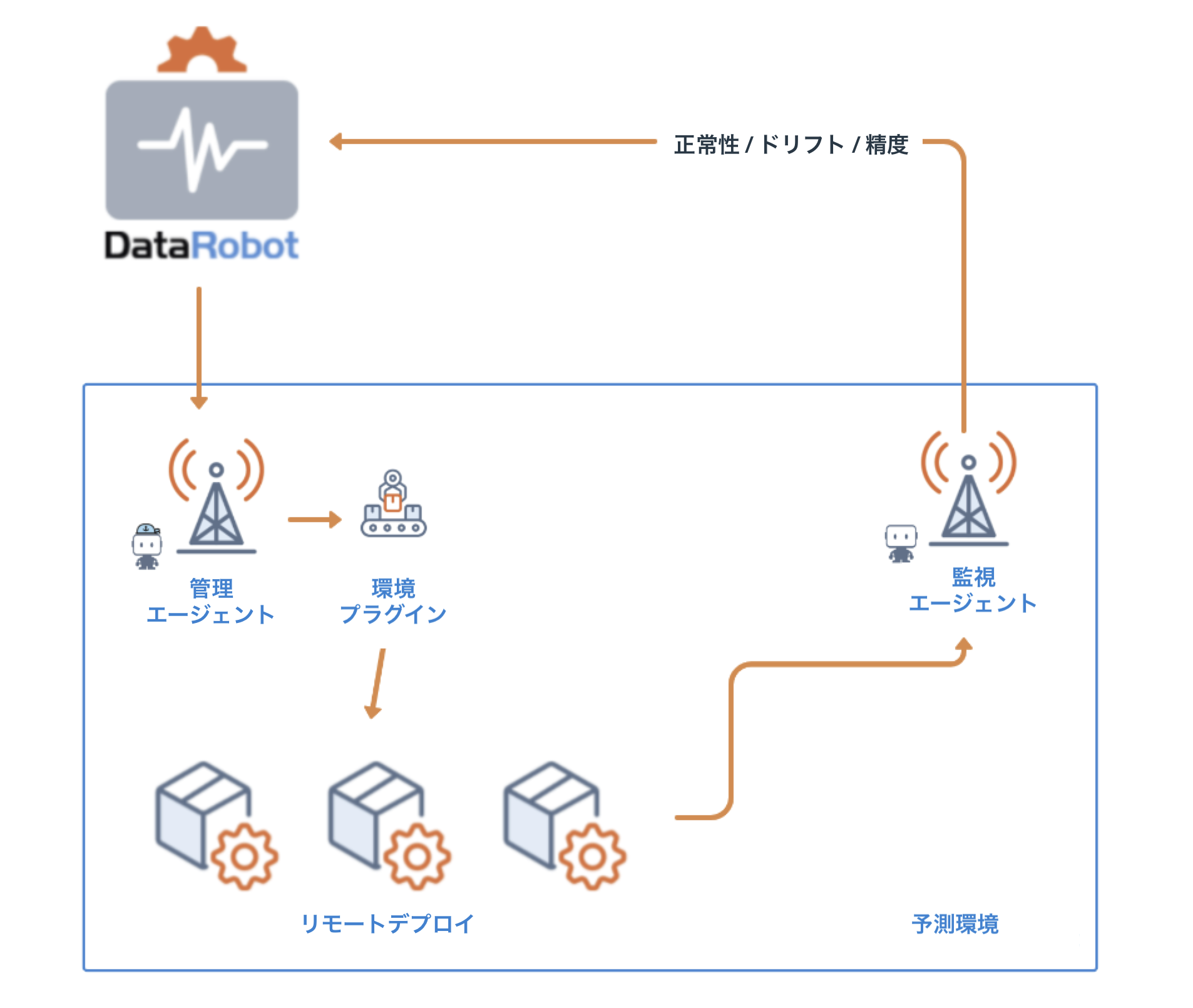
Now available as a preview feature, the management agent provides a standard mechanism for automating model deployments to any type of infrastructure. It pairs automated deployment with automated monitoring to ease the burden on remote models in production, which is especially important with critical MLOps features such as challengers and retraining. DataRobotアプリケーションからアクセスされるエージェントには、カスタム設定をサポートするサンプルプラグインが付属しています。 Additionally, 7.2 introduced enhancements to better understand model launching and replacement events, and the ability to configure a service account for prediction environments used by the agent.
Management agent documentation
Enhancements to Automated Retraining
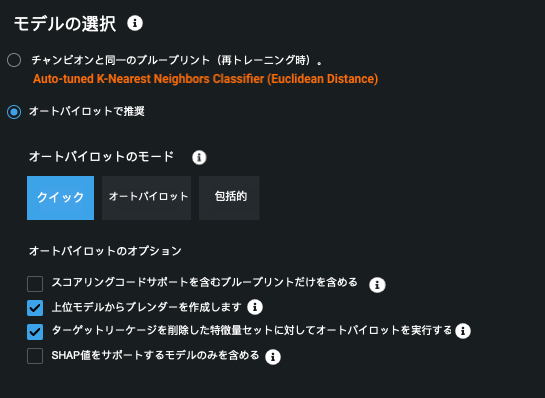
Automatic retraining has received enhancements to support additional Autopilot and model selection options. You can now run retraining in any of the Autopilot modes and create blenders from top models. Additionally, you can search for only models with SHAP value support during modeling and use target-leakage removed feature lists. These enhancements to modeling options allow you to have an improved modeling and post-deployment experience. Managed AI Platform users can now also use automatic retraining for time series deployments.
Automatic retraining documentation
新しい予測機能
Release v7.2 introduces the following new prediction features.
Scheduled batch predictions and job definitions
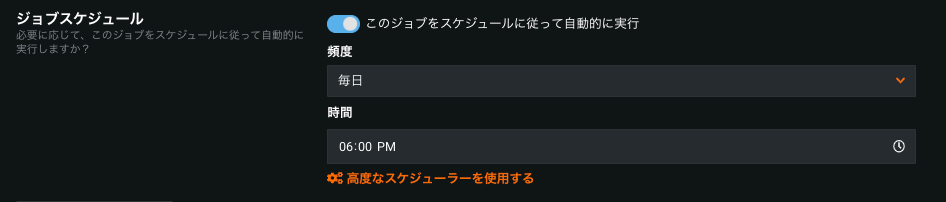
The Make Predictions tab for deployments now allows you to create and schedule JDBC and Cloud storage prediction jobs directly from MLOps, without utilizing the API. Additionally, you can use job definitions as flexible templates for creating batch prediction jobs. Then, store definitions inside DataRobot and run new jobs with a single click, API call, or automatically via a schedule.
Batch prediction documentation
Snowflakeのスコアリングコード
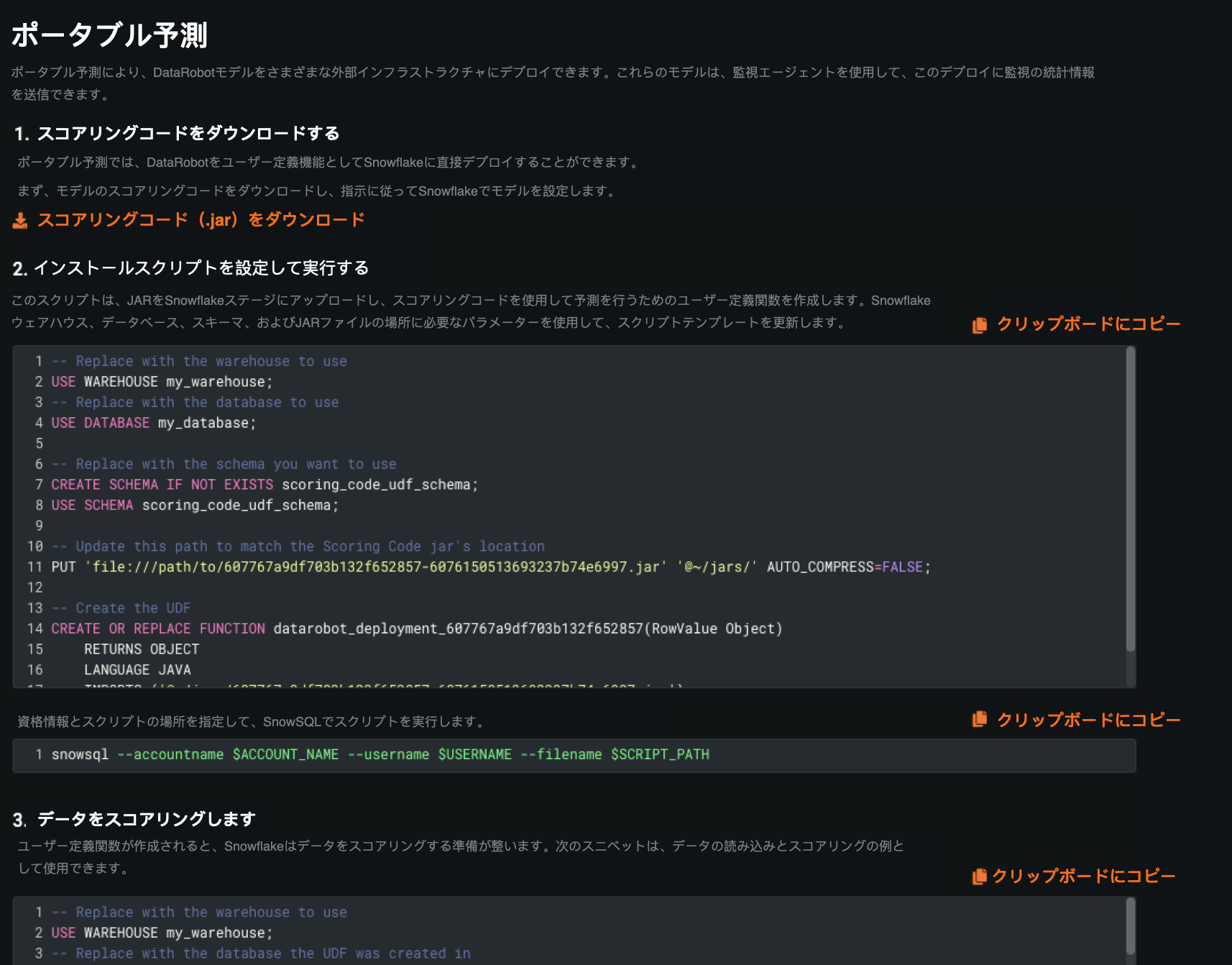
Now generally available, DataRobot Scoring Code supports execution directly inside of Snowflake using Snowflake’s new Java UDF functionality. This capability removes the need to extract and load data from Snowflake, resulting in a much faster route to scoring large datasets.
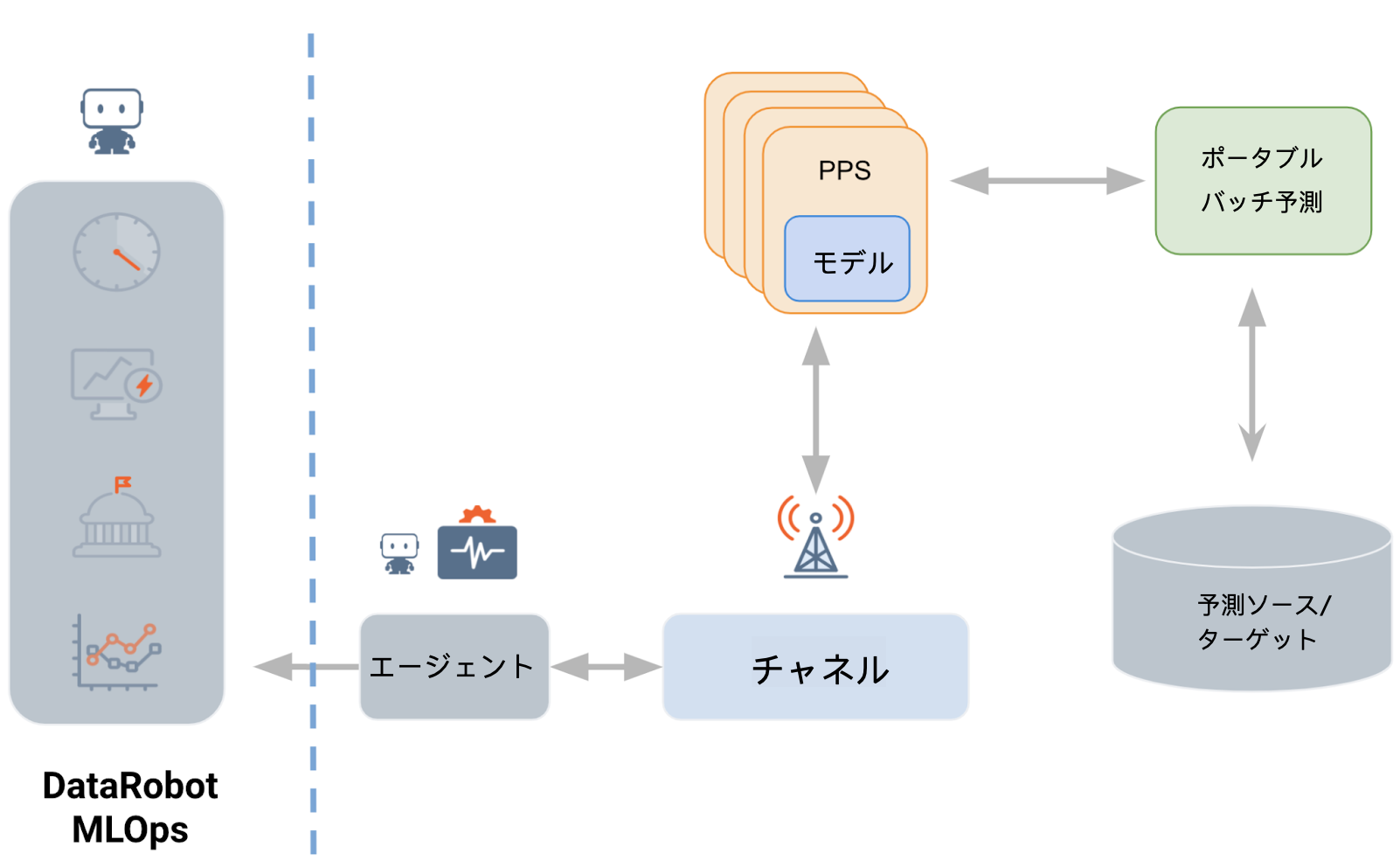
ポータブルバッチ予測
The Portable Prediction Server can now be paired with an additional container to orchestrate batch predictions jobs using file storage, JDBC, and cloud storage. You no longer need to manually manage the large scale batching of predictions while utilizing the Portable Prediction Server. Additionally, large batch predictions jobs can be collocated at or near the data, or in environments behind firewalls without access to the public Internet
Portable batch predictions documentation
BigQuery adapter for batch predictions
Now available as a preview feature, DataRobot supports BigQuery for batch predictions. You can use the BigQuery REST API to export data from a table into Google Cloud Storage (GCS) as an asynchronous job, score data with the GCS adapter, and bulk update the BigQuery table with a batch loading job.
BigQuery batch prediction example
Include Prediction Explanations in Scoring Code
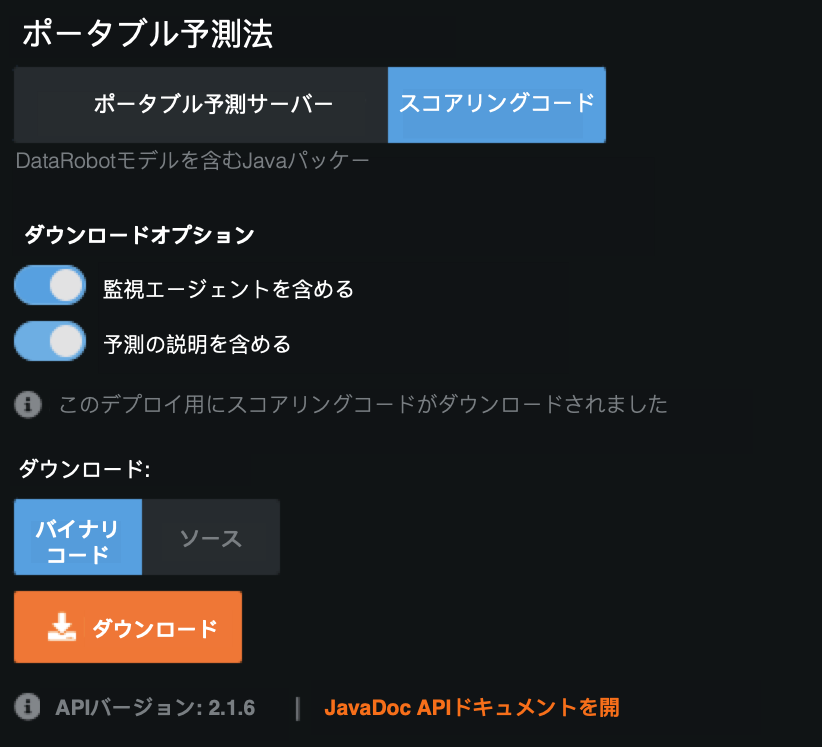
You can now receive Prediction Explanations anywhere you deploy a model: in DataRobot, with the Portable Prediction Server, and now in Java Scoring Code (or when executed in Snowflake). Prediction Explanations provide a quantitative indicator of the effect variables have on the predictions, answering why a given model made a certain prediction. Now available as a pubic preview feature, you can enable Prediction Explanations on the Portable Predictions tab (available on the Leaderboard or from a deployment) when downloading a model via Scoring Code.
新しいモデル登録機能
Release v7.2 introduces the following new model registry features.
Improved custom model performance testing
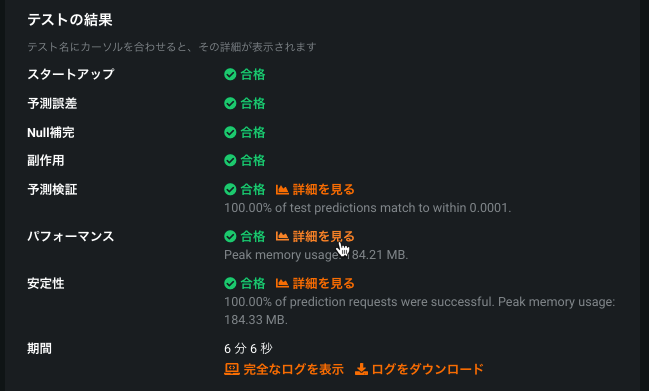
The Custom Model testing framework has been enhanced to provide a better experience when configuring, executing, and understanding the history of model tests. Configure a model's memory and replicas to achieve desired prediction SLAs. Individual tests now offer specific insights. For example, the performance check insight displays a table showing the prediction latency timings at different payload sample sizes.
Model Registry compliance documentation
Now available as a preview feature, you can generate Automated Compliance Documentation for models from the Model Registry, accelerating any pre-deployment review and sign-off that might be necessary for your organization. DataRobot automates many critical compliance tasks associated with developing a model and, by doing so, decreases the time-to-deployment in highly regulated industries. 各モデルに対して個々のドキュメントを生成し、効果的なモデルリスク管理に関する包括的なガイダンスを提供できます。 Then, you can download the report as an editable Microsoft Word document (DOCX). 生成されたレポートには、規制への準拠要求に応じた適切なレベルの情報および透明性が含まれます。
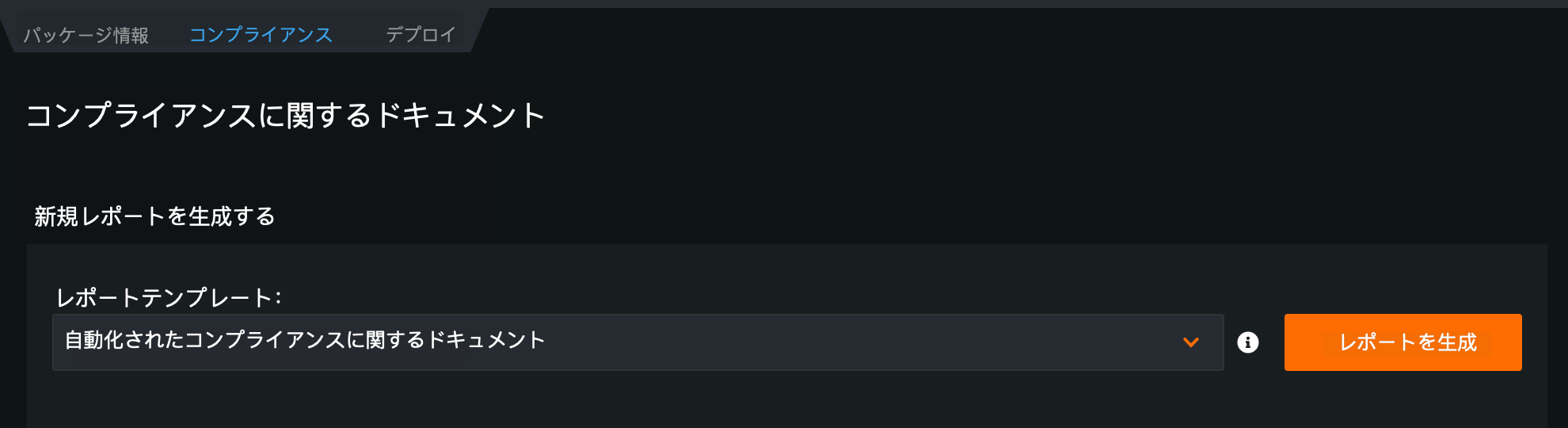
See how to generate compliance documentation from the Model Registry.
Add files to a custom model with GitLab
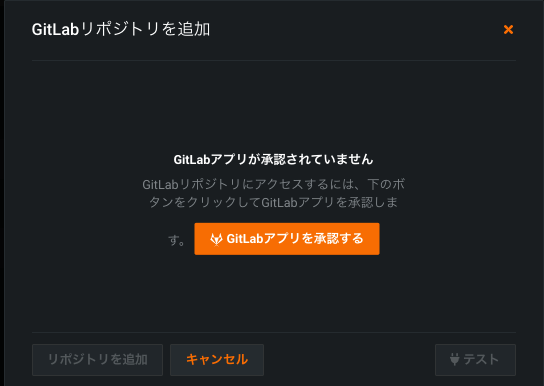
If you add a custom model to the Workshop, you can now use Gitlab Cloud and Gitlab Enterprise repositories to pull artifacts and use them to build custom models. Register and authorize a repository to integrate files with the Custom Model Workshop.
新しいガバナンス機能
Release v7.2 introduces the following preview features.
Bias and Fairness monitoring for deployments
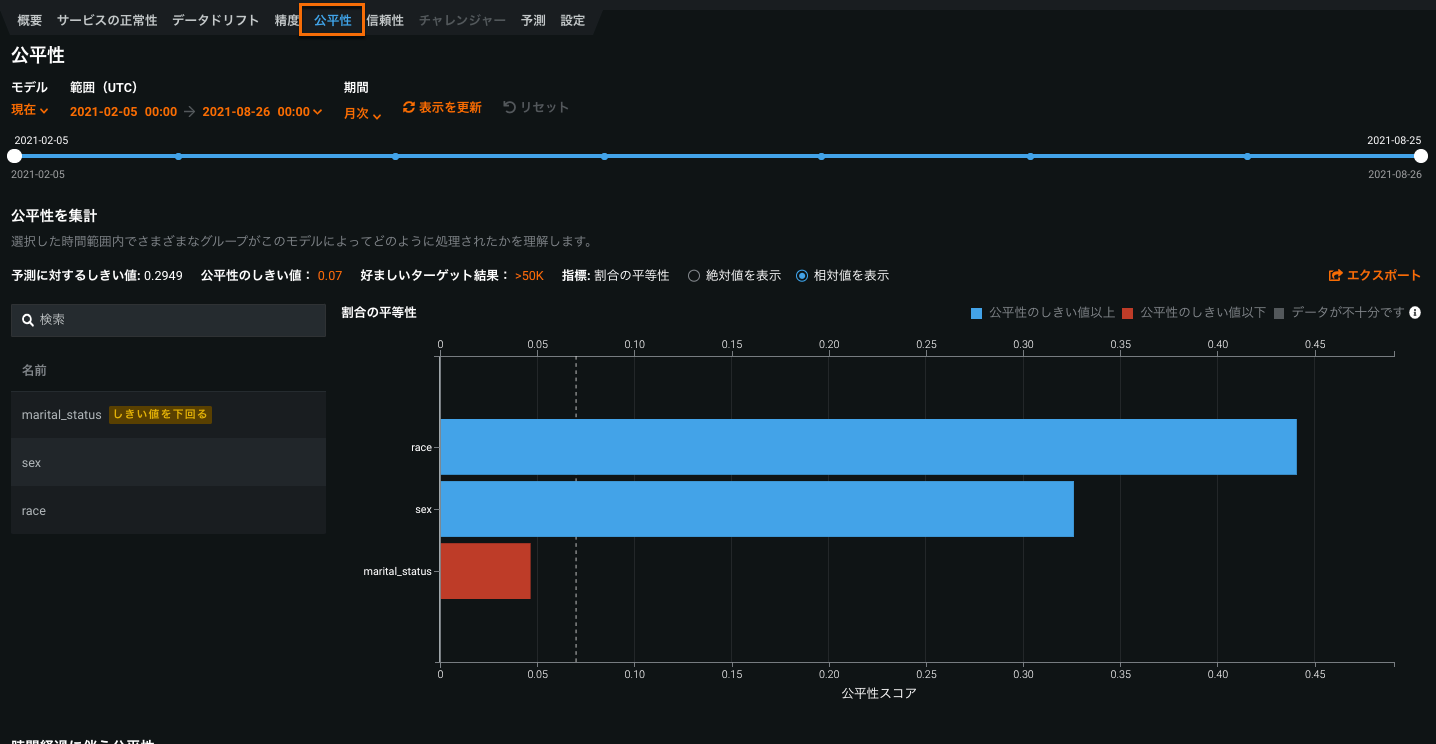
Bias and Fairness in MLOps, now generally available, allows you to monitor the fairness of deployed production models over time and receive notifications when a model starts to behave differently for the protected classes.
When viewing the Deployment inventory with the Governance lens, the Fairness column provides an at-a-glance indication of how each deployment is performing based on the fairness criteria.

To investigate a failing test, click on a deployment in the inventory list and navigate to the Fairness tab—DataRobot calculates Per-Class Bias and Fairness Over Time for each protected feature, allowing you to understand why a deployed model failed the predefined acceptable bias criteria.
GA documentation(as of 7.3)
記載されている製品名および会社名は、各社の商標または登録商標です。 製品名または会社名の使用は、それらとの提携やそれらによる推奨を意味するものではありません。