Logs
A deployment's Logs tab receives logs from models and agentic workflows in the OpenTelemetry (OTel) standard format, centralizing the relevant logging information for deeper analysis, troubleshooting, and understanding of application performance and errors. Additionally, you can filter and view span-specific logs on the Tracing tab.
The collected logs provide time-period filtering capabilities and the OTel logs API is available to programmatically export logs with similar filtering capabilities. Because the logs are OTel-compliant, they're standardized for export to third-party observability tools like Datadog.
Access and retention
OTel logs are available for all deployment and target types. Only users with Owner and User roles on a deployment can view these logs.
Retention is configured at the organization level by a system administrator and applies to all users in the organization. If a policy isn't set explicitly, trial organizations use a 14-day policy and paying organizations use a 30-day policy. Administrators can set retention per signal type (traces, logs, or metrics) to 14, 30, 60, 90, 180, or 360 days.
To view or change your organization's retention settings, see Configure OTel retention.
To access the logs for a deployment, on the Deployed workloads tab, locate and click the deployment, click the Activity log tab, and then click Logs. The logging levels available are INFO, DEBUG, WARN, CRITICAL and ERROR.
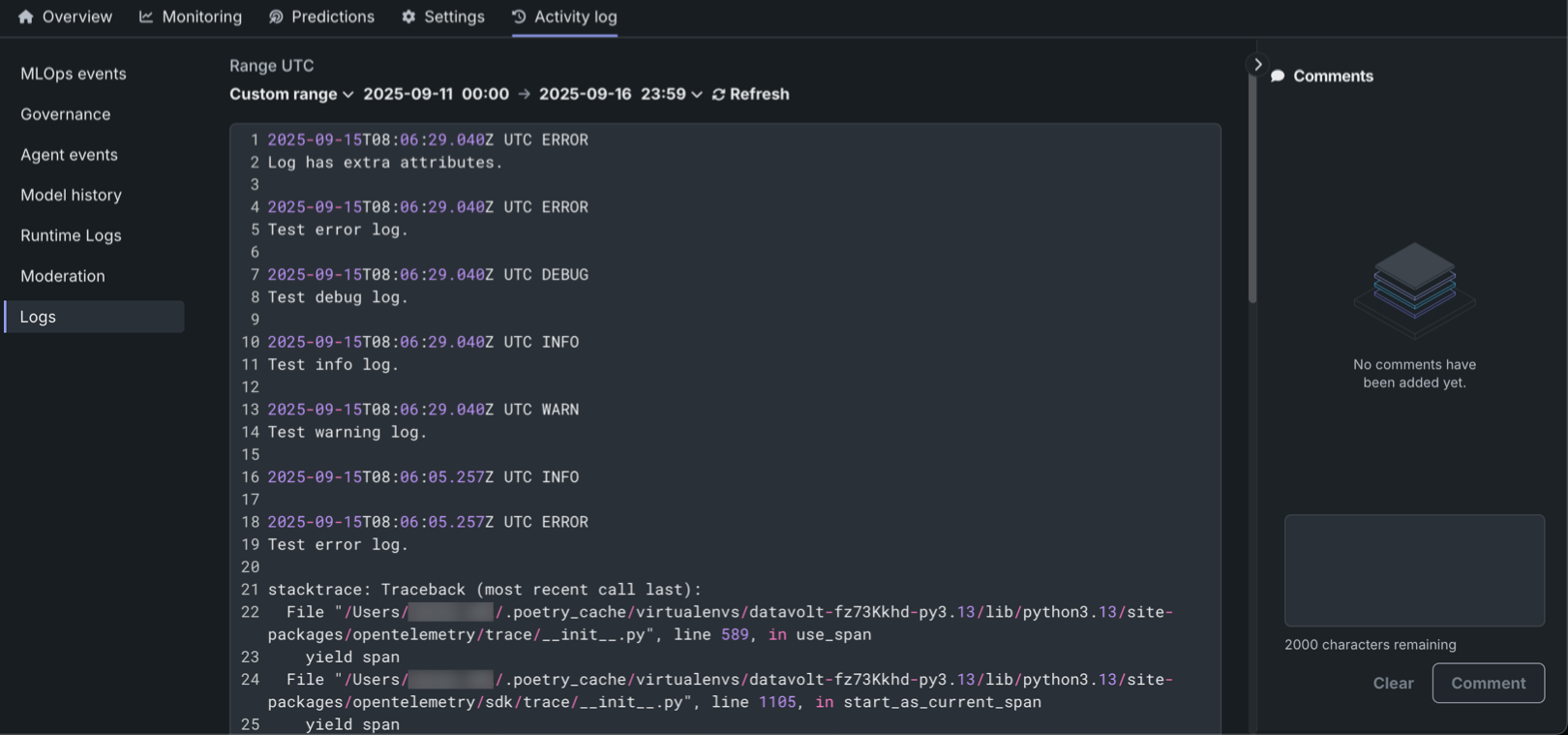
| Control | Description |
|---|---|
| Range UTC | Select the logging date range Last 15 min, Last hour, Last day, or Custom range. |
| Level | Select the logging level to view: Debug, Info, Warning, Error, or Critical. |
| Refresh | Refresh the contents of the Logs tab to load new logs. |
| Copy logs | Copy the contents of the current Logs tab view. |
| Search | Search the text contents of the logs tab. |
Export OTel logs
The code example below uses the OTel logs API to get the OpenTelemetry-compatible logs for a deployment, print a preview and the number of ERROR logs, and then write logs to an output file. Before running the code, configure the entity_id variable with your deployment ID, replacing <DEPLOYMENT_ID> with the deployment ID from the deployment Overview tab or URL. In addition, you can modify the export_logs_to_json function to match your target observability service's expected format.
DataRobot Python Client version
The following script requires datarobot version 3.11.0 or higher installed to support OpenTelemetry logging submodules.
| Export OTel logs to JSON | |
|---|---|
1 2 3 4 5 6 7 8 9 10 11 12 13 14 15 16 17 18 19 20 21 22 23 24 25 26 27 28 29 30 31 32 33 34 35 36 37 38 39 40 41 42 43 44 45 46 47 48 49 50 51 52 53 54 55 56 | |
Next steps
Pair OTel logs with related telemetry views to get a full picture of a deployment's runtime behavior.
- Data exploration: Filter and view span-specific logs alongside stored production and training data.
- OTel metrics: View OpenTelemetry metrics and configure external metrics monitoring for the same deployment.
- Standard output: Check custom model runtime logs to debug prediction request failures alongside OTel logs.